
Unicode Text
Glitch Text Generator — Distorted Text Copy and Paste
Use a glitch text generator to create distorted text you can copy and paste. Learn how Unicode combining marks build corrupted and Zalgo-style effects.
Contents
- How to Use the Glitch Text Generator
- What Is Glitch Text?
- How Glitch Text Is Created with Unicode
- Base Letters and Combining Marks
- Character Substitution and Decoration
- Light, Medium and Heavy Effects
- Comparing Glitch, Cursed and Zalgo Text
- Why Glitch Text Can Look Different in Different Apps
- Popular Ways to Use Glitchy and Cursed Text
- Glitch Text Examples to Copy
- Tips for Keeping Glitch Text Readable
- Glitch Text Generator FAQ
- Is glitch text a real font?
- How does a glitch text generator work?
- Why does glitch text look different after I paste it?
- Is glitch text the same as Zalgo text?
- Can I use glitch text in a username?
- Does glitch or Zalgo text work in Discord?
- Will glitch or Zalgo text work in a game username, like Roblox?
- Create Your Glitch Text
The glitch text generator turns ordinary words into distorted copy-and-paste text for usernames, captions, memes, horror bios, and creative projects. Open the Glitch Fonts generator, enter a short phrase, compare crossed, transformed, and symbol-framed styles, then copy the result that still looks intentional after pasting.
The copied result remains text rather than an image. Some styles add Unicode marks around normal letters, while others substitute unusual characters or place symbols around the phrase.
Quick steps
- Enter or paste your plain text.
- Review the available glitch styles.
- Choose a result that remains readable for its intended use.
- Copy the text.
- Paste it into its final destination and check every character.
How to Use the Glitch Text Generator
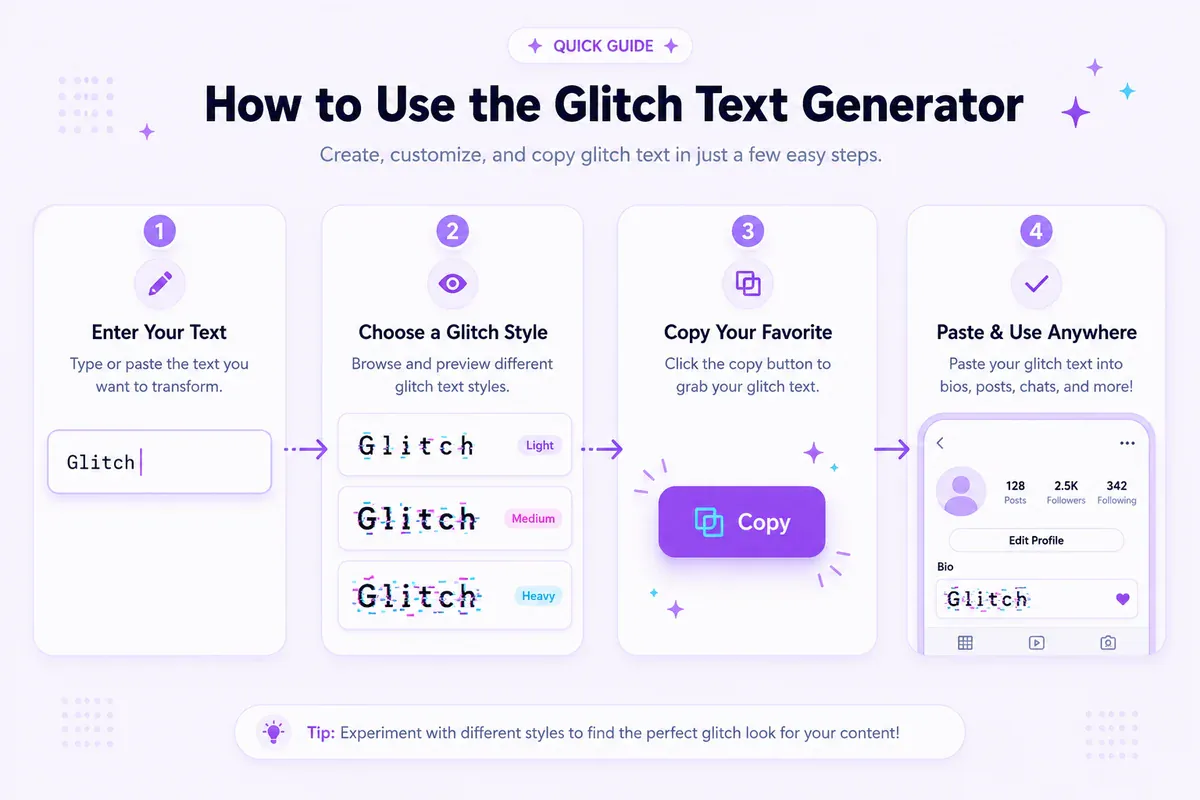
Using the glitch text generator takes four simple steps:
- Type a word, username, caption or short phrase into the input field.
- Compare results such as Glitchify, Pixel Glitch, Text Distort and Static Text.
- Select the copy button beside the result you want.
- Paste the text into its destination and inspect the final appearance.
The current Glitch Fonts collection mixes several treatments. Some cross each letter with a combining mark. Others flip letters, replace them with similar-looking characters, put each character inside brackets or frame the phrase with decorative symbols.
Start with a short phrase because the complete result is easier to judge. For example, Night Signal may work as crossed text in a display name, while a transformed-letter version may suit a fictional error message. The generator shows the styles it actually offers rather than an adjustable intensity control.
You can also browse all font generators when you need a cleaner, bolder or more decorative copy-and-paste style.
What Is Glitch Text?
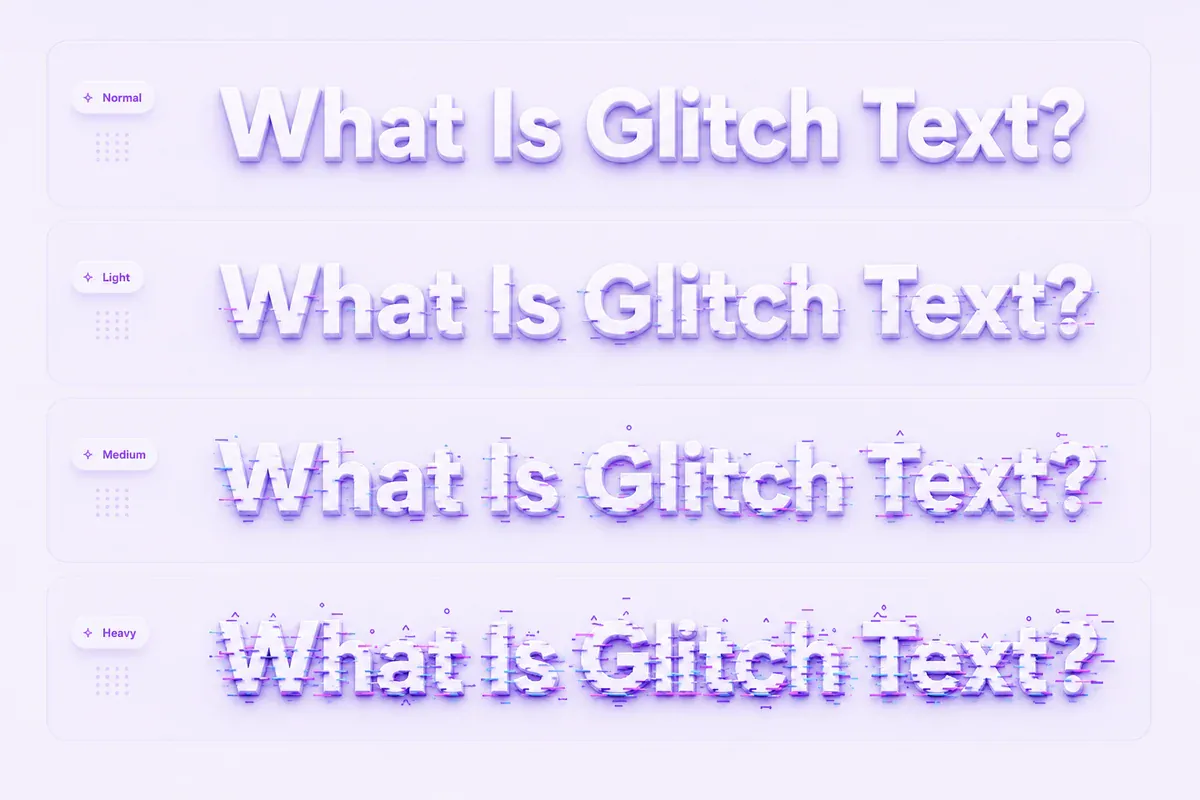
Glitch text is ordinary writing altered with Unicode combining marks, replacement letters or surrounding symbols. The result may look digitally damaged, crossed out, unstable or corrupted.
People often call the effect a “glitch font,” but copied glitch text is usually not a font file installed on a device. Its unusual marks and characters form part of the text string, which is why the result can be copied and pasted.
The broad family includes several visual approaches:
- Crossed text: a line or mark appears through each letter.
- Substituted text: ordinary letters change into visually similar Unicode characters.
- Flipped text: replacement characters create an upside-down or reversed appearance.
- Framed text: symbols or text faces appear around the converted phrase.
- Stacked text: multiple marks extend above, below or through base letters.
These labels overlap, but they do not always describe the same result. Zalgo usually refers to the densest stacked-mark effect.
How Glitch Text Is Created with Unicode
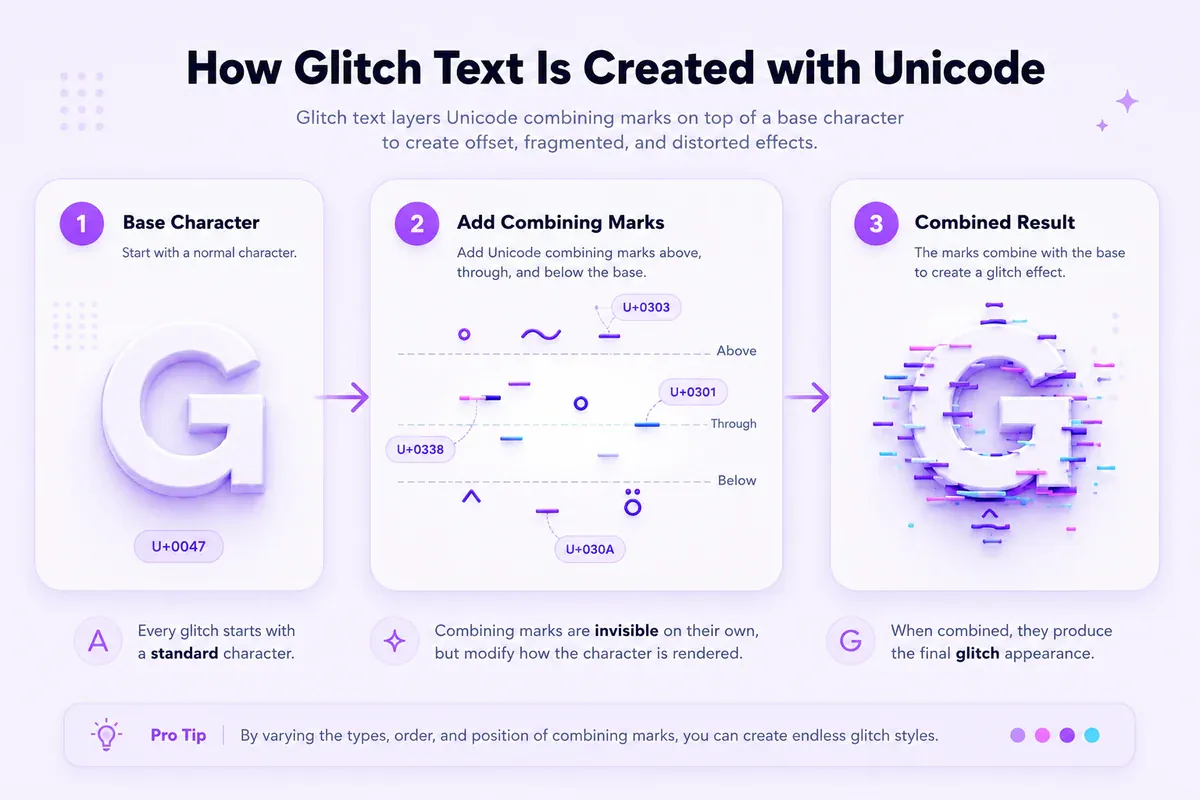
Unicode assigns code points to letters, numbers, punctuation, symbols and marks used by writing systems. A glitch style can place selected combining characters after ordinary letters or replace each letter with another character.
Base Letters and Combining Marks
A normal letter acts as the base character. One or more combining marks can follow it in the stored character sequence.
For example, a G followed by a combining line may render as G̶. Although the added mark comes after the letter in the sequence, the text-rendering system positions it above, below or across the base.
Base letter → combining mark → rendered glitch text
The general Combining Diacritical Marks block covers U+0300–U+036F. Several combining marks may follow the same base letter, allowing marks to stack in different directions. The Unicode FAQ about characters and combining marks also explains why code points and user-perceived characters are not always counted in the same way.
Character Substitution and Decoration
Not every result relies on dense combining marks. A glitchy font generator may map ordinary letters to flipped, accented, boxed or visually similar characters. It may also preserve the converted word and add decorative symbols before or after it.
This distinction matters when comparing results. A crossed style may stay close to the original spelling, while a substituted style can look more dramatic but become harder to scan. Font and app support also determines whether every character appears correctly.
Light, Medium and Heavy Effects
Glitch intensity generally depends on the number, position and variety of marks around each letter.
| General level | Mark density | Suitable use |
|---|---|---|
| Light | Low | Readable display names, labels and short captions |
| Medium | Moderate | Memes, themed posts and creative headings |
| Heavy | High | Horror effects and fictional error messages |
These levels explain the wider glitch-text family; they are not slider settings on the current Glitch Fonts page. For dense stacked output, use the separate Zalgo Fonts generator.
Comparing Glitch, Cursed and Zalgo Text
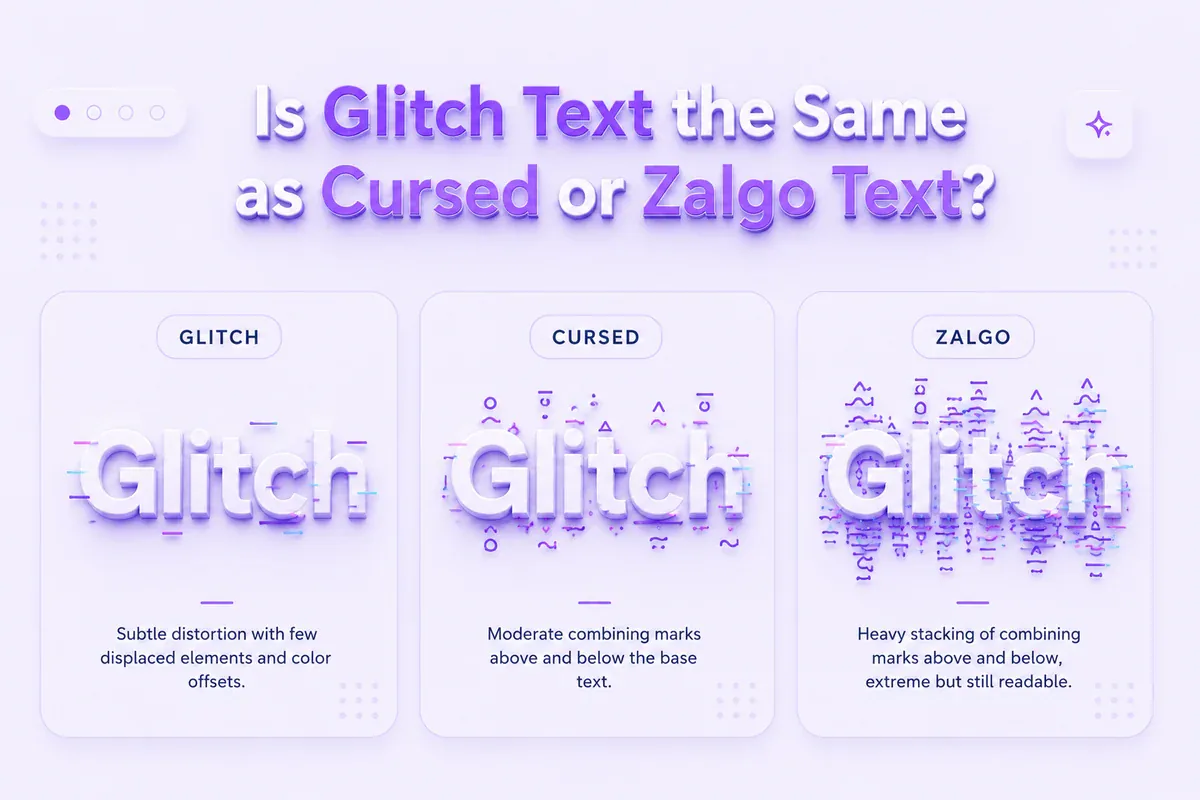
These terms describe related styles, but each one emphasizes a different visual idea.
Glitch text is the broad label for writing that appears digitally damaged, interrupted, crossed or corrupted. FontifyText's Glitch Fonts page includes marked letters, character substitutions, flipped text and decorated variants.
Cursed text usually has an eerie or chaotic meme style. It may combine altered letters with symbols, faces or marks. Use the Cursed Fonts generator when you want that broader unsettling aesthetic.
Zalgo text uses dense groups of combining marks that extend above, below and through the normal line. Use the Zalgo Fonts generator when strong vertical distortion is the main goal.
“Glitchy font” remains a useful everyday phrase for all three styles. Technically, the copyable output is usually Unicode text rather than an installed font.
Why Glitch Text Can Look Different in Different Apps
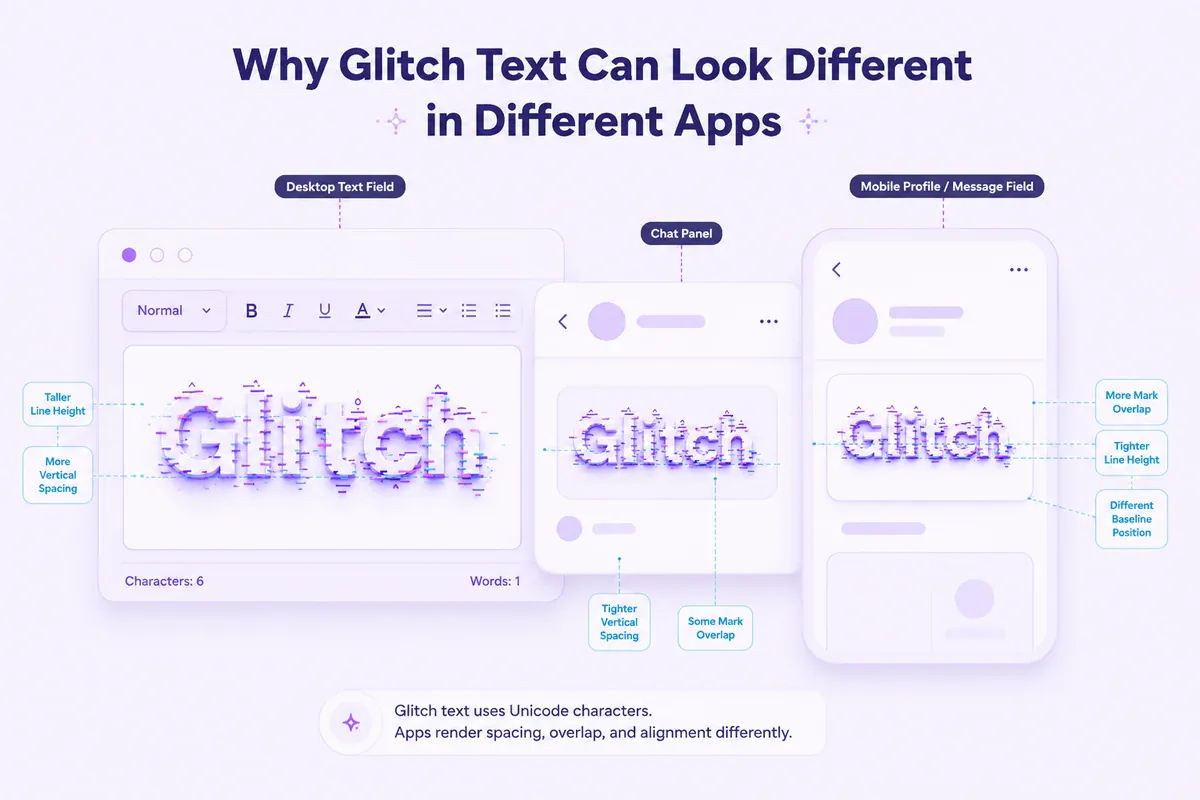
The underlying Unicode sequence can stay the same while its appearance changes. Each application may use a different font, spacing method or text-rendering engine.
One app might position a combining line tightly over each letter. Another may leave larger gaps or allow nearby marks to overlap. The same phrase can also wrap differently on mobile and desktop screens.
Some text fields restrict unusual characters or remove marks that do not match their rules. Username fields may have stricter limits than ordinary posts, captions or messages. A medium-length glitch phrase might therefore fit in a social post but become cramped or rejected inside a narrow profile-name field.
Discord is a common example. Its nickname and chat fields accept most standard Unicode, so a lightly crossed or substituted style usually pastes cleanly. Dense Zalgo-style stacking is a different case — it can look compressed at small sizes, and some servers run moderation bots that strip unusual characters from names. Test a heavy style inside the actual server first, before setting it as a permanent nickname.
Paste the exact result into its intended destination before saving or publishing it. If a character appears as a box, disappears or makes the phrase difficult to read, return to the generator and choose a simpler variation.
Popular Ways to Use Glitchy and Cursed Text
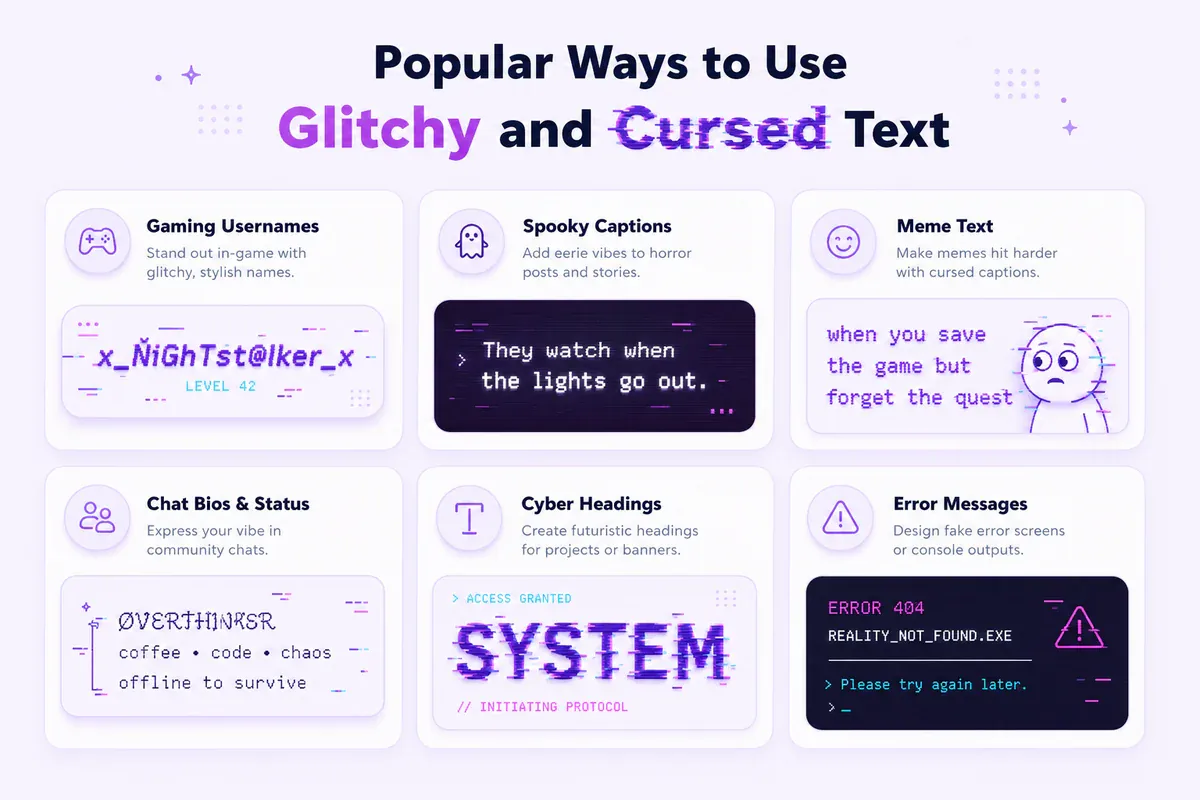
The effect works well in short creative phrases where the damaged appearance supports the message. Common uses include:
- Horror-themed captions
- Gaming display names
- Meme text
- Short profile bios
- Cyberpunk headings
- Halloween posts
- Fictional system warnings
- Titles in creative projects
A light crossed result can give a display name an unusual look without hiding the word. Character substitutions can suit a meme caption or digital-error theme. Dense text works better for a brief horror title than for instructions, URLs, contact details or long paragraphs.
For an eerie but less digitally damaged look, explore Creepy Fonts. For a simpler line-through treatment, use the Cross Out Fonts generator. For reverse or mirror effects without stacked glitch marks, try the Backwards Text generator.
Creative example
S̶I̶G̶N̶A̶L̶ ̶L̶O̶S̶T̶
This version keeps the original words recognizable while adding a damaged-screen appearance.
Glitch Text Examples to Copy
Common glitch words in the four styles that survive a username field. Select any cell and copy it, or type your own word into the glitch font generator.
| Word | Glitchy Fonts | Glitch Glam | Distort Text | Text Distort |
|---|---|---|---|---|
| Error | ̷E̷̷r̷̷r̷̷o̷̷r̷ | Ёяяѳя | 𝑒яяØя | [̲̅E][̲̅r][̲̅r][̲̅o][̲̅r] |
| Corrupted | ̷C̷̷o̷̷r̷̷r̷̷u̷̷p̷̷t̷̷e̷̷d̷ | Cѳяяцртёд | ĆØяя𝓾Ƥ𝐭𝑒𝓭 | [̲̅C][̲̅o][̲̅r][̲̅r][̲̅u][̲̅p][̲̅t][̲̅e][̲̅d] |
| Static | ̷S̷̷t̷̷a̷̷t̷̷i̷̷c̷ | Ѕтдтїс | 丂𝐭𝐚𝐭ᎥĆ | [̲̅S][̲̅t][̲̅a][̲̅t][̲̅i][̲̅c] |
| Void | ̷V̷̷o̷̷i̷̷d̷ | Ѵѳїд | vØᎥ𝓭 | [̲̅V][̲̅o][̲̅i][̲̅d] |
| Ghost | ̷G̷̷h̷̷o̷̷s̷̷t̷ | Гнѳѕт | 𝕘𝓱Ø丂𝐭 | [̲̅G][̲̅h][̲̅o][̲̅s][̲̅t] |
| Signal Lost | ̷S̷̷i̷̷g̷̷n̷̷a̷̷l̷ ̷L̷̷o̷̷s̷̷t̷ | Ѕїгпдл Лѳѕт | 丂Ꭵ𝕘ⓝ𝐚𝐥 ᒪØ丂𝐭 | [̲̅S][̲̅i][̲̅g][̲̅n][̲̅a][̲̅l] [̲̅L][̲̅o][̲̅s][̲̅t] |
| 404 | 404 | 404 | 404 | 404 |
| v2 | ̷v̷2 | ѵ2 | 𝓿2 | [̲̅v]2 |
Two things these rows show that are easy to miss.
Numbers pass through untouched. Every glitch style maps letters only, so 404 and the 2 in v2 stay exactly as typed in all four columns. That is useful when a handle ends in a year or a version number — the digits stay searchable and readable while the letters carry the effect.
These four are the ones that paste cleanly. The generator also has styles that wrap your text in emoji frames and kaomoji, like 『 💖 』 or ︻╦̵̵̿╤──. They look striking in a caption but are the first thing a username field rejects, and the compatibility notes below explain why. If the text is going into a name rather than a post, stay with the four above.
Tips for Keeping Glitch Text Readable
Use light distortion for display names, labels and important words. Save heavier styles for short decorative phrases where the visual noise is intentional.
Keep a plain-text copy of the original message. Removing multiple combining marks can be awkward after the ordinary version has been discarded.
Avoid dense glitch text in full paragraphs. Dates, instructions, account recovery details, contact information and links are easier to understand in ordinary text.
Decorative Unicode text may not be interpreted predictably by screen readers or text-to-speech software. Keep essential wording in plain text, and test important designs on mobile and desktop when possible.
One practical approach is to use glitch text for the heading Transmission Failed, then write the explanation beneath it in normal text.
Glitch Text Generator FAQ
Is glitch text a real font?
“Glitch font” is a common name for the effect, but copy-and-paste glitch text is usually a Unicode sequence rather than a downloadable font. Its altered letters, symbols and marks remain part of the copied text.
How does a glitch text generator work?
A glitch text generator adds selected Unicode marks or symbols, substitutes transformed characters, or decorates normal text. Combining marks follow base letters in the encoded sequence and may appear above, below or across them when displayed.
Why does glitch text look different after I paste it?
The destination may use a different font or rendering system. Mark spacing and overlap can change, and some text fields may filter unusual characters or apply their own length rules.
Is glitch text the same as Zalgo text?
No. Zalgo is generally a heavier type of glitch text with dense combining marks above and below the normal writing line. FontifyText provides it through a separate Zalgo Fonts page.
Can I use glitch text in a username?
That depends on the service's character rules. Try a readable result first and confirm that the complete name appears correctly before saving it.
Does glitch or Zalgo text work in Discord?
Yes, for chat messages and most nicknames — Discord's text fields accept standard Unicode, including combining marks. Heavier Zalgo-style stacking can look compressed or get stripped by server moderation bots in some communities, so a lighter crossed or substituted style is the safer default for a permanent nickname.
Will glitch or Zalgo text work in a game username, like Roblox?
Not reliably. Many games, including Roblox, run usernames and chat through automated filters designed to strip unusual Unicode, partly because dense combining marks can interfere with their own text rendering and moderation systems. Test glitch text inside that specific game first, and keep a plain-text username ready as a fallback.
Create Your Glitch Text
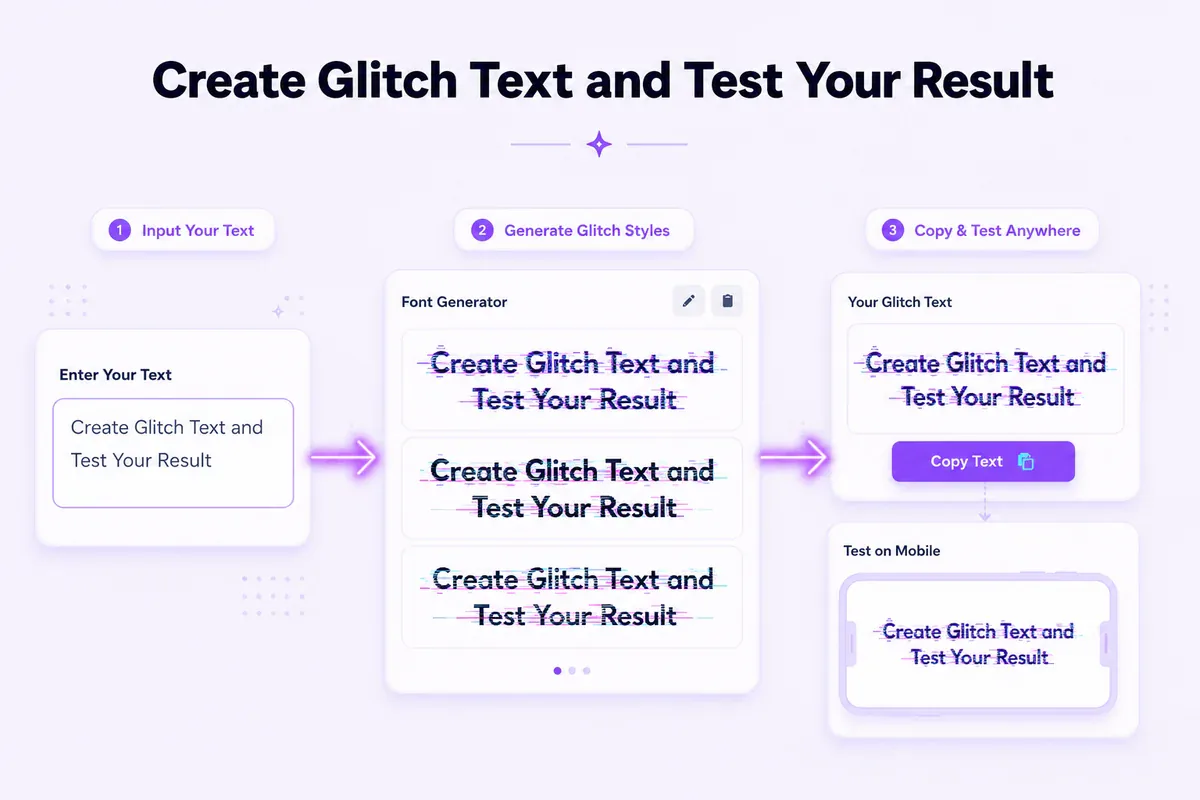
Open the glitch text generator, type your phrase and compare the available marked, transformed and decorated results. Copy the style that matches your project, then test it in the final app while keeping essential information in plain text.