
Unicode Text
Zalgo Text Copy and Paste: How Cursed Letters Work
Zalgo text copy and paste guide: how combining marks stack into cursed letters, which apps strip them, and how to dial the distortion up or down.

Contents
- How to Use the Zalgo Text Generator
- Quick Checklist Before You Copy
- What Is Zalgo Text?
- How Zalgo Text Works with Unicode
- Marks Above the Letter
- Marks Through the Letter
- Marks Below the Letter
- How to Choose a Zalgo Style
- Where Can You Use Zalgo Text?
- Discord and Community Messages
- Roblox and Gaming Spaces
- Captions, Memes, and Horror Writing
- Zalgo Text vs Glitch Text vs Cursed Text
- Troubleshooting and Accessibility
- Zalgo Text Generator FAQ
- Is Zalgo text a real font?
- Can I copy and paste Zalgo text?
- Does Zalgo text work on Discord?
- Can I use Zalgo text on Roblox?
- How does a Zalgo text generator work?
Create creepy, corrupted Unicode text with this Zalgo text generator. Enter a phrase, compare the generated styles, and copy the result that suits your name, caption, message, or creative project.
This page creates copy-and-paste Zalgo text, not downloadable font files. The effect comes from Unicode combining marks attached to ordinary letters, so it can be pasted into many text fields while still depending on each app's character support.
How to Use the Zalgo Text Generator
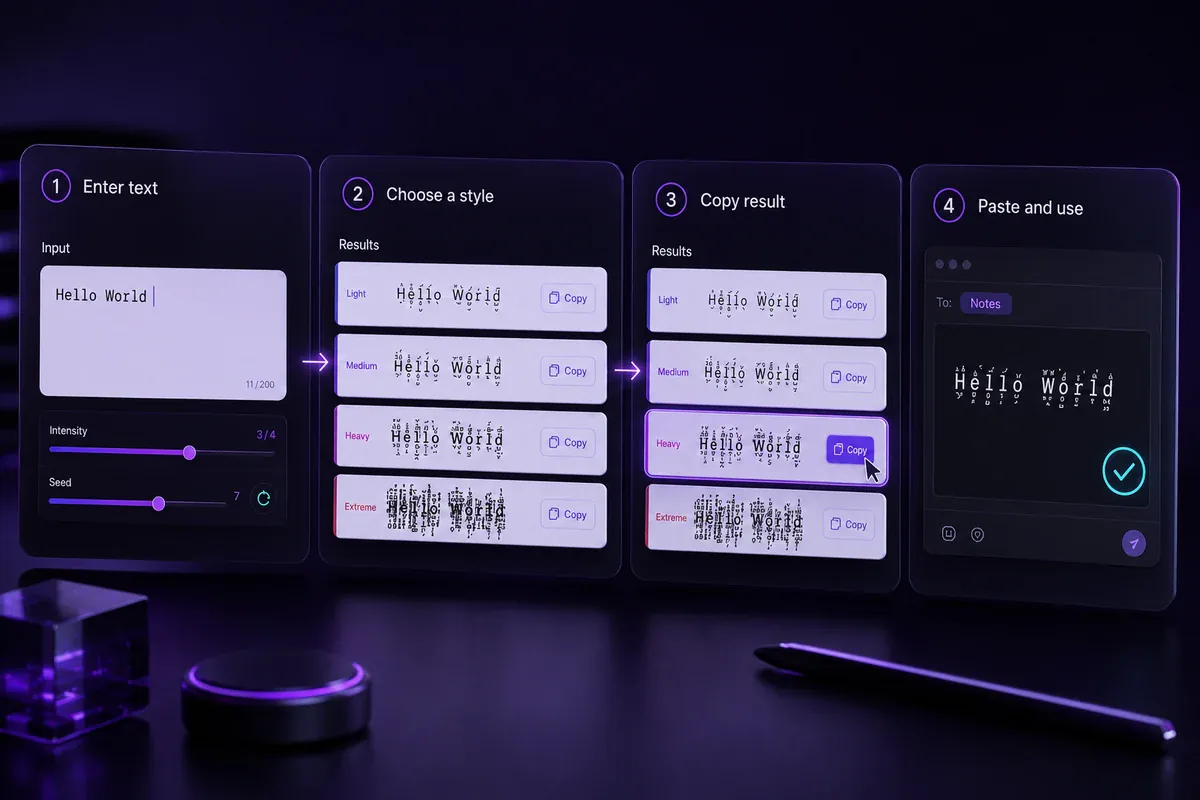
The generator follows a simple copy-and-paste process:
- Enter or paste a word, name, caption, or short message.
- Review the generated Zalgo result cards.
- Choose a version that remains clear enough for its purpose.
- Select Copy beside your preferred result.
- Paste it into the intended field and check its appearance.
Begin with a brief phrase because the differences between results will be easier to see. For example, enter The signal is lost and compare how each version changes the marks around the letters.
A community name or profile label should remain easy to recognise. A fictional warning, meme, or horror scene break can use denser marks because it only needs to be read once.
For other copy-and-paste styles, visit the main font generator.
Quick Checklist Before You Copy
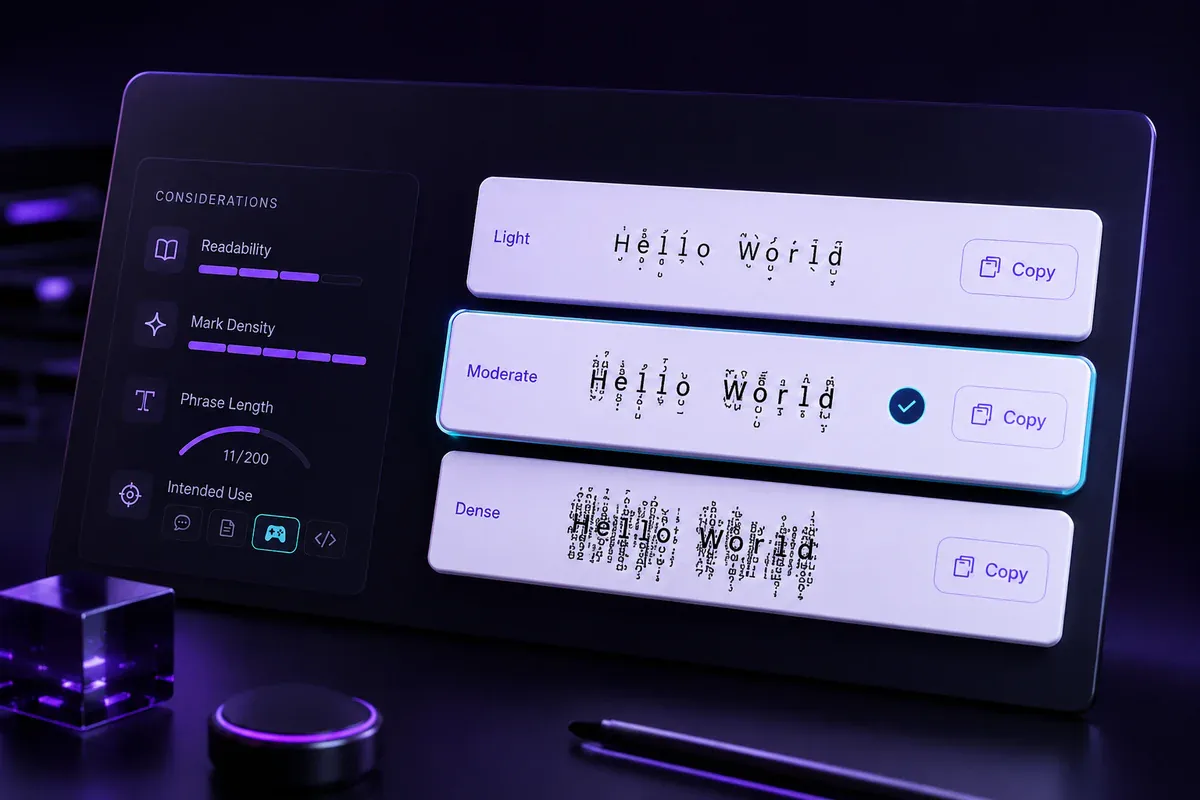
Check these points before selecting a generated result:
- Can you still recognise every word?
- Is the phrase brief enough to avoid crowded lines?
- Does the style suit a name, caption, meme, or story?
- Are essential details also available in plain text?
- Does the copied result fit inside its intended field?
The most corrupted version is not always the most useful. A lighter result often works better when readers need to recognise or remember the wording.
What Is Zalgo Text?
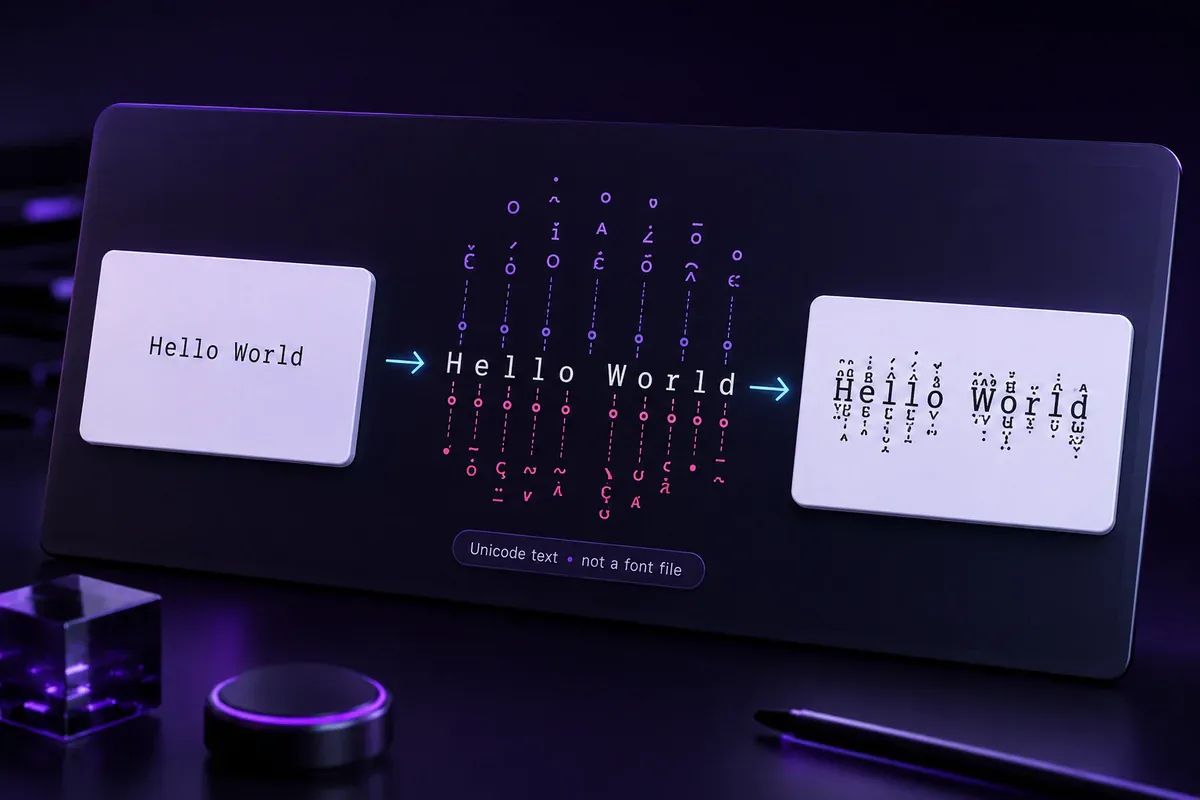
Zalgo text is ordinary writing with multiple Unicode combining characters added after its letters. These marks can appear above, below, or across the base characters, producing a corrupted or chaotic appearance.
People may search for this effect as a cursed font, demonic font, or corrupted font. Technically, the result is copyable Unicode text rather than a downloadable or installed font.
A plain word might begin as:
Hello
After combining marks are added, one possible result is:
H̴e̷l̶l̵o̸
The same sequence may look slightly different when another app, device, or font displays it.
Zalgo works best as a brief visual element. It can add tension to a horror heading, fictional warning, meme phrase, or corrupted transmission without making a full paragraph difficult to read.
How Zalgo Text Works with Unicode
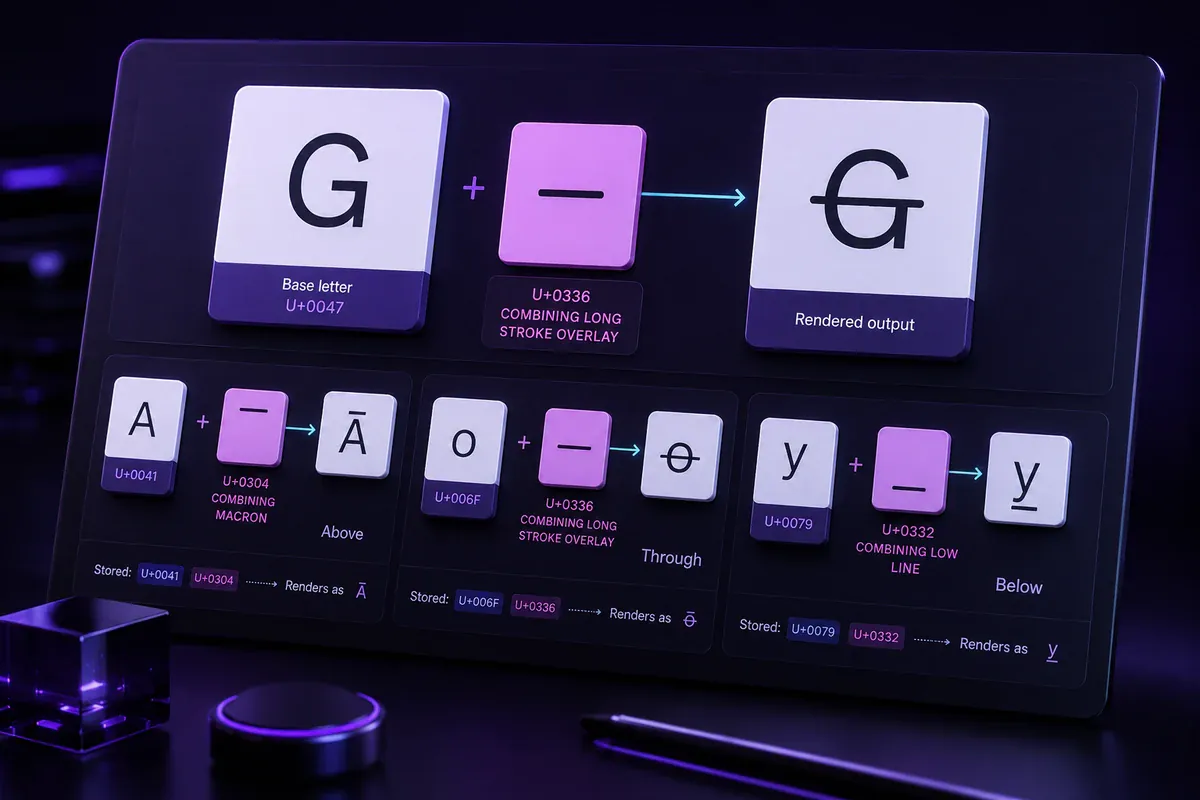
Unicode assigns code points to letters, punctuation, symbols, and combining marks. The U+0300–U+036F range is named the Combining Diacritical Marks block in the official Unicode character chart.
A combining character follows the base character it affects in the stored sequence. A text renderer then places the mark relative to that base letter.
For example, U+0336 COMBINING LONG STROKE OVERLAY can follow the letter G:
G + U+0336 COMBINING LONG STROKE OVERLAY → G̶
Several combining characters can follow the same base letter. When many are added, they can stack upward, downward, or through the character to form the familiar Zalgo effect.
The Unicode Core Specification explains how combining characters relate to base characters. It also notes that software does not have to display every possible character combination in the same way.
Marks Above the Letter
Above marks extend over the normal text line. Several can stack vertically and make a word appear unstable or stretched.
Marks Through the Letter
Overlay marks cross the base characters. They can make a phrase appear scratched, interrupted, or damaged.
Marks Below the Letter
Below marks extend beneath the baseline. Dense combinations may touch nearby lines when a page or app uses tight spacing.
How to Choose a Zalgo Style
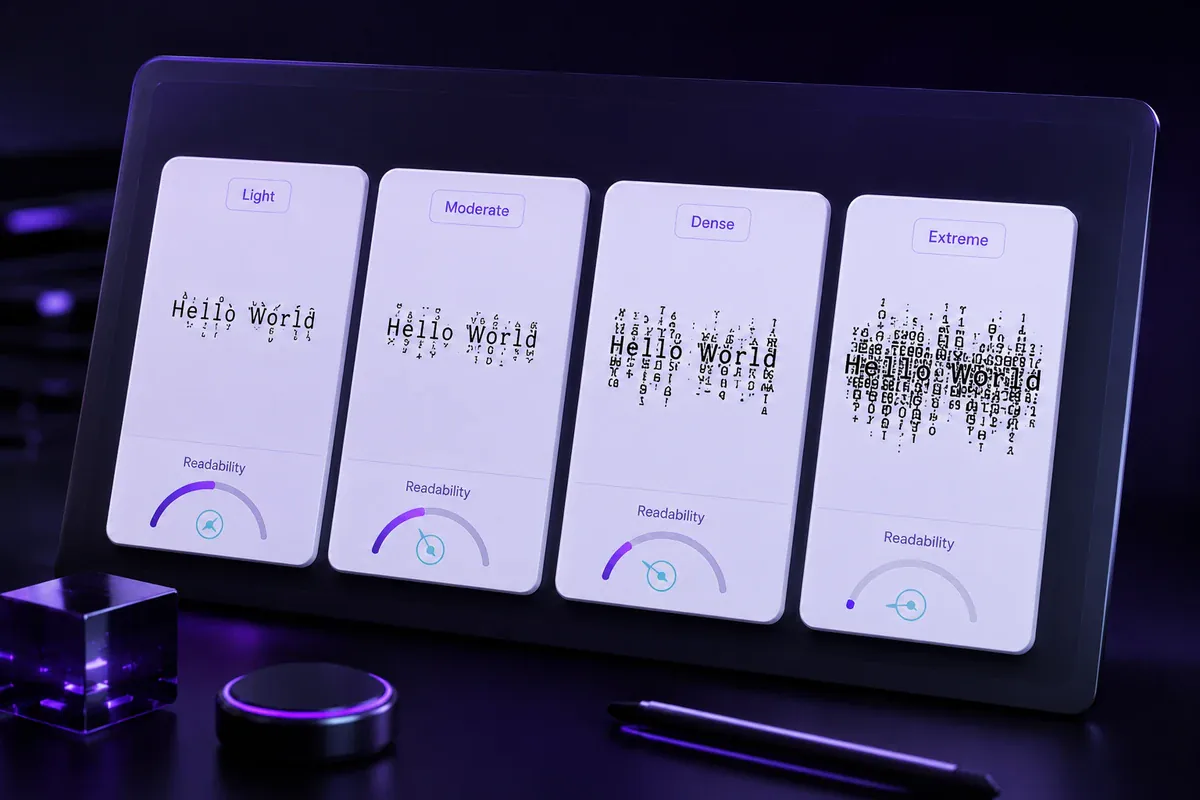
The result cards use different combinations and densities of marks. Choose a style by looking at the actual output rather than assuming the most crowded version is the right one.
| Result type | Suitable uses | Main drawback |
|---|---|---|
| Relatively light corruption | Names, labels, and short captions | The effect may appear subtle |
| Moderate corruption | Memes, community messages, and horror hooks | Marks may touch nearby text |
| Dense corruption | Creepypasta headings and fictional warnings | Reading becomes slower |
| Extreme corruption | Very short decorative phrases | The result may clip or overflow |
For a community name such as Night Signal, choose a result where both words remain recognisable. For a scene break such as HE IS HERE, denser corruption can create a stronger interruption.
One distorted phrase usually has more impact than a full paragraph covered in combining marks.
Where Can You Use Zalgo Text?
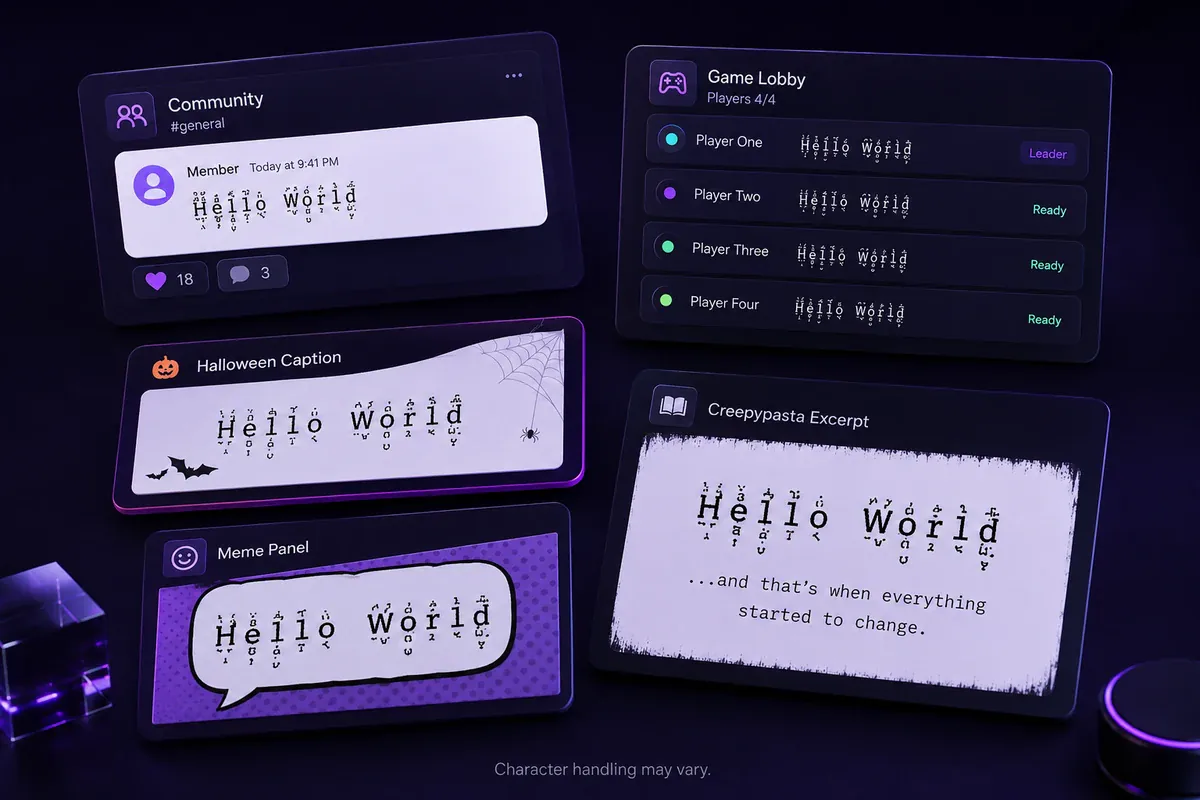
Zalgo text may appear in messages, captions, comments, profile fields, and creative documents that accept the included Unicode characters. Character handling can vary between apps, fonts, devices, and input fields.
Discord and Community Messages
A corrupted phrase can suit a horror server, roleplay message, or fictional transmission. Keep channel names, rules, and instructions readable when members need to find them repeatedly.
For other community-focused styles, compare the Discord font generator. Read the full Discord fonts copy and paste guide for bios, nicknames, and channel names.
Roblox and Gaming Spaces
Roblox filters text used across the platform, including chat and display names. A decorated phrase may therefore be handled differently depending on where it is entered.
Use a short, readable version first and confirm it appears correctly before saving a profile field. Keep a plain-text copy in case the decorated version is rejected, changed, or displayed differently.
Captions, Memes, and Horror Writing
Zalgo can create a damaged opening line for a Halloween caption:
D̵O̷ ̸N̵O̴T̶ ̵O̸P̷E̶N̵ ̷T̸H̵E̴ ̶D̵O̷O̶R̴
Write the rest of the caption in plain text so the full message remains clear.
Writers can also use a corrupted phrase as a creepypasta scene break, supernatural interruption, or fictional system error.
For an eerie style with less vertical distortion, try the creepy text generator.
Zalgo Text vs Glitch Text vs Cursed Text
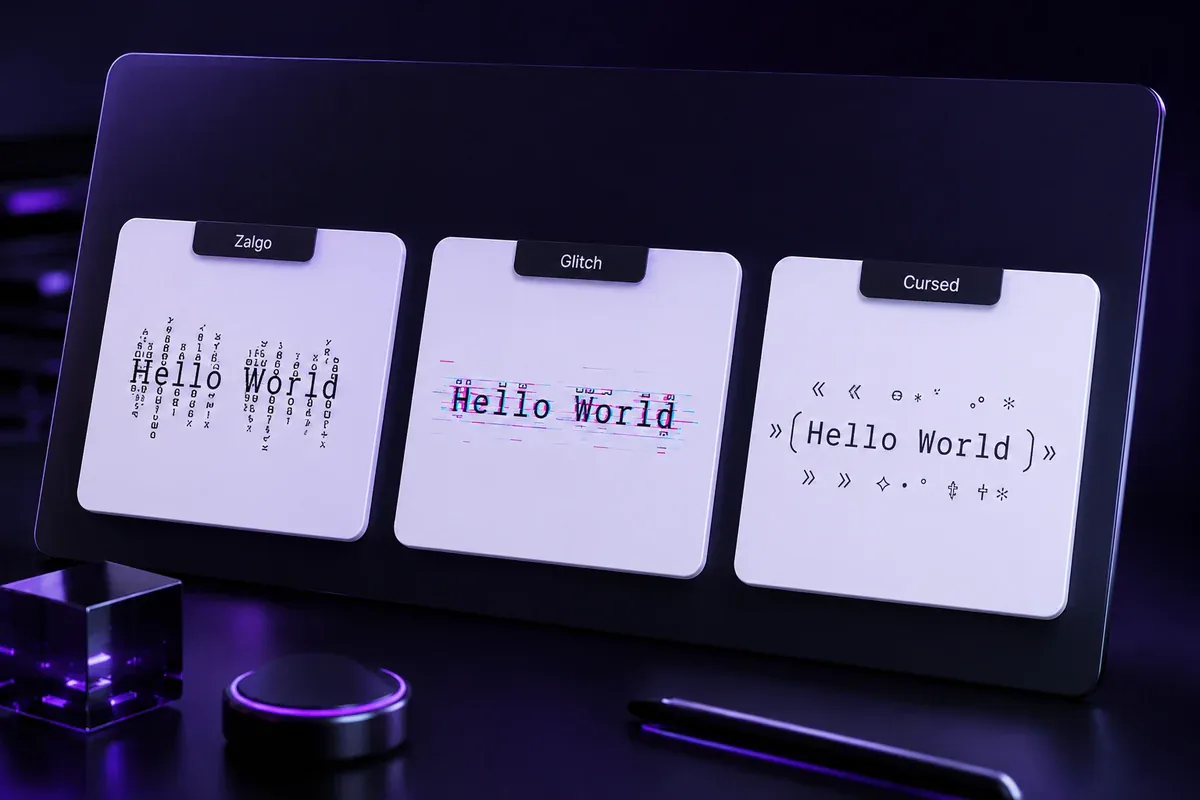
These labels overlap in casual use, but they can refer to different text treatments.
| Style | Common method | Typical appearance |
|---|---|---|
| Zalgo text | Multiple combining marks around base letters | Tall, stacked corruption |
| Glitch text | Combining marks, replacement characters, or symbols | Broad digital-error effect |
| Cursed text | Distorted letters, symbols, faces, or chaotic decoration | Eerie or meme-style writing |
Zalgo usually refers to marks extending above, through, and below ordinary letters.
Glitch text is a wider category. It can include crossed letters, reversed characters, substitutions, and other digital-damage effects. Compare those options with the glitch text generator.
Cursed text often mixes altered characters and symbols for a strange or unsettling result. The cursed text generator is better suited to that broader style.
Troubleshooting and Accessibility
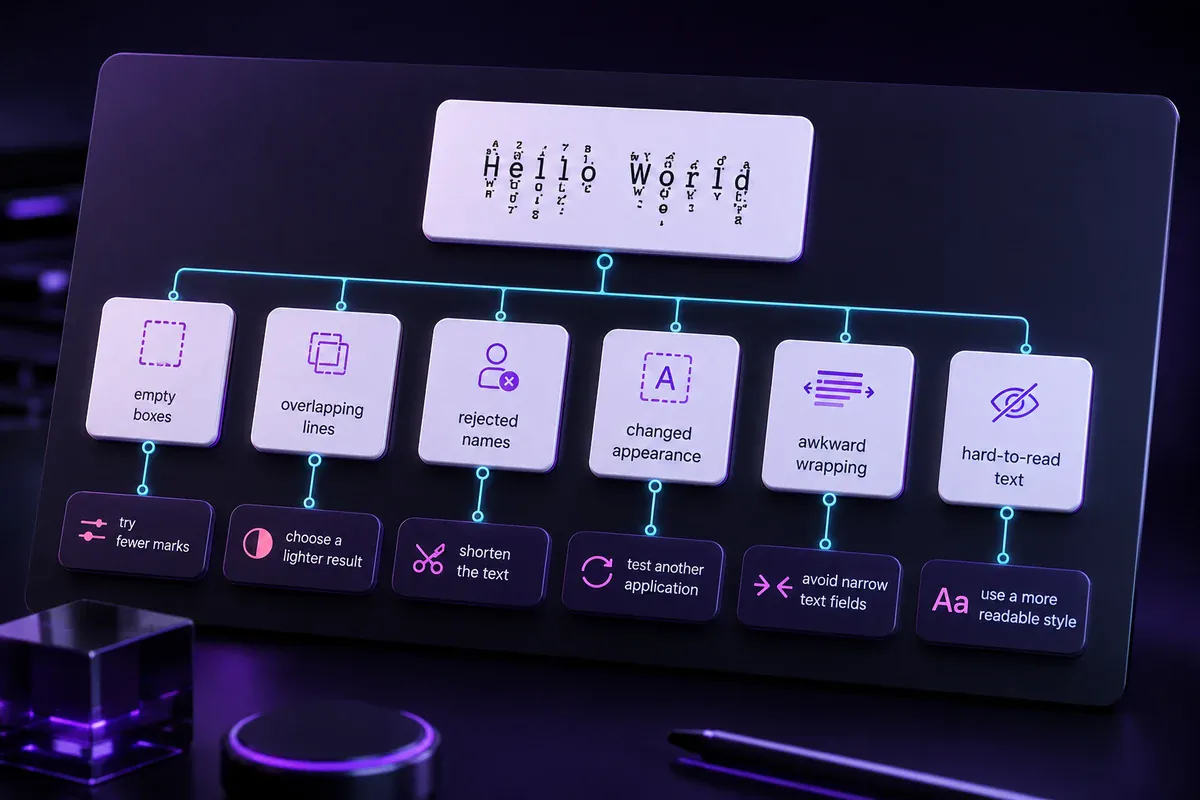
Most problems can be addressed by choosing a clearer result or shortening the phrase.
| Problem | Likely reason | Practical fix |
|---|---|---|
| Empty boxes appear | The destination font does not display a character | Try another generated result |
| Marks overlap another line | The result contains dense above or below marks | Choose a shorter or clearer version |
| A name is rejected | The field filters unusual characters | Use a simpler result or plain text |
| The appearance changes | The destination uses another font or renderer | Compare the pasted version before saving |
| The phrase wraps awkwardly | The marks occupy unusual visual space | Shorten the phrase |
| The wording is difficult to understand | Decorative marks hide the base letters | Repeat the message in ordinary text |
Zalgo is text rather than executable program code. Dense character sequences may still create clipping, overlapping lines, awkward wrapping, or other rendering problems in some interfaces.
Do not use corrupted text for passwords, recovery codes, addresses, URLs, contact details, or essential instructions. Important information should remain available in ordinary text.
Readers who find decorated text difficult to interpret should receive the same message in plain text. For interface guidance covering labels, keyboard access, focus visibility, and status messages, consult the WCAG quick reference.
Zalgo Text Generator FAQ
Is Zalgo text a real font?
No. It consists of ordinary characters followed by Unicode combining marks. You can copy it without downloading or installing a font.
Can I copy and paste Zalgo text?
Yes. Choose a generated result and select its Copy action. Its appearance can change when the destination uses a different font or renderer.
Does Zalgo text work on Discord?
It may appear in Discord messages and some other fields, but character handling can vary. Simpler results are usually easier to read.
Can I use Zalgo text on Roblox?
Roblox filters platform text, including chat and display names. A short, readable Zalgo result is more likely to be usable than a dense one, but you should test the exact field before saving.
How does a Zalgo text generator work?
A Zalgo text generator places selected Unicode combining marks after ordinary letters. The rendering system displays those marks around the base characters, forming the corrupted effect.
Create a short phrase with the Zalgo text generator, compare the results, and copy the clearest style for your intended use.