Small Caps
ꜰᴏɴᴛ ɢᴇɴᴇʀᴀᴛᴏʀ

Free · No Signup · No App
Create copyable small caps, superscript, and subscript Unicode for bios, usernames, captions, formulas, and notes.
ꜰᴏɴᴛ ɢᴇɴᴇʀᴀᴛᴏʀ
ᶠᵒⁿᵗ ᴳᵉⁿᵉʳᵃᵗᵒʳ
Fₒₙₜ Gₑₙₑᵣₐₜₒᵣ
【 ❝ ⚘ ✧ ❞ 】 Fₒₙₜ Gₑₙₑᵣₐₜₒᵣ 【 ❝ ⚘ ✧ ❞ 】
༻༒💖༒༺ ᶠᵒⁿᵗ ᴳᵉⁿᵉʳᵃᵗᵒʳ ༻༒💖༒༺
❤꧁ღ⊱♥ FᴏɴᴛGᴇɴᴇʀᴀᴛᴏʀ ♥⊱ღ꧂❤
ミ💖 Fₒⁿᵗ ɢₑⁿₑᵩₐᵗₒᵩ 💖彡
💔💓💢💓💞 ғσηт gεηεяαтσя 💔💓💢💓💞
✧༺♥༻∞ 𝐅ㄖ𝔫𝓣 ĞⒺ𝔫ⒺⓡⒶ𝓣ㄖⓡ ∞༻♥༺✧
¸.*☆*¸.*♡*.¸ ℱ☺ηт Ḡεηεґαт☺ґ ¸.*♡*¸.*☆*¸.
ғₒⁿᵗ ɢₑⁿₑᵩₐᵗₒᵩ
fₒₙₜ gₑₙₑᵣₐₜₒᵣ
𝐅ㄖ𝔫𝓣 ĞⒺ𝔫ⒺⓡⒶ𝓣ㄖⓡ
ғσηт gεηεяαтσя
ℱ☺ηт Ḡεηεґαт☺ґ
゚・*:.。*:゚・♡ ƒσηт gєηєяαтσя ゚・*:.。*:゚・♡
ପໄଓ࿚ପଓ fₒₙₜ gₑₙₑᵣₐₜₒᵣ ପໄଓ࿚ପଓ
『 💖 』 fₒₙₜ gₑₙₑᵣₐₜₒᵣ 『 💖 』
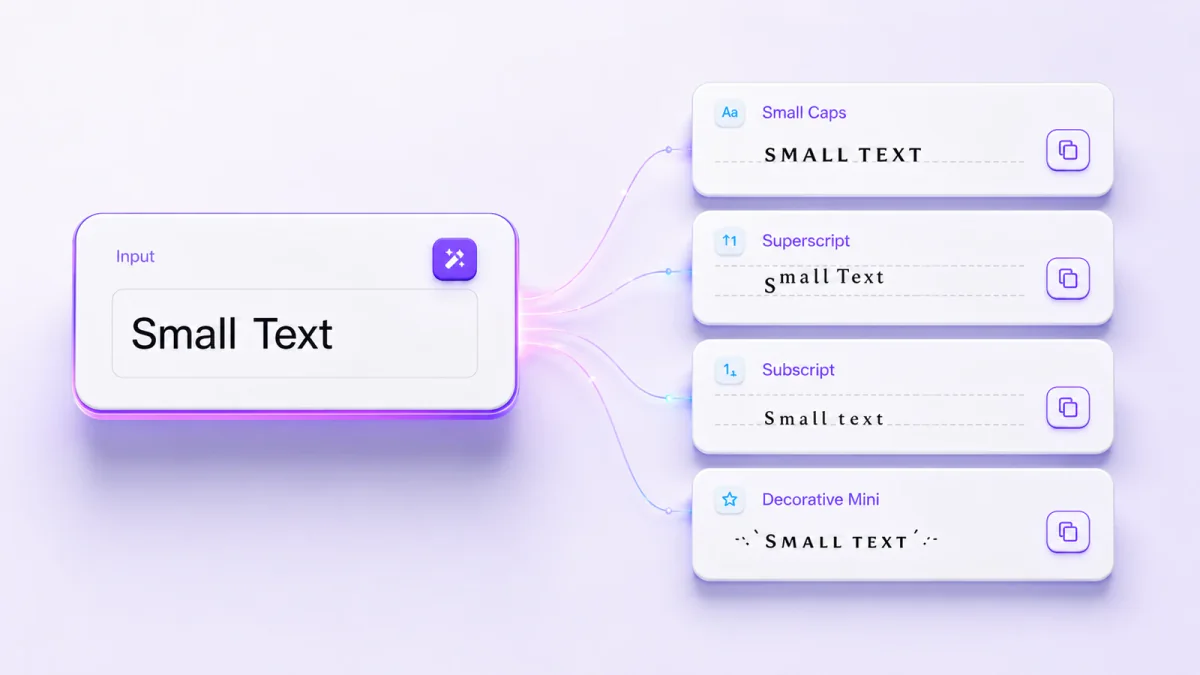
Use this small text generator to convert ordinary letters and numbers into available miniature Unicode styles, including small-cap-like, superscript, and subscript results. Type your text, compare the outputs, and copy the clearest version for a bio, display name, caption, exponent, footnote, or formula.
Quick steps
Three of the results above are plain Unicode sets with nothing added. Every other style on this page is one of those three with brackets, hearts or symbols wrapped around it, so if a result has to stay readable at a small size, start here.
| If you want | Use | this becomes | H2O becomes |
|---|---|---|---|
| Letters shaped like capitals but lowercase height — headings, display names | Small Caps | ᴛʜɪꜱ | ʜ2ᴏ |
| Raised characters — footnotes, exponents, ordinals | Superscript | ᵗʰⁱˢ | ᴴ²ᴼ |
| Lowered characters — formulas, indices, variables | Subscript | ₜₕᵢₛ | ₕ₂ₒ |
Two things that catch people out, and both are Unicode's doing rather than this
page's. Digits have no small-capital forms, so Room 214 comes out as
ʀᴏᴏᴍ 214 with the number untouched — if you want smaller-looking digits,
superscript and subscript both carry a complete set of numerals. And a chemical
formula wants only the number lowered: running H2O through Subscript gives
ₕ₂ₒ, which drops the letters too. For H₂O, convert just the 2 and leave the
H and the O as ordinary capitals.
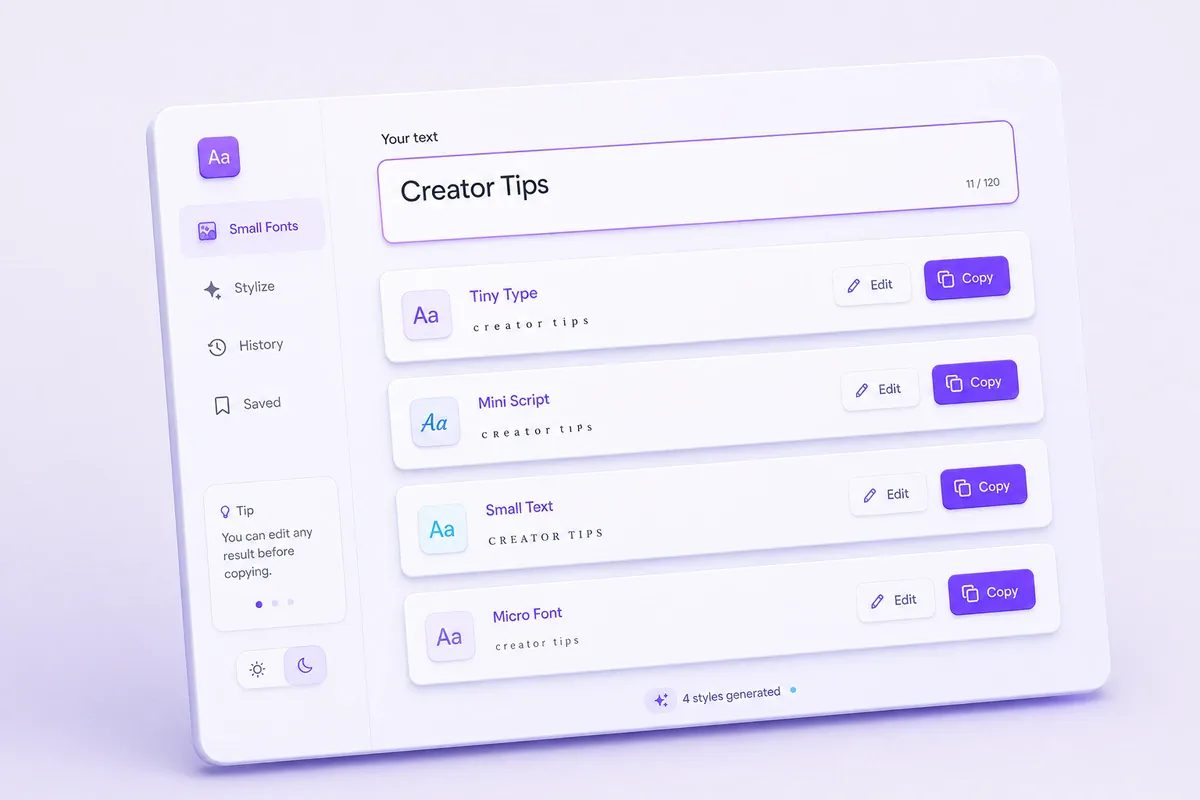
The generator replaces ordinary letters, numbers, or symbols with Unicode characters that have a smaller, raised, lowered, or compact appearance.
Enter your text once and review the available result cards. Each card presents a different character mapping or decorative style. You can edit a result when needed and use its copy control to place the selected characters on your clipboard.
The output is not an installed font, and it does not reduce the font-size setting inside another app. It consists of separate Unicode characters that can be pasted into fields that accept them.
For example, ordinary Text may produce results resembling:
ᴛᴇxᴛᵀᵉˣᵗₜₑₓₜThese examples describe broad categories. The exact styles shown by the tool depend on its current character mappings.
For more copyable character styles, visit the main font generator.
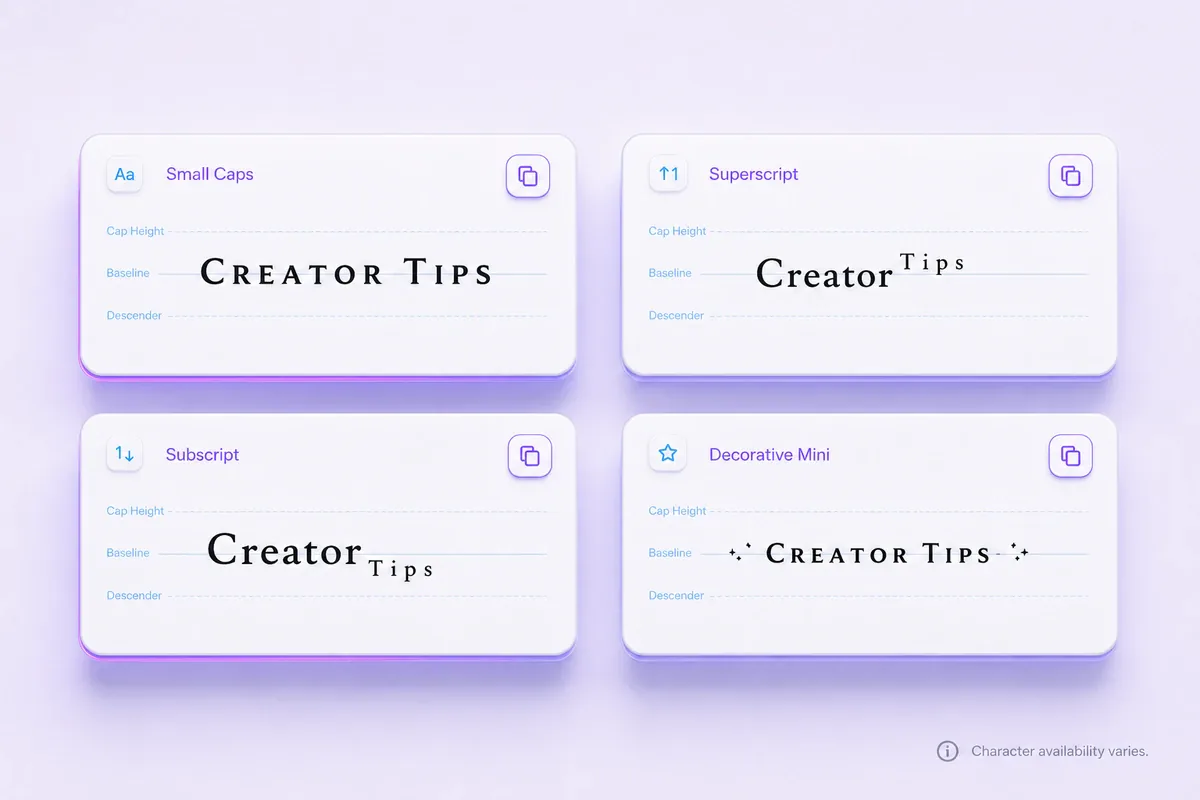
The tool may display several named results. You can compare them by readability, character coverage, and intended use.
| Style category | Example | Common use | Main limitation |
|---|---|---|---|
| Small-cap-like | ᴄʀᴇᴀᴛᴏʀ ᴛɪᴘꜱ | Short labels and display names | Some letters use visual substitutes |
| Superscript | ˢᵐᵃˡˡ ᵗᵉˣᵗ | Exponents, ordinals, and short notes | Full words can contain mixed shapes |
| Subscript | ₛₘₐₗₗ ₜₑₓₜ | Formulas and lowered number markers | Letter coverage is limited |
| Decorative miniature | Varies by result | Short social text and profile accents | Symbols can reduce readability |
These three treatments can look similar at a glance, but they produce different underlying text. Choose based on where the result must work, not only on appearance.
| Treatment | What is stored | Best choice for | Important tradeoff |
|---|---|---|---|
| Small-cap-like Unicode | Separate compact-looking Unicode characters | Plain-text bios, display names, and chat fields | Letter coverage and search behavior can vary |
| Superscript or subscript Unicode | Raised or lowered Unicode characters | Short exponents, ordinals, and formula fragments | Full matching alphabets do not exist |
| True small caps in a typeface | Ordinary letters styled by the selected font | Documents and designs that support typography controls | The appearance disappears when pasted into a plain-text field |
CSS font-variant-caps | Ordinary webpage text with a browser-applied style | Accessible headings or labels on a website you control | It cannot be copied into another app with the style intact |
If you are writing a webpage or formatted document, preserve ordinary letters and use the platform's typography controls. Use the generator when the destination accepts only plain text and the compact appearance needs to travel with the copied characters. Before keeping a public name, use the Unicode compatibility checker to compare how the result survives across common text environments.
Small-cap-like Unicode characters resemble miniature capital letters while remaining close to the normal baseline.
They are not the same as the built-in small-caps feature found in some professional fonts. A font’s true small caps are designed as part of that typeface, while the generator uses separate Unicode characters from different blocks.
Example: Creator Tips → ᴄʀᴇᴀᴛᴏʀ ᴛɪᴘꜱ
This style often works well for a short heading or display name because most characters remain close to the normal text line.
Numbers and the letter Q. Two things surprise people about this style, and both are properties of Unicode rather than of the generator.
Digits have no small-capital forms at all. Small caps are a letterform idea
applied to letters, and Unicode never defined miniature versions of 0–9, so a
number passes through unchanged: Room 214 becomes ʀᴏᴏᴍ 214. If you need
smaller-looking digits, subscript (₂₁₄) and superscript (²¹⁴) do have a
complete set of numerals, and both are available above.
The letter Q is the newest character in the small-caps set. A small capital Q
(ꞯ, U+A7AF) was only added to Unicode in version 11.0, released in June 2018, which
makes it far younger than the rest of the alphabet — most of which has been
present since the 1990s. Because font support follows the standard rather than
leading it, Q is the character in this style most likely to appear as an empty
box on an older phone or an out-of-date system font. Paste a word containing Q
into the target app and look at it before committing a name to it.
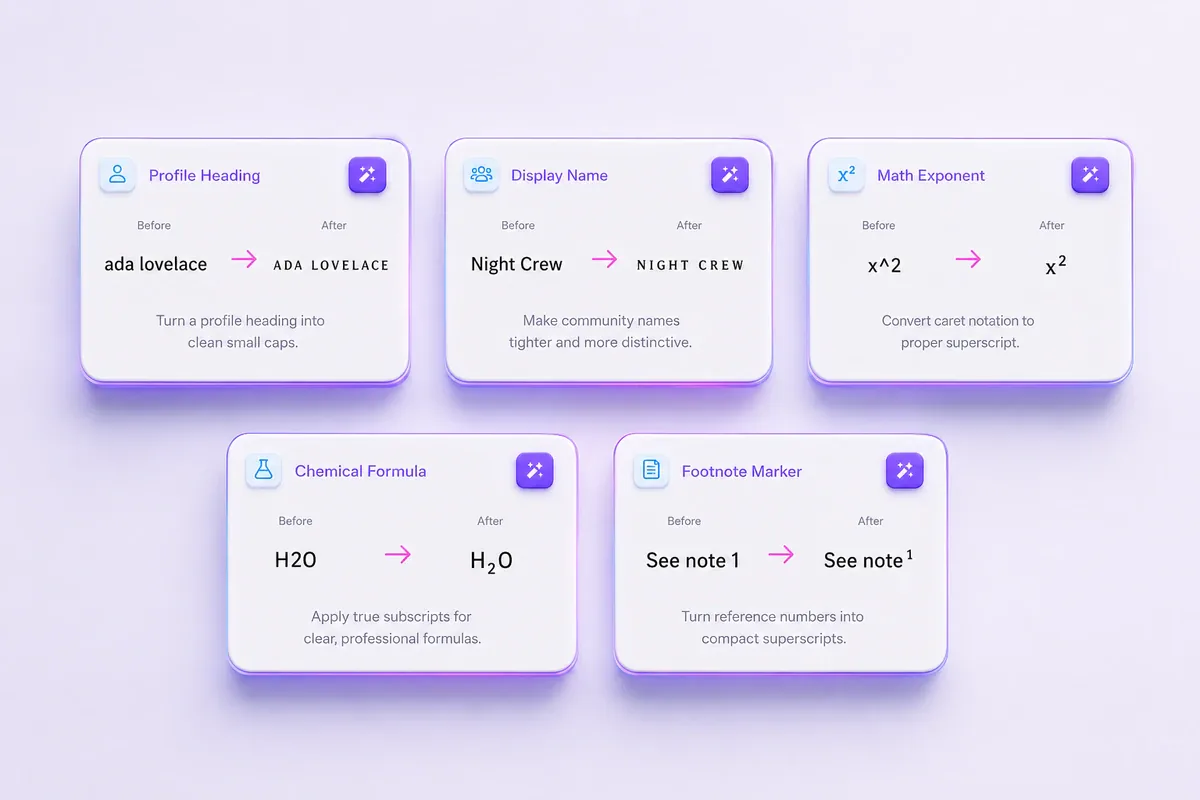
Superscript characters sit above the baseline. Raised numbers are commonly used for exponents, while certain letters can form ordinals or short annotations.
The generator styles everything you type, so it cannot raise only part of a word on its own. Type just the part that needs to be raised, copy the result, then place it next to the plain-text base you already typed.
Examples:
2, copy the superscript result ², and place it after a plain x → x²3, copy ³, and place it after a plain 10 → 10³st, copy ˢᵗ, and place it after a plain 1 → 1ˢᵗA full superscript word may contain letters with different shapes because Unicode does not provide one complete matching alphabet.
Subscript characters sit below the baseline. They are useful for numbers in formulas and for short variable labels where semantic formatting controls are unavailable.
Examples:
H2O → H₂OCO2 → CO₂Subscript numbers have broader coverage than subscript letters, so formulas often look more consistent than full lowered words.
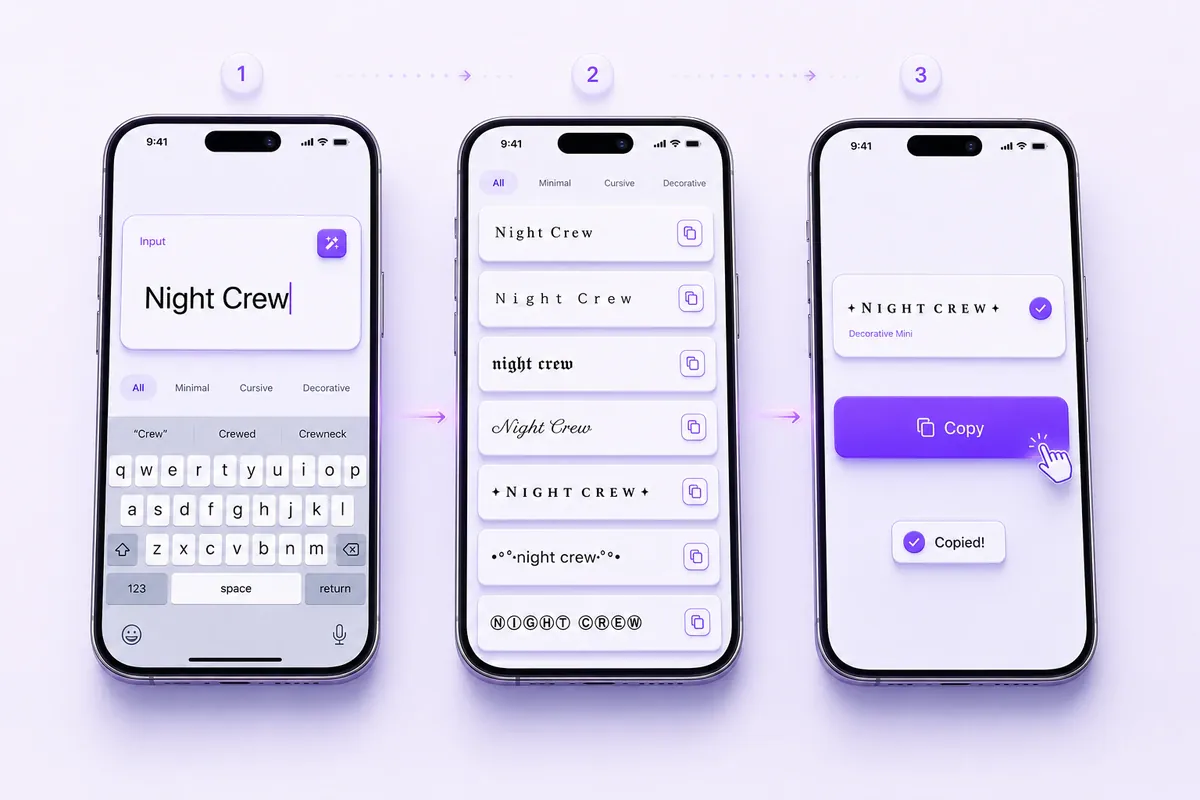
For example, enter Night Crew 2026. A small-cap-like result may suit a display name, while a raised result may work better for a short secondary label.
Do not choose a style only because it looks clear in the generator. Compact profile lists and small mobile screens can make detailed characters harder to distinguish.
When a copy button is unavailable because of browser permissions, select the output manually and use your device’s normal copy command.
A photographer could style only the first line of a bio:
ᴘᴏʀᴛʀᴀɪᴛ ᴘʜᴏᴛᴏɢʀᴀᴘʜᴇʀ
The location, contact address, and booking instructions can remain in ordinary text. This gives the heading a distinct appearance without changing essential details.
Try more profile-friendly choices with the Instagram font generator.
Enter Night Crew, compare a few available outputs, and paste the most readable one into the display-name field.
Check how it appears in the member list rather than judging it only inside the tool. A result with added borders or symbols may take up more space than a simple small-cap-like style.
The Discord font generator provides more options for names, messages, and profile text.
Superscript numbers can be useful in a plain-text note, social post, or field without formatting buttons. Style only the exponent, then place it after the plain-text base yourself:
2, copy ², and place it after a plain x → x²3, copy ³, and place it after a plain 10 → 10³For formal documents or web content, use the formatting tools provided by the editor when possible.
Subscript digits can make short formulas easier to recognize:
H2O → H₂OCO2 → CO₂On a webpage, semantic markup is usually a better choice. MDN explains how the HTML <sup> element and <sub> element represent raised and lowered inline text.
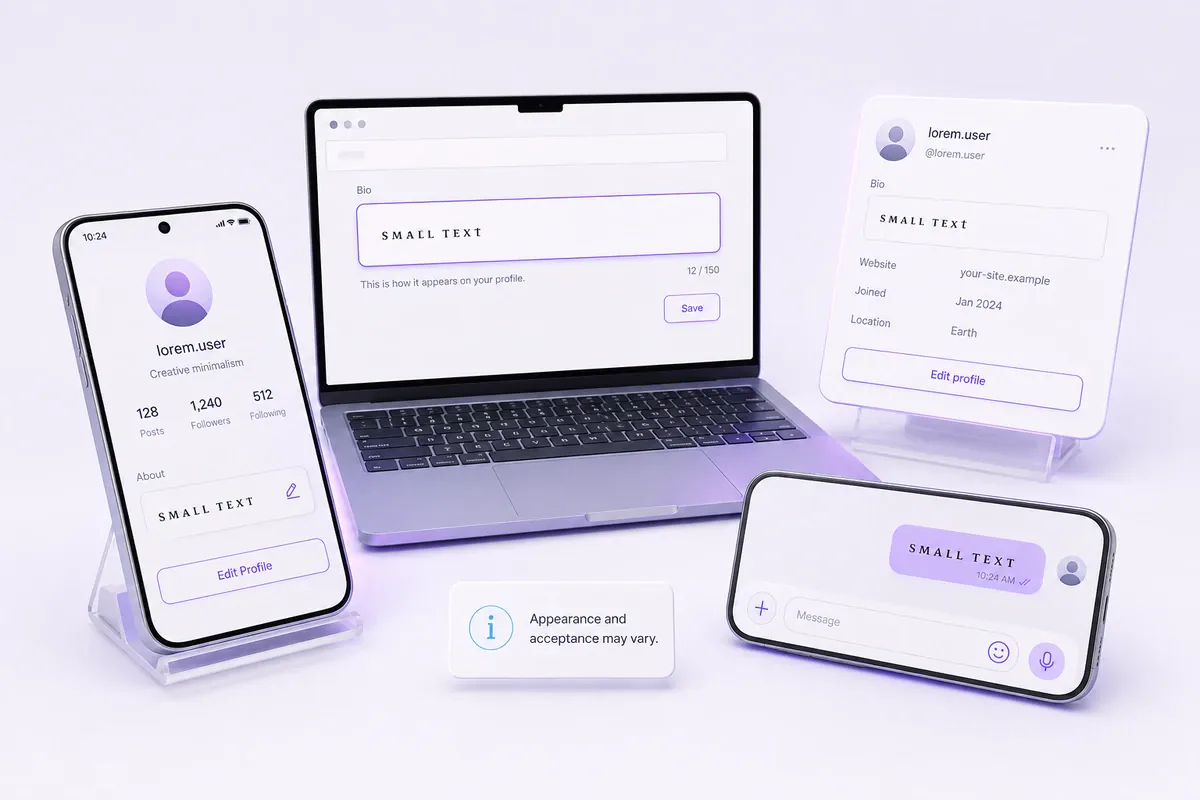
Small Unicode text can work in many fields that accept Unicode, including profile descriptions, display names, messages, captions, and notes.
Display, search, character limits, and account-name rules vary by platform. A destination may:
Test the result in the exact field where it will be used. Keep a plain version of an important username, contact detail, or instruction so people can type or search for it easily.
The guide on how to create a readable username explains how a plain account handle can be paired with a styled display name.
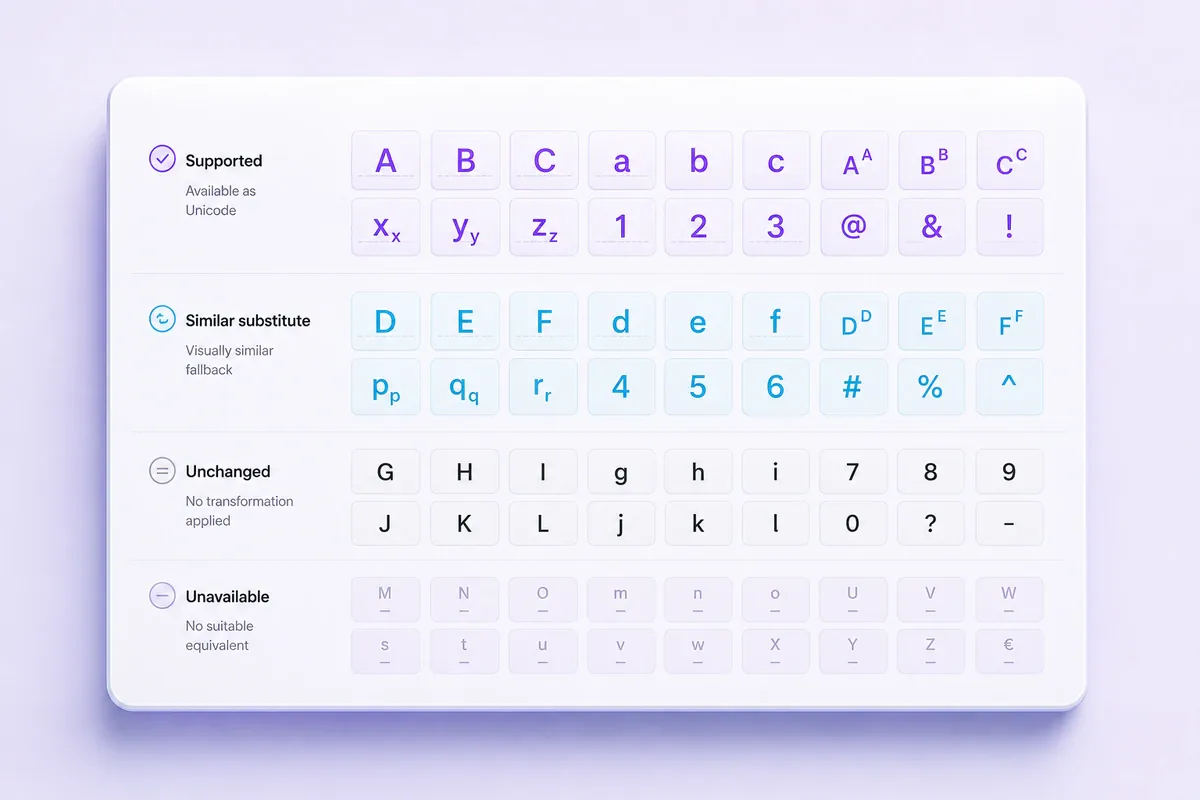
Unicode does not contain a complete decorative alphabet where every ordinary character has one exact small, raised, or lowered partner.
The official Superscripts and Subscripts chart contains raised and lowered digits, mathematical signs, parentheses, and selected letters. Other modifier and phonetic characters appear in separate Unicode blocks.
Because the available symbols were created for different linguistic, mathematical, and technical purposes, a generator may need to:
Suppose a word contains four supported superscript letters and one unsupported letter. The unsupported character may remain at normal height, making the word look uneven. This is a character-coverage limit rather than a copy failure.
When consistent lettering matters, compare several small-cap-like outputs. For formulas, convert only the number or symbol that requires raised or lowered placement.
Decorative Unicode may not be handled consistently by every app or assistive technology. Long passages can also become difficult to scan on a small screen.
Use styled characters for short accents rather than essential instructions, dates, addresses, or contact details.
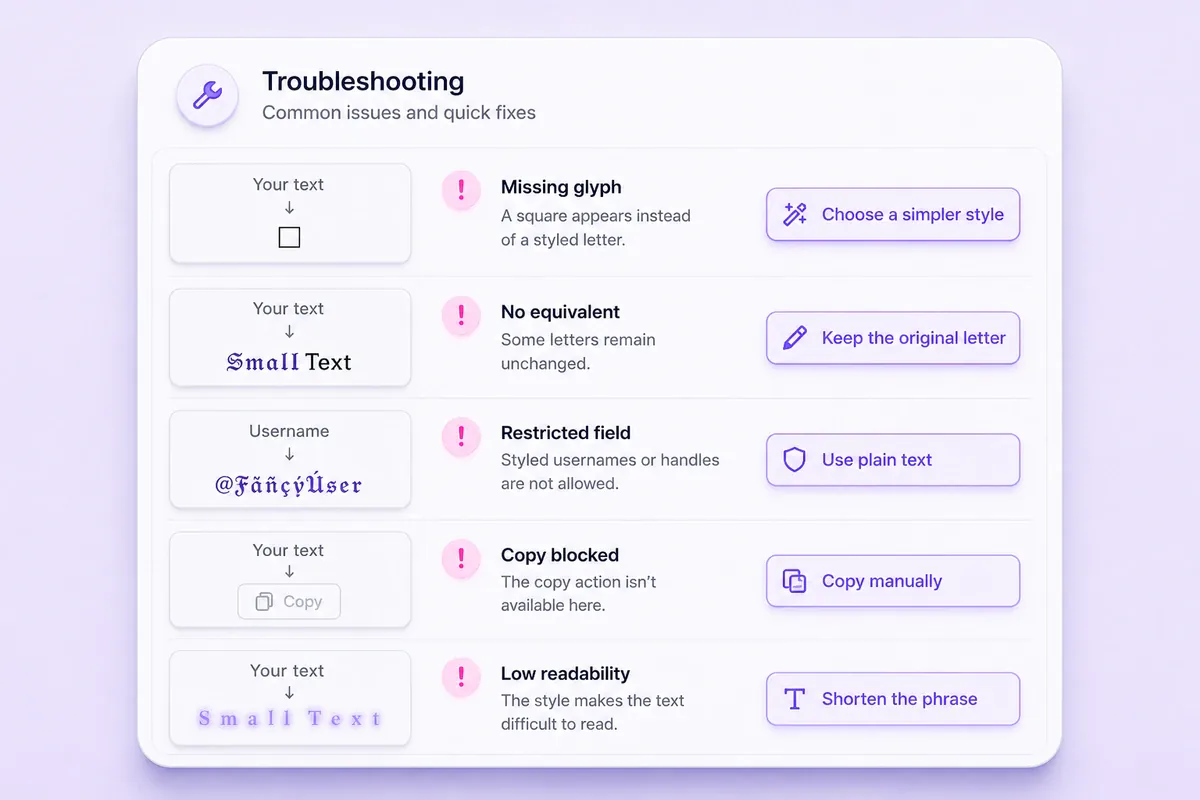
| Problem | Possible cause | What to try |
|---|---|---|
| An empty square appears | The destination typeface lacks the glyph | Choose a simpler result or plain text |
| Some letters stay normal | No suitable Unicode form is available | Accept the fallback or select another style |
| A username is rejected | The field restricts certain characters | Remove styled letters or extra symbols |
| The text is difficult to read | The phrase is too long or detailed | Style one short word instead |
| The copy control does not work | Clipboard access is restricted | Select and copy the output manually |
No. A small text generator normally replaces ordinary characters with Unicode characters that have a compact, raised, or lowered appearance. It does not install a font or change the font-size setting in the destination app.
Many Unicode characters can be pasted into profile and message fields, but acceptance and appearance vary by field, app, and device. Check the saved result before using it in an important display name or bio.
Unicode includes a full set of subscript digits but only selected subscript letters. When an exact lowered letter is unavailable, a result may retain the ordinary letter or use a close visual substitute.
Do not assume it will reduce the limit. The output still contains Unicode characters, and each platform can count characters or sequences according to its own rules. Review the destination’s counter before publishing.
Yes, through a mobile browser. Enter your text, review the available results, tap the relevant copy control, and paste the output into the destination app. The appearance may vary according to the app and the typeface it uses.
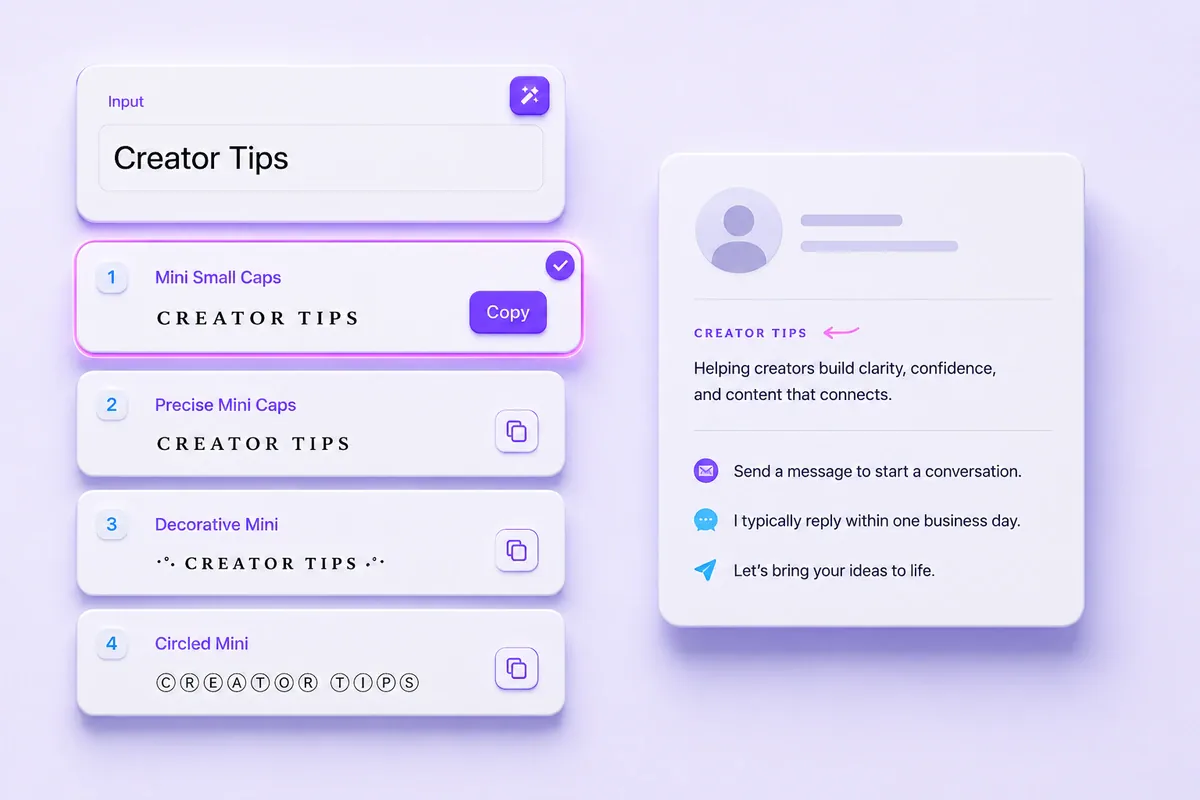
Use the small text generator to compare the available miniature Unicode styles and copy the clearest result. Small-cap-like characters often suit short labels, superscript characters suit raised numbers or notes, and subscript characters suit formulas.
Choose a result that remains readable in its final location, and keep essential information in ordinary characters. You can also browse all text generators when you need a different copy-and-paste style.
Discover more stylish text styles similar to small fonts