
Social Media Fonts
How to Make Your Username Look Cool With Fancy Fonts
Learn how to make your username look cool with fancy Unicode fonts. Compare readable styles, copy and paste names, and avoid compatibility issues.
Contents
- How to Make Your Username Look Cool in Five Steps
- Step 1: Clean up your base name
- Step 2: Compare a few styles
- Step 3: Choose one visual direction
- Step 4: Copy and inspect the result
- Step 5: Test the real account field
- How Fancy Username Fonts Work
- Cool Fonts for Usernames: A Readability Guide
- Match the style to the setting
- Username vs Display Name
- Cool Username Examples for Different Styles
- Clean and minimal
- Gaming and fantasy
- Cute and aesthetic
- Creator and personal-brand names
- Common Fancy Username Mistakes and Accessibility Tips
- Avoid mixing several styles
- Keep essential information in plain text
- Frequently Asked Questions
- How to make your username look cool without losing readability?
- Can I use fancy fonts in my username?
- Why does my fancy username show empty boxes?
- What is the most readable cool font for a username?
- Do I need to install a font?
- Make Your Username Cool Without Hiding It
Want to know how to make your username look cool without making it difficult to read? Start with a short plain name, change it into one Unicode style, add no more than one or two symbols, and test it in the exact username, display-name, or nickname field where you plan to use it.
The free username font generator lets you enter a name and compare a range of copyable Unicode styles before choosing one.
Quick answer: Enter your name in a font generator, choose one readable Unicode style, copy it and try it in the intended account field. Keep the name short, limit symbols and check how it looks on a small screen.
Quick username checklist
- Begin with a recognizable plain-text name.
- Choose one main letter style.
- Keep decorative symbols simple.
- Check every letter at mobile size.
- Save the plain version as a backup.
- Try the finished name in its intended field.
How to Make Your Username Look Cool in Five Steps
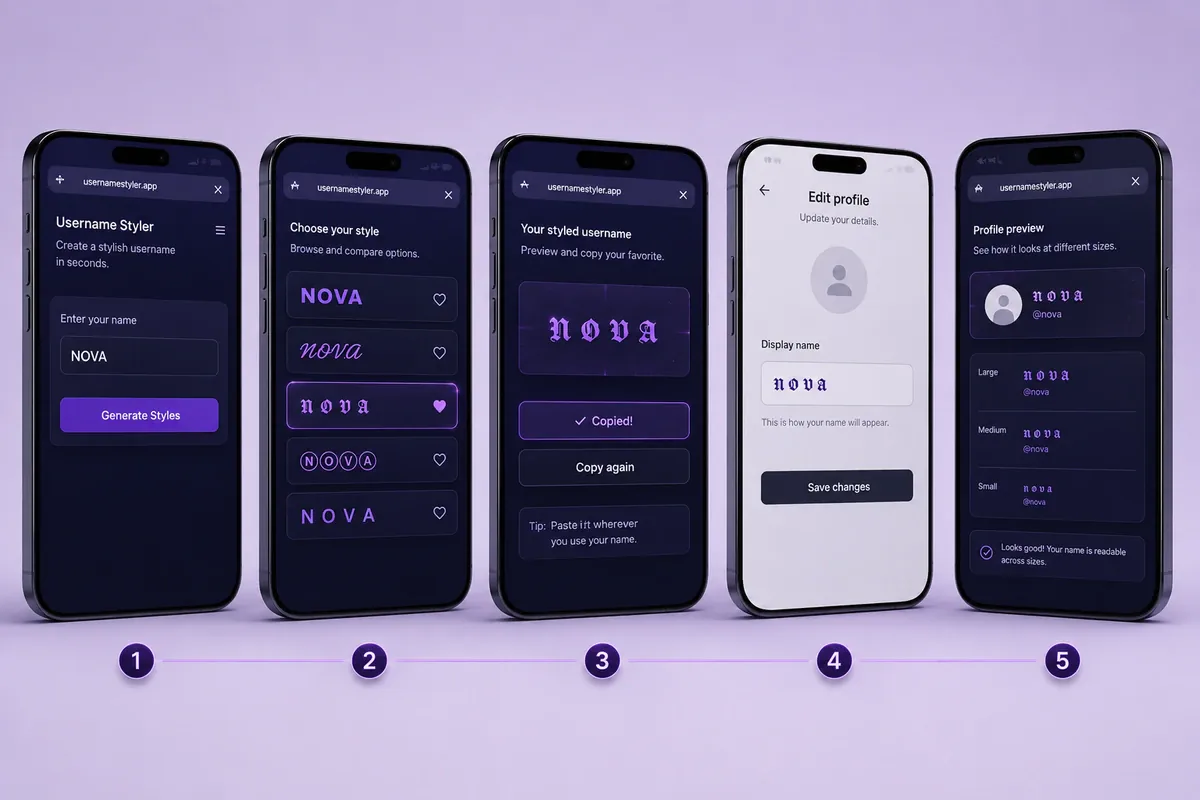
A memorable username usually begins with a clear idea. Decoration should support that idea rather than cover it.
Step 1: Clean up your base name
Write the name in ordinary text before changing its appearance. Remove numbers, repeated punctuation and filler that do not help people recognize it.
For example:
- First draft:
xX_NightRaven_2026_Xx - Clear base name:
NightRaven
The shorter version leaves room for a readable style or a small symbol.
This step assumes you have a name to tidy up. If you are starting from nothing, the username generator will produce a base name first — type a word you like, pick a style, and copy a result to bring back here.
Step 2: Compare a few styles
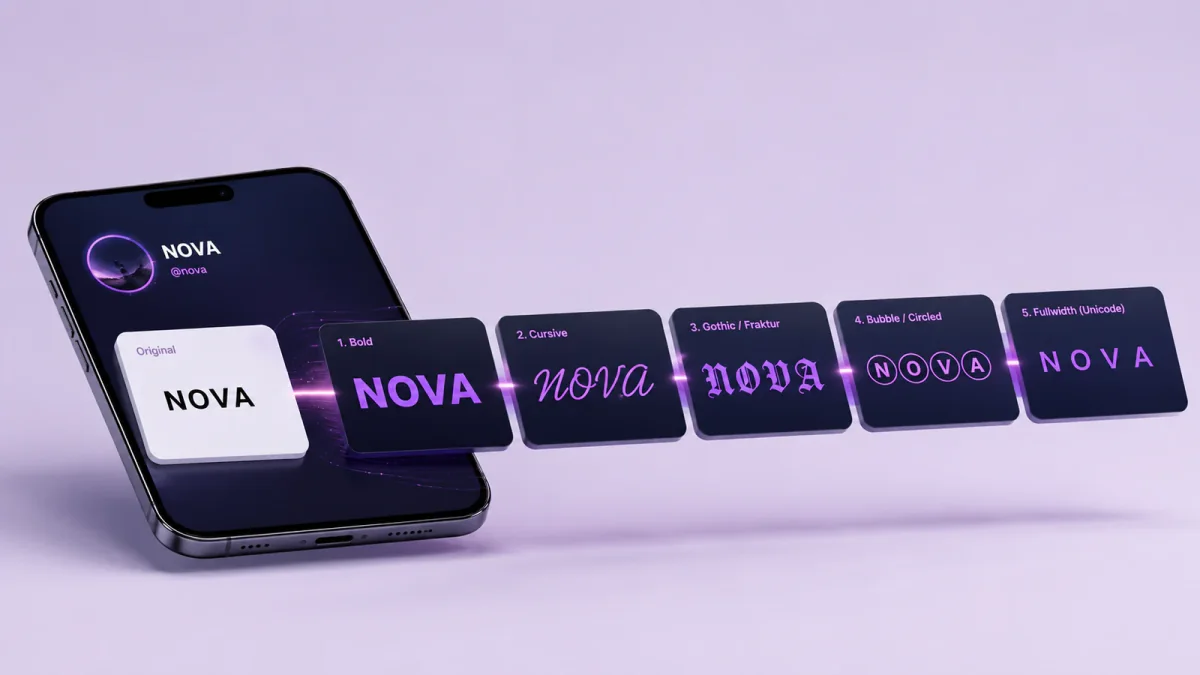
Enter the base name into FontifyText and review several results. Compare bold, cursive, Gothic and fullwidth text rather than copying the first unusual option.
Look closely at each letter. Characters such as I, l, O, 0, S and 5 can become confusing in decorative sets.
Step 3: Choose one visual direction
A single style creates a clearer identity. Mixing cursive letters, Gothic characters, tiny capitals and multiple symbols can make a name feel random.
Consider what the account is for:
- Bold text may suit a creator profile.
- Gothic text may fit a fantasy or gaming name.
- Cursive text can suit a short personal name.
- A plain name with one symbol works in many settings.
Step 4: Copy and inspect the result
Paste your selected name into a plain note before placing it on a profile. Look for strange gaps, invisible characters or letters that remained unchanged.
Keep the plain version nearby so you can return to it when a field rejects the decorated text.
Step 5: Test the real account field
A result that appears correctly in a generator may still be rejected elsewhere. Paste it into the exact username, display-name or nickname field where you plan to use it.
The bio underneath is a separate decision, with its own limit and its own rules about what stays searchable — 25 bio styles sorted by account type covers the line below the name once the name itself is settled.
When the name fails, simplify it in this order:
- Remove border symbols.
- Remove invisible spaces.
- Remove combining marks.
- Replace unusual letter forms.
- Shorten the name.
- Try bold or plain text.
Example
NightRaven could become:
- Bold:
𝐍𝐢𝐠𝐡𝐭𝐑𝐚𝐯𝐞𝐧 - Fullwidth:
NightRaven - Lightly decorated:
✦ NightRaven - Gothic:
𝔑𝔦𝔤𝔥𝔱ℜ𝔞𝔳𝔢𝔫
The bold and lightly decorated versions are quicker to scan. The Gothic version has a stronger theme but needs more careful checking.
How Fancy Username Fonts Work
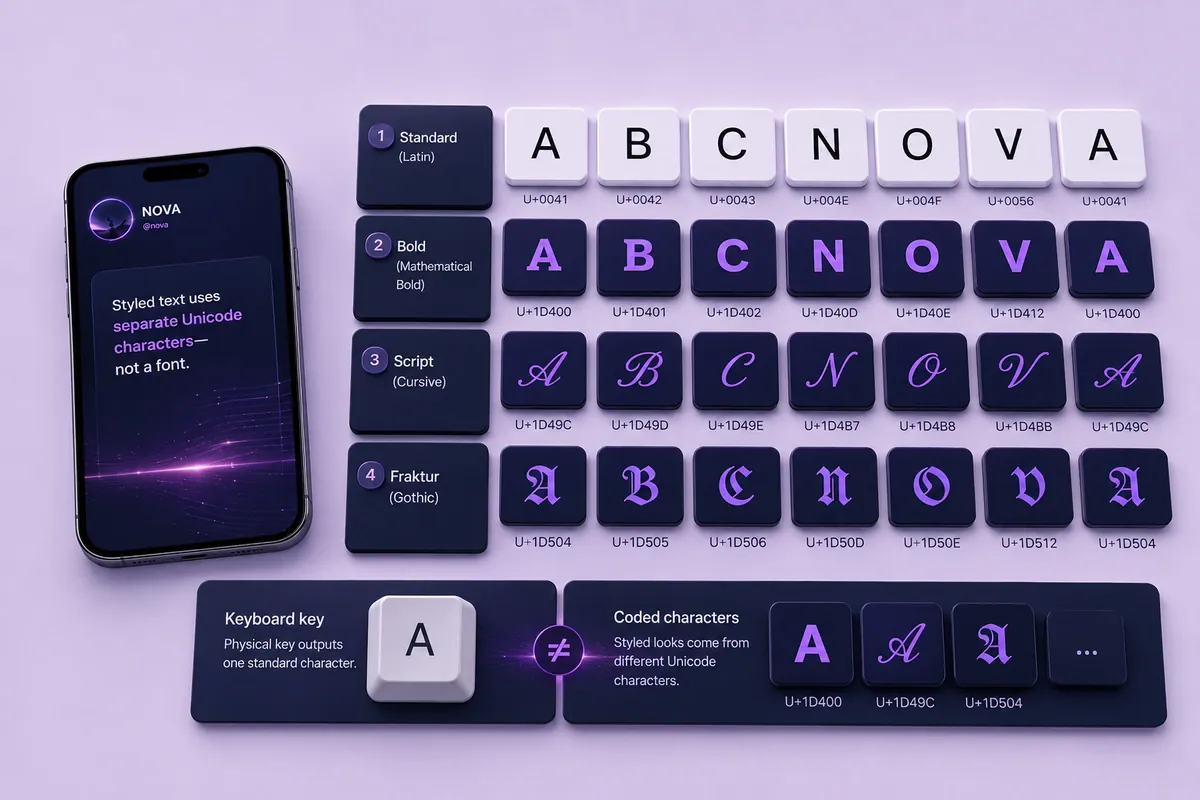
Copy-and-paste generators such as FontifyText typically output Unicode characters rather than installing a font file.
They replace ordinary letters with separate characters that resemble bold, script, double-struck or Fraktur text.
For example:
- Standard letter:
A - Mathematical bold:
𝐀 - Mathematical script:
𝒜 - Fraktur:
𝔄
These symbols may look like visual forms of the same letter, but they have different underlying character values. That is why you can copy them into a text field without downloading a font.
The Unicode names list explains that Mathematical Alphanumeric Symbols were created for mathematical variables where letter style can carry meaning. It recommends standard Latin or Greek letters with markup for ordinary text.
That does not prevent decorative use, but it gives you a reason to keep such text short and optional. These characters are often more practical in display-name fields than in unique account identifiers.
Some character sets do not have matching decorative forms for every letter, number or punctuation mark. A generator may leave certain characters unchanged or use a visually similar substitute.
Example
Plain Ava and styled 𝐀𝐯𝐚 look closely related. A search field or account system may still treat them as different character sequences.
This distinction matters when comparing cool username generator fonts. Appearance is only one part of the choice; the underlying characters can also affect acceptance, copying and searchability.
Cool Fonts for Usernames: A Readability Guide
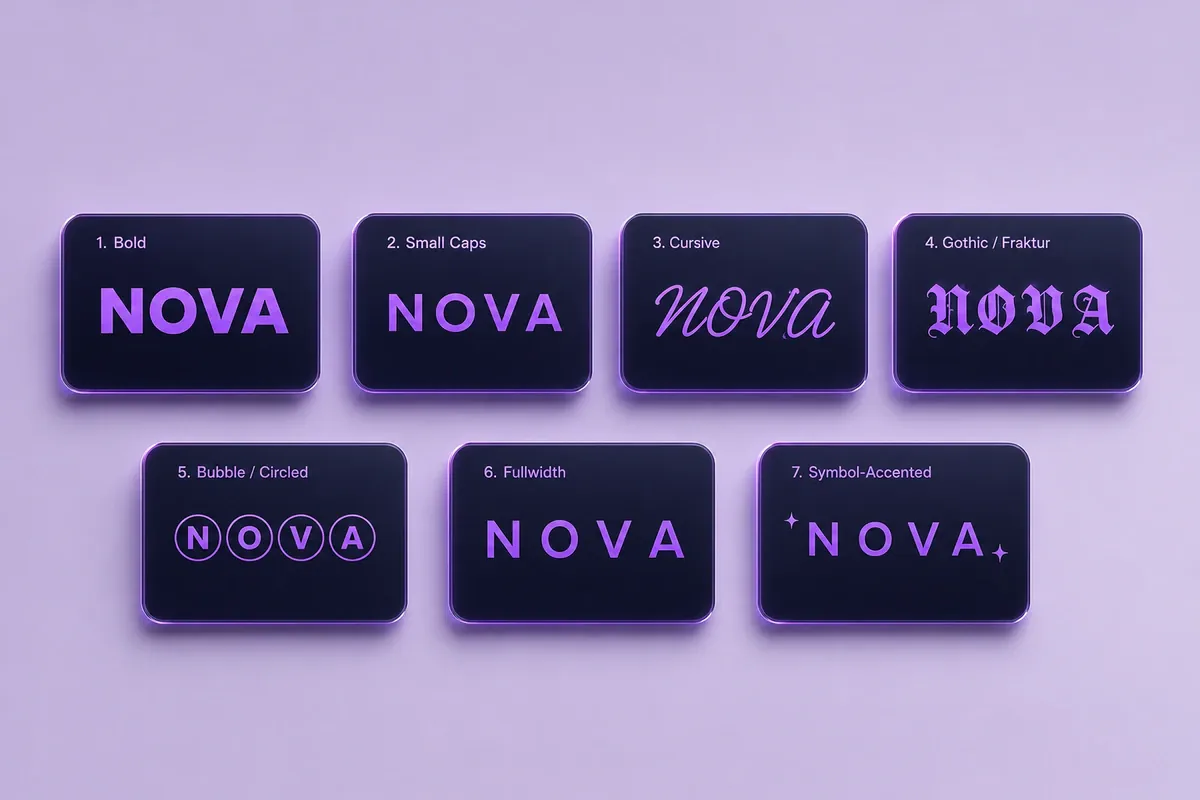
The table below is a practical editorial guide rather than a measured ranking. Results depend on the letters in your name, the screen size and the receiving device.
| Style | Often works well for | Reading note |
|---|---|---|
| Bold | Creator names and competitive profiles | Usually easy to scan in short names |
| Small caps | Minimal and editorial profiles | Clear when letter shapes remain distinct |
| Cursive | Beauty, lifestyle and personal names | Better for short words than long phrases |
| Gothic | Fantasy, gaming and dark themes | Distinctive but easier to misread |
| Bubble | Cute and playful profiles | Clearer when the base name is short |
| Fullwidth | Y2K, anime and retro themes | Takes more horizontal space |
| Light symbols | General profiles and community names | Keeps the underlying letters plain |
Browse cool fonts when you want several visual directions in one place. The fancy fonts collection contains more decorative choices, backwards username text can create puzzle-like names, and Gothic username fonts suit darker themes. For the minimal, editorial small-caps look, the small caps generator explains letter coverage and platform limits; for a cute, kaomoji-wrapped style, see the cute font generator. If you are still deciding between copyable text, a logo image, and an installable typeface, use the free font generator comparison before choosing a tool.
Match the style to the setting
A cursive name may look clear in a large profile header but become difficult to identify in a compact comment list. Fullwidth text can suit a four-letter nickname yet take too much room in a longer phrase.
Example: styling “Luna”
- Bold:
𝐋𝐮𝐧𝐚 - Cursive:
𝓛𝓾𝓷𝓪 - Fullwidth:
Luna - Gothic:
𝔏𝔲𝔫𝔞 - Light symbol:
☾ Luna - Soft symbol:
♡ Luna
The symbol versions keep the original letters unchanged while still creating a theme.
Username vs Display Name
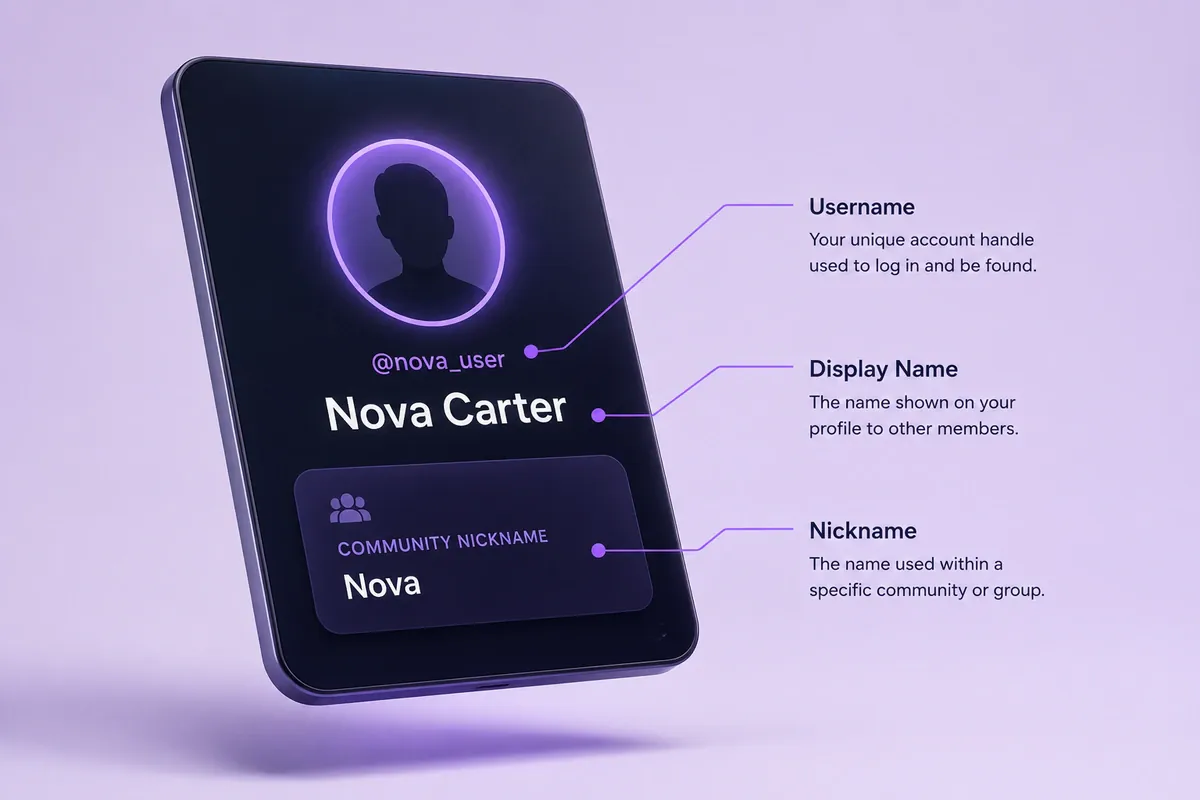
A username, handle, display name and nickname may appear near each other, but they can follow different rules.
A username or handle is commonly the unique account identifier used for searches, mentions or sign-ins. A display name is the visible label shown on a profile. A nickname may apply only inside a particular community or server.
Some platforms place stricter rules on unique usernames than on display names or nicknames. Keeping the account identifier plain and styling the visible name can reduce rejection and search problems.
Discord provides a useful example. According to its username and display-name guidance, unique usernames must be 2–32 characters long, are forced to lowercase and may contain only Latin letters a–z, numbers, underscores and periods. Consecutive periods are not allowed.
A practical setup could be:
- Username:
night.raven - Display name:
𝐍𝐢𝐠𝐡𝐭 𝐑𝐚𝐯𝐞𝐧 - Server nickname:
✦ Night Raven
The account remains easy to type while the visible name carries more personality.
Use the Discord font generator to compare text for display areas. Place decorative text only in a field that accepts it. For a full guide on Discord-specific styles, read the Discord fonts article.
Cool Username Examples for Different Styles
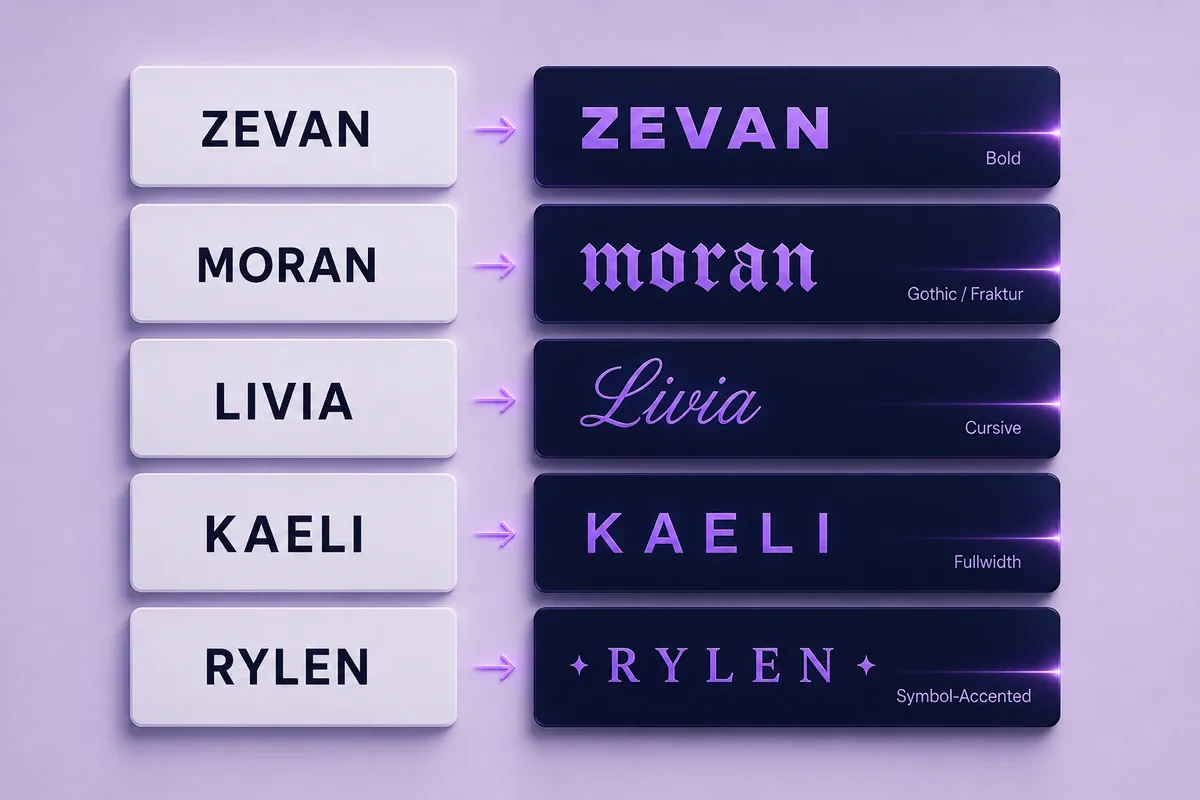
Examples are most useful when they show the plain name beside the decorated result. Replace these samples with your own short word, name or theme.
Clean and minimal
| Plain name | Styled example |
|---|---|
| Mira | 𝐌𝐢𝐫𝐚 |
| North | North |
| Echo | Echo ✦ |
| Rowan | 𝖱𝗈𝗐𝖺𝗇 |
| Vale | V A L E |
Minimal styles suit names that people need to recognize quickly.
Gaming and fantasy
| Plain name | Styled example |
|---|---|
| NightRaven | 𝐍𝐢𝐠𝐡𝐭𝐑𝐚𝐯𝐞𝐧 |
| Vortex | 𝖁𝖔𝖗𝖙𝖊𝖝 |
| Ghost | 『Ghost』 |
| NovaStrike | ✦ NovaStrike |
| IronWolf | 𝕴𝖗𝖔𝖓𝖂𝖔𝖑𝖋 |
Check gaming names at lobby or leaderboard size. Large borders can crowd a compact interface.
Cute and aesthetic
| Plain name | Styled example |
|---|---|
| Luna | ☾ Luna |
| Peach | ♡ Peach |
| Mochi | Mochi |
| Daisy | ✿ Daisy |
| Mimi | ୨୧ Mimi |
Short names can carry a small decorative mark without losing their shape.
Creator and personal-brand names
| Plain name | Styled example |
|---|---|
| Ava Creates | 𝐀𝐯𝐚 Creates |
| Studio Mira | Studio 𝐌𝐢𝐫𝐚 |
| Noah Live | 𝐍𝐨𝐚𝐡 Live |
| Pixel Notes | Pixel ✦ Notes |
| Sam Draws | 𝐒𝐚𝐦 Draws |
Styling one important word is often clearer than changing every character in a phrase.
Common Fancy Username Mistakes and Accessibility Tips
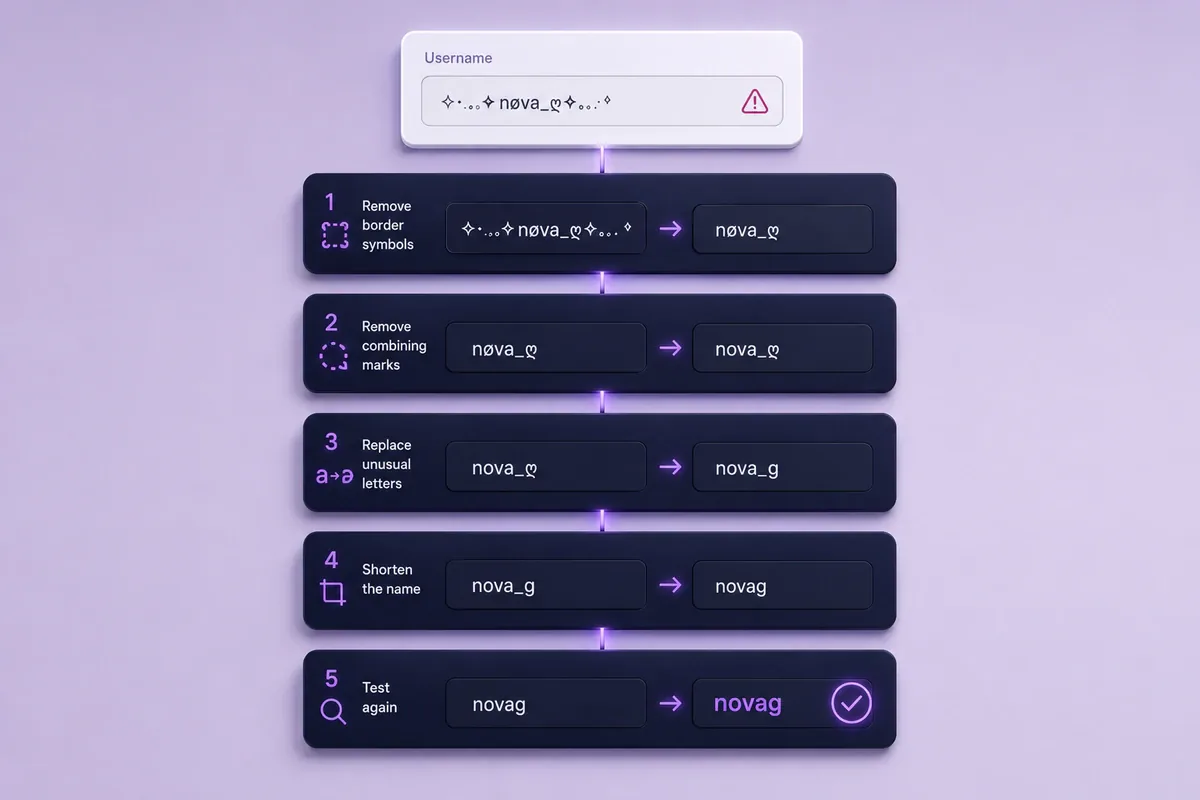
A fancy username generator can provide many choices, but the most decorated result is not always the easiest to use.
| Problem | Possible cause | Clearer response |
|---|---|---|
| The field rejects the name | Unsupported characters or excessive length | Remove symbols and try a shorter version |
| Empty boxes appear | The device lacks a matching glyph | Choose bold, fullwidth or plain letters |
| Letters overlap | Combining marks are stacked | Remove the marks and use one letter set |
| Friends cannot find the account | Styled letters differ from plain letters | Keep the searchable handle plain |
| The name feels crowded | Several styles appear together | Choose one style and one small accent |
| People copy it incorrectly | Lookalike characters are present | Replace confusing letters |
| It changes between devices | Systems draw characters differently | Keep a simpler fallback version |
Avoid mixing several styles
A name such as 𝕹i͓̽ght♡Rᴀvєn asks the reader to decode several character systems.
A clearer alternative is:
𝐍𝐢𝐠𝐡𝐭𝐑𝐚𝐯𝐞𝐧 ✦
Keep essential information in plain text
Assistive-technology behavior can vary by character, device, browser and user settings. Keep handles, email addresses and account instructions in ordinary letters.
W3C guidance on images of text explains the wider value of keeping important text adaptable so readers can change its presentation when needed. It does not document how a specific decorative Unicode character will be announced.
A safer profile might use:
- Display name:
𝓛𝓾𝓷𝓪 𝓢𝓽𝓾𝓭𝓲𝓸 - Plain handle:
@lunastudio
The profile keeps its visual theme while giving readers a clear account name.
Frequently Asked Questions
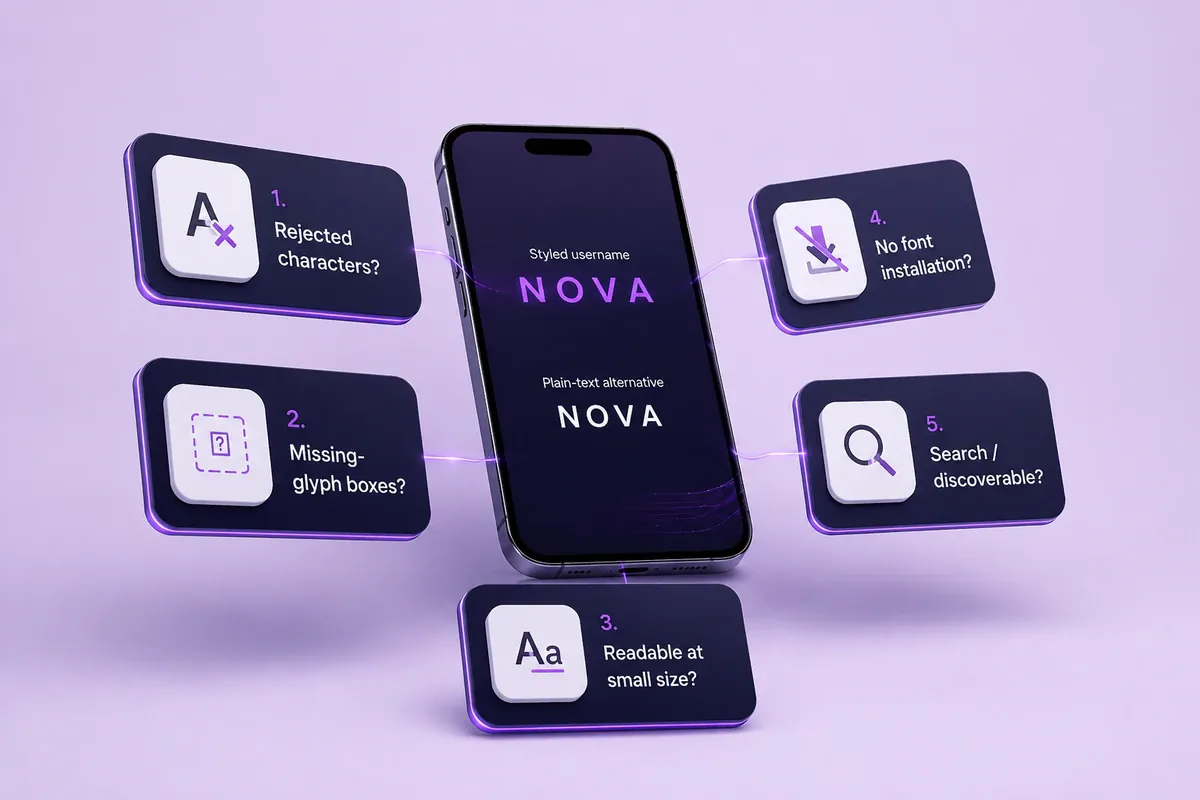
How to make your username look cool without losing readability?
Start with a short plain name, choose one readable style and limit decoration to one or two symbols. Preview the result at mobile size and ask another person to read it without seeing the original.
Can I use fancy fonts in my username?
Acceptance depends on the platform and field. A display name or nickname may accept characters that a unique username rejects. Use the testing method in Step 5 before settling on a style.
Why does my fancy username show empty boxes?
An empty box usually means the device or app cannot draw the chosen character. Replace that letter or select a simpler bold, fullwidth or plain-text option.
What is the most readable cool font for a username?
Bold Unicode, restrained small caps and lightly decorated plain text are often easier to scan than cursive, Gothic or symbol-heavy styles. The result still depends on the letters in your name.
Do I need to install a font?
Not when using a copy-and-paste Unicode generator. The tool returns characters that can be pasted as text, though the receiving device still needs suitable character support to display them.
Make Your Username Cool Without Hiding It
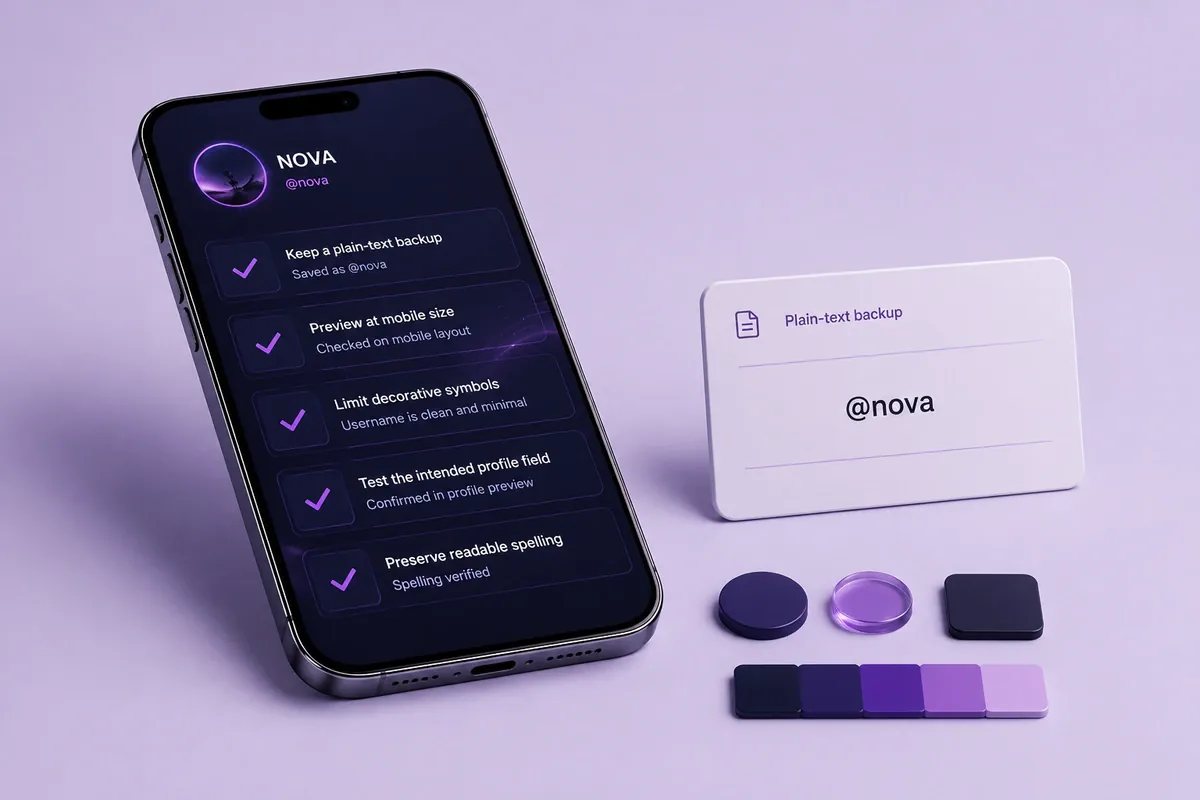
The safest approach to how to make your username look cool is to keep the original name recognizable, apply one visual style and reserve heavy decoration for fields where it will not affect searches or mentions.
Before saving, confirm that:
- Every letter is easy to identify.
- The name fits on a small screen.
- The account handle remains easy to type.
- Symbols do not crowd the text.
- A plain-text fallback is available.
Enter your current name in the FontifyText username font generator, compare a few styles and copy the version that still reads clearly at a glance.