
Font Ideas
30 Practical Monospace Text Ideas for Developer Bios
Explore 30 monospace text ideas for developer bios, GitHub profiles, portfolios, and coding accounts, with copy-ready examples and accessibility tips.
Contents
- Quick Monospace Bio Formula
- 30 Monospace Text Ideas for Developer Bios
- Short Monospace Developer Bio Ideas
- Terminal-Style Developer Bio Ideas
- GitHub Profile Bio Ideas
- Professional Developer Bio Ideas
- How to Write a Better Developer Bio
- Start with a clear identifier
- Limit the technology list
- Avoid unsupported claims
- Keep status details current
- How to Create Monospace Text
- Practical example
- Is Unicode Monospace the Same as a Monospace Font?
- Using Monospace Unicode Accessibly
- Frequently Asked Questions
- How do I choose monospace text ideas for developer bios?
- Can I use monospace text in my GitHub bio?
- Is monospace Unicode the same as a code block?
- Can screen readers read monospace Unicode text?
- Does monospace text work on every device?
- Create Your Monospace Developer Bio
These monospace text ideas for developer bios help you present your role, skills, current project, or availability in a coding-inspired style. You can copy an example below or create your own version with the Monospace Font Generator.
Mathematical monospace characters can often be pasted into profile fields that accept Unicode, but their appearance and acceptance can vary by field, app, device, and system font. Use them for short decorative lines and keep essential profile details in ordinary text.
Jump to: Short bios · Terminal bios · GitHub bios · Professional bios · Creation steps · Accessibility
Quick Monospace Bio Formula
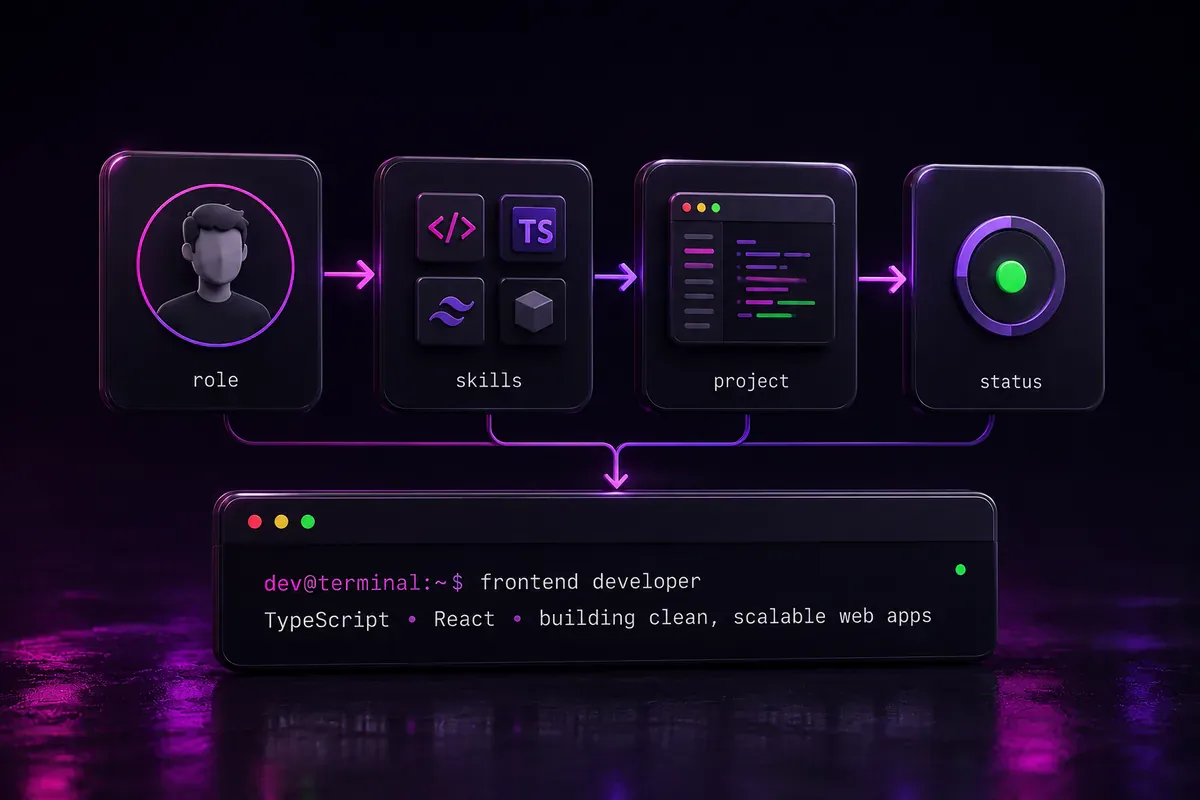
A useful developer bio usually contains two or three clear details:
| Bio part | What to include | Simple example |
|---|---|---|
| Role | Your main area of work | Front-End Developer |
| Skills | Two to four current technologies | React · TypeScript · CSS |
| Project | What you are working on | Building a budgeting app |
| Status | Availability or learning goal | Open to freelance work |
Use this checklist before styling your text:
- State your role clearly.
- Mention only skills that reflect your current work.
- Add a project or status when it helps the reader.
- Keep the line short enough to scan quickly.
- Preview the finished text on desktop and mobile.
- Keep essential details in ordinary text when readability matters most.
A simple formula is:
Role • Key Skills • Current Focus
Example:
𝙵𝚛𝚘𝚗𝚝-𝙴𝚗𝚍 𝙳𝚎𝚟 • 𝚁𝚎𝚊𝚌𝚝 • 𝙱𝚞𝚒𝚕𝚍𝚒𝚗𝚐 𝚠𝚎𝚋 𝚝𝚘𝚘𝚕𝚜
30 Monospace Text Ideas for Developer Bios
Choose an example that accurately reflects your role, skills, project, and availability. Replace the sample details before adding the bio to your profile.
Short Monospace Developer Bio Ideas
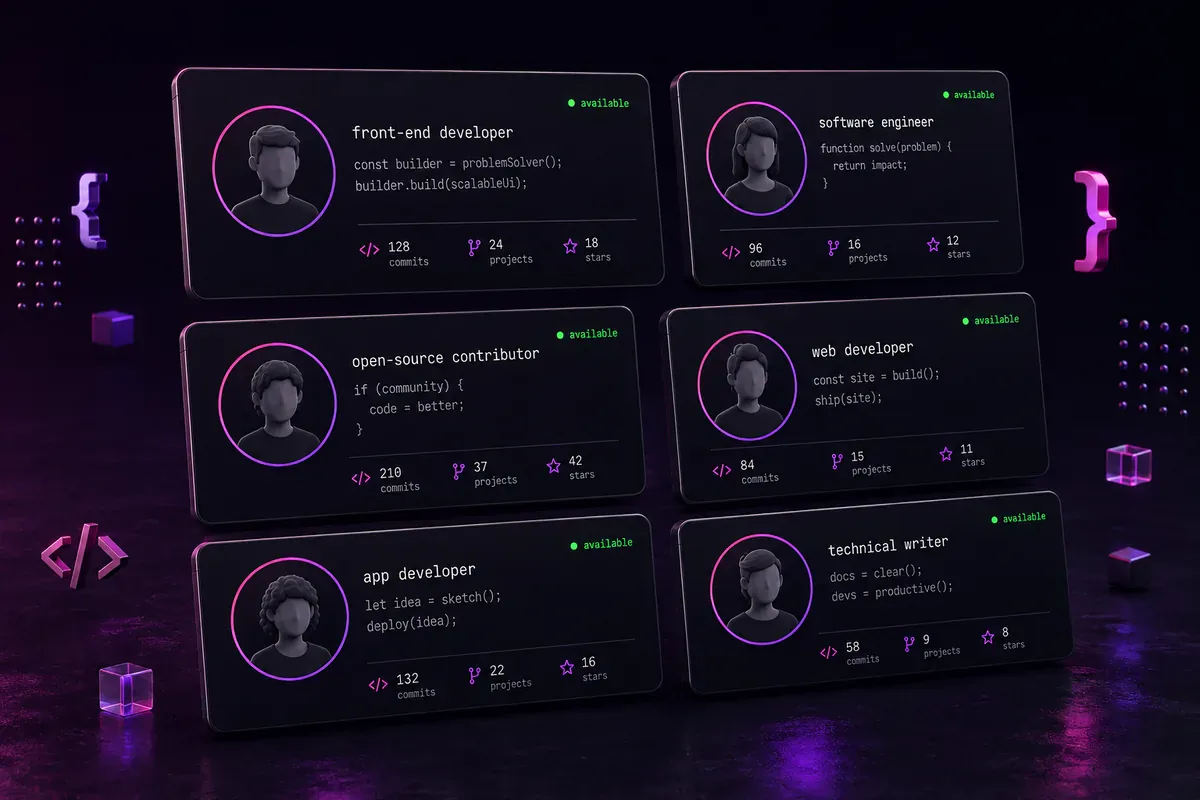
Short bios suit profiles with limited space or readers who need to understand your role at a glance.
1. Full-stack developer
𝙵𝚞𝚕𝚕-𝚂𝚝𝚊𝚌𝚔 𝙳𝚎𝚟𝚎𝚕𝚘𝚙𝚎𝚛
A direct choice for general developer profiles.
2. Front-end developer
𝙵𝚛𝚘𝚗𝚝-𝙴𝚗𝚍 𝙳𝚎𝚟𝚎𝚕𝚘𝚙𝚎𝚛
Add two or three current skills when space allows:
𝚁𝚎𝚊𝚌𝚝 • 𝚃𝚢𝚙𝚎𝚂𝚌𝚛𝚒𝚙𝚝 • 𝙲𝚂𝚂
3. Back-end developer
𝙱𝚊𝚌𝚔-𝙴𝚗𝚍 𝙳𝚎𝚟𝚎𝚕𝚘𝚙𝚎𝚛
4. Mobile app developer
𝙼𝚘𝚋𝚒𝚕𝚎 𝙰𝚙𝚙 𝙳𝚎𝚟𝚎𝚕𝚘𝚙𝚎𝚛
A more specific version could be:
𝙵𝚕𝚞𝚝𝚝𝚎𝚛 • 𝙰𝚗𝚍𝚛𝚘𝚒𝚍 • 𝚒𝙾𝚂
5. Software engineer
𝚂𝚘𝚏𝚝𝚠𝚊𝚛𝚎 𝙴𝚗𝚐𝚒𝚗𝚎𝚎𝚛
6. Open-source contributor
𝙾𝚙𝚎𝚗-𝚂𝚘𝚞𝚛𝚌𝚎 𝙲𝚘𝚗𝚝𝚛𝚒𝚋𝚞𝚝𝚘𝚛
Use it when public contributions are a regular part of your work.
7. Building useful software
𝙱𝚞𝚒𝚕𝚍𝚒𝚗𝚐 𝚞𝚜𝚎𝚏𝚞𝚕 𝚜𝚘𝚏𝚝𝚠𝚊𝚛𝚎.
This feels more personal than a job title alone.
8. Code, learn, improve
𝙲𝚘𝚍𝚎. 𝙻𝚎𝚊𝚛𝚗. 𝙸𝚖𝚙𝚛𝚘𝚟𝚎.
It can sit beneath your name as a compact tagline.
Terminal-Style Developer Bio Ideas
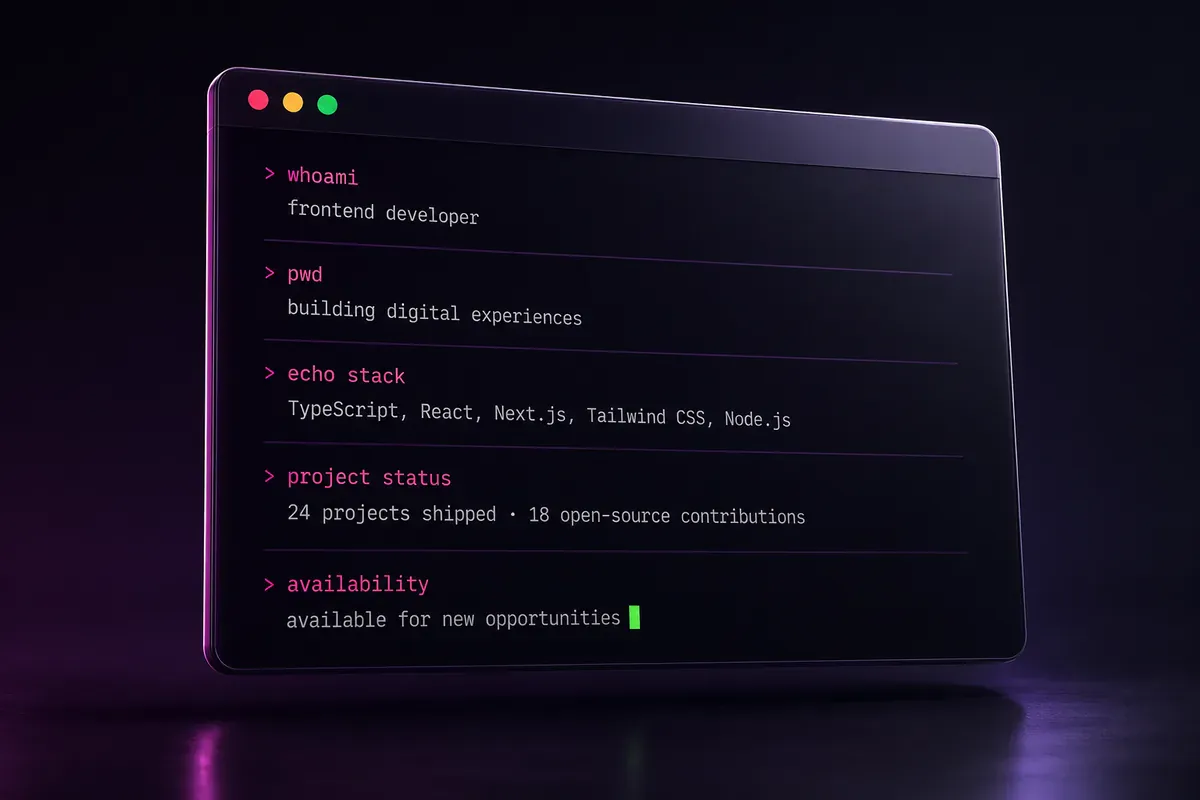
Terminal-style bios work well when the command also communicates useful information.
9. Who-am-I bio
> 𝚠𝚑𝚘𝚊𝚖𝚒
𝙵𝚞𝚕𝚕-𝚂𝚝𝚊𝚌𝚔 𝙳𝚎𝚟𝚎𝚕𝚘𝚙𝚎𝚛
The familiar command creates a clear terminal-style introduction.
10. Current-project bio
$ 𝚌𝚊𝚝 𝚌𝚞𝚛𝚛𝚎𝚗𝚝-𝚙𝚛𝚘𝚓𝚎𝚌𝚝.𝚝𝚡𝚝
𝙱𝚞𝚒𝚕𝚍𝚒𝚗𝚐 𝚊 𝚝𝚊𝚜𝚔 𝚖𝚊𝚗𝚊𝚐𝚎𝚖𝚎𝚗𝚝 𝚝𝚘𝚘𝚕
Replace the second line with your real project.
11. Technology-stack bio
$ 𝚎𝚌𝚑𝚘 $𝚂𝚃𝙰𝙲𝙺
𝙽𝚎𝚡𝚝.𝚓𝚜 • 𝙽𝚘𝚍𝚎.𝚓𝚜 • 𝙿𝚘𝚜𝚝𝚐𝚛𝚎𝚂𝚀𝙻
Choose technologies that appear in your current work or public projects.
12. Location bio
$ 𝚙𝚠𝚍
/𝚈𝚘𝚞𝚛-𝙲𝚒𝚝𝚢/𝚈𝚘𝚞𝚛-𝙲𝚘𝚞𝚗𝚝𝚛𝚢
Replace the sample path with your location or remote-work status.
13. Available-for-work bio
[𝚂𝚃𝙰𝚃𝚄𝚂] 𝙾𝚙𝚎𝚗 𝚝𝚘 𝚠𝚘𝚛𝚔
Use this only while you are actively considering opportunities.
14. Freelance-status bio
[✓] 𝙰𝚟𝚊𝚒𝚕𝚊𝚋𝚕𝚎 𝚏𝚘𝚛 𝚏𝚛𝚎𝚎𝚕𝚊𝚗𝚌𝚎 𝚙𝚛𝚘𝚓𝚎𝚌𝚝𝚜
Add a visible contact method elsewhere on the profile.
15. Learning-status bio
[•••] 𝙰𝚕𝚠𝚊𝚢𝚜 𝚕𝚎𝚊𝚛𝚗𝚒𝚗𝚐
This suits students and early-career developers.
16. System-ready bio
> 𝚂𝚢𝚜𝚝𝚎𝚖 𝚛𝚎𝚊𝚍𝚢. 𝙻𝚎𝚝'𝚜 𝚋𝚞𝚒𝚕𝚍.
Use it as a portfolio tagline or community-profile line.
GitHub Profile Bio Ideas
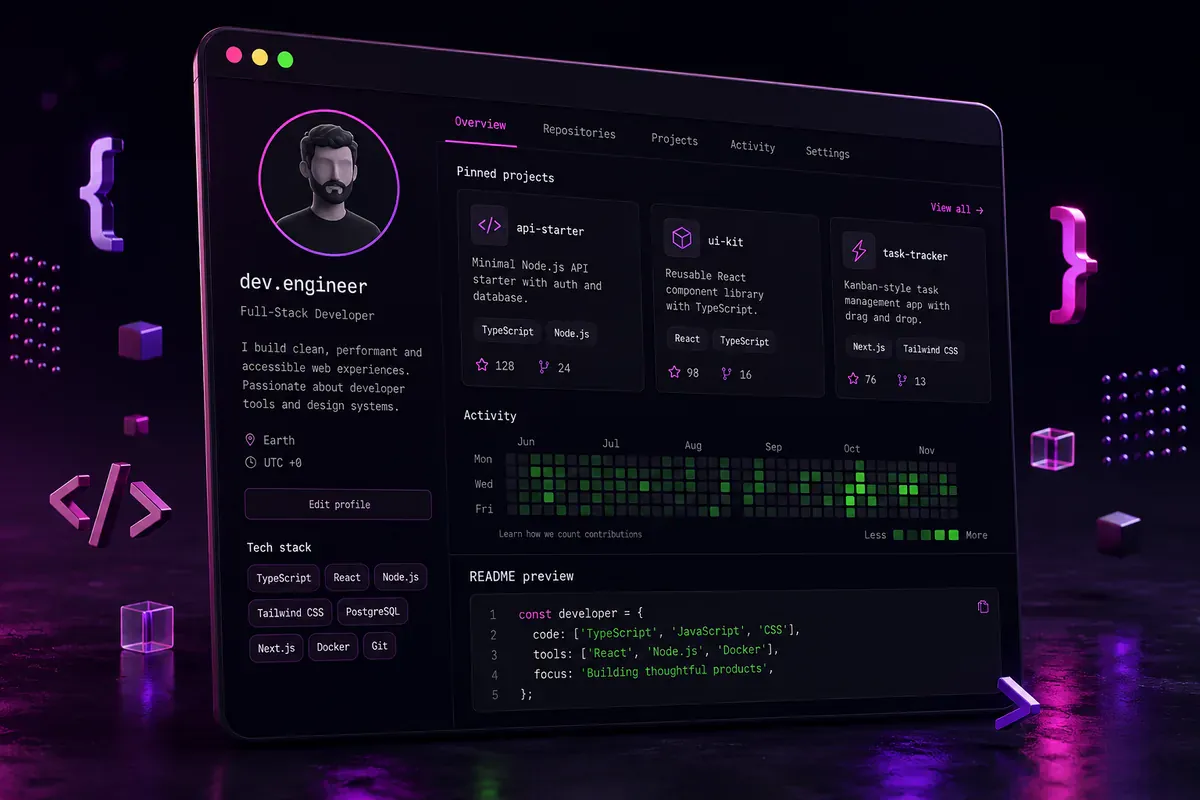
GitHub provides a short public bio field with a 160-character limit. A profile README offers more room for your background, interests, skills, and projects. See GitHub's official guidance on personalizing your profile and managing a profile README.
Keep the short bio focused. Place longer project details in the README.
17. Role and stack
𝙵𝚞𝚕𝚕-𝚂𝚝𝚊𝚌𝚔 𝙳𝚎𝚟 • 𝚁𝚎𝚊𝚌𝚝 • 𝙽𝚘𝚍𝚎 • 𝙿𝚘𝚜𝚝𝚐𝚛𝚎𝚂𝚀𝙻
This includes one role and three technologies without reading like a full resume.
18. Project builder
𝙱𝚞𝚒𝚕𝚍𝚒𝚗𝚐 𝚠𝚎𝚋 𝚝𝚘𝚘𝚕𝚜 𝚊𝚗𝚍 𝚘𝚙𝚎𝚗-𝚜𝚘𝚞𝚛𝚌𝚎 𝚙𝚛𝚘𝚓𝚎𝚌𝚝𝚜
This suits profiles containing several project types.
19. Student developer bio
𝙲𝚂 𝚂𝚝𝚞𝚍𝚎𝚗𝚝 • 𝙿𝚢𝚝𝚑𝚘𝚗 • 𝙹𝚊𝚟𝚊𝚂𝚌𝚛𝚒𝚙𝚝 • 𝙻𝚎𝚊𝚛𝚗𝚒𝚗𝚐 𝚒𝚗 𝚙𝚞𝚋𝚕𝚒𝚌
Describe your current level honestly rather than overstating your experience.
20. Data developer bio
𝙳𝚊𝚝𝚊 • 𝙿𝚢𝚝𝚑𝚘𝚗 • 𝚂𝚀𝙻 • 𝙼𝚊𝚌𝚑𝚒𝚗𝚎 𝙻𝚎𝚊𝚛𝚗𝚒𝚗𝚐
The separators make the skills easy to scan.
21. DevOps bio
𝙳𝚎𝚟𝙾𝚙𝚜 • 𝙳𝚘𝚌𝚔𝚎𝚛 • 𝙺𝚞𝚋𝚎𝚛𝚗𝚎𝚝𝚎𝚜 • 𝙲𝙸/𝙲𝙳
Ordinary characters can remain where a suitable Unicode character is unavailable.
22. Security bio
𝙲𝚢𝚋𝚎𝚛𝚜𝚎𝚌𝚞𝚛𝚒𝚝𝚢 • 𝙲𝚃𝙵 • 𝚂𝚎𝚌𝚞𝚛𝚎 𝙲𝚘𝚍𝚎
A clear specialty often communicates more than a vague label.
Professional Developer Bio Ideas
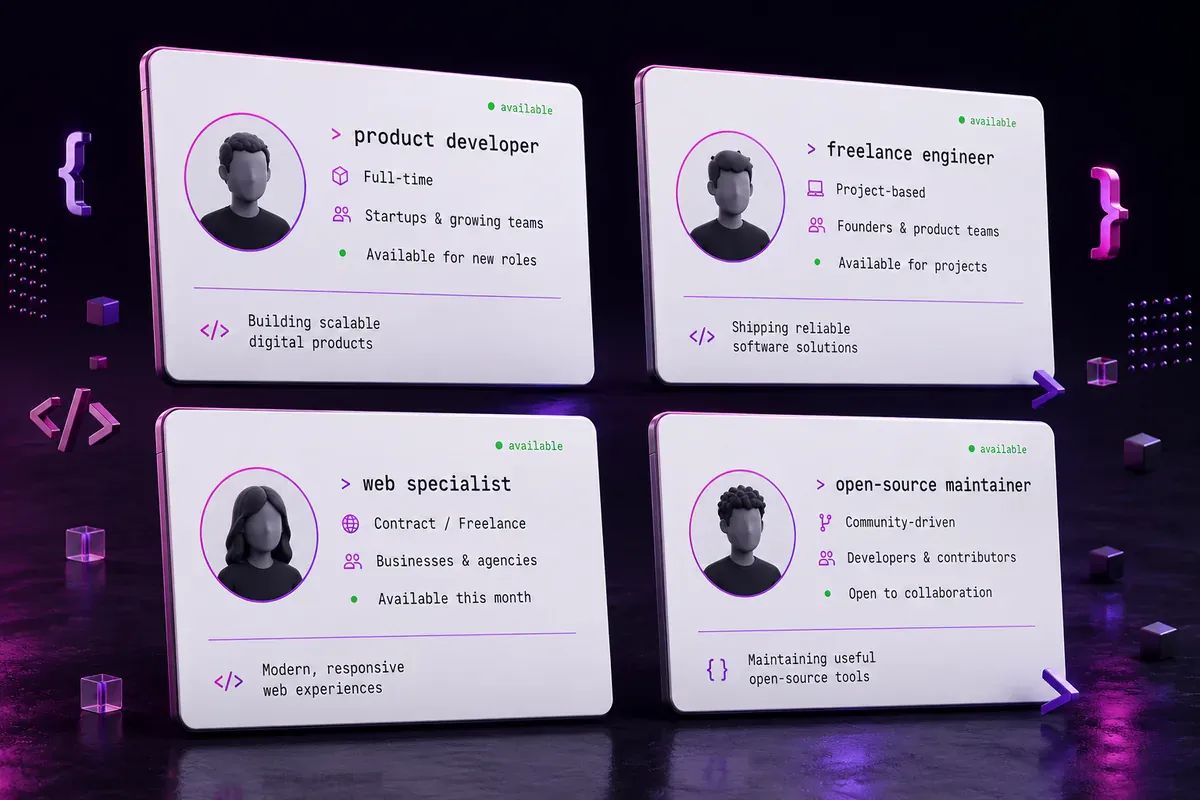
A professional bio should explain what you work on rather than list every tool you have tried.
Use this formula:
Role + type of work + audience or project
Choose only statements that accurately describe your current skills, work, availability, and results.
23. Product-focused developer
𝙵𝚞𝚕𝚕-𝚂𝚝𝚊𝚌𝚔 𝚍𝚎𝚟𝚎𝚕𝚘𝚙𝚎𝚛 𝚋𝚞𝚒𝚕𝚍𝚒𝚗𝚐 𝚞𝚜𝚎𝚏𝚞𝚕 𝚠𝚎𝚋 𝚙𝚛𝚘𝚍𝚞𝚌𝚝𝚜.
24. Ecommerce developer
𝙴𝚌𝚘𝚖𝚖𝚎𝚛𝚌𝚎 𝚍𝚎𝚟𝚎𝚕𝚘𝚙𝚎𝚛 𝚋𝚞𝚒𝚕𝚍𝚒𝚗𝚐 𝚘𝚗𝚕𝚒𝚗𝚎 𝚜𝚝𝚘𝚛𝚎𝚏𝚛𝚘𝚗𝚝𝚜.
25. Front-end specialist
𝙵𝚛𝚘𝚗𝚝-𝚎𝚗𝚍 𝚍𝚎𝚟𝚎𝚕𝚘𝚙𝚎𝚛 𝚝𝚞𝚛𝚗𝚒𝚗𝚐 𝚍𝚎𝚜𝚒𝚐𝚗𝚜 𝚒𝚗𝚝𝚘 𝚠𝚎𝚋 𝚒𝚗𝚝𝚎𝚛𝚏𝚊𝚌𝚎𝚜.
26. API developer
𝙱𝚊𝚌𝚔-𝚎𝚗𝚍 𝚎𝚗𝚐𝚒𝚗𝚎𝚎𝚛 𝚠𝚘𝚛𝚔𝚒𝚗𝚐 𝚘𝚗 𝙰𝙿𝙸𝚜 𝚊𝚗𝚍 𝚍𝚊𝚝𝚊 𝚜𝚢𝚜𝚝𝚎𝚖𝚜.
27. Automation developer
𝙰𝚞𝚝𝚘𝚖𝚊𝚝𝚒𝚗𝚐 𝚛𝚎𝚙𝚎𝚝𝚒𝚝𝚒𝚟𝚎 𝚠𝚘𝚛𝚔 𝚠𝚒𝚝𝚑 𝚌𝚘𝚍𝚎 𝚊𝚗𝚍 𝙰𝙿𝙸𝚜.
28. Freelance developer
𝙵𝚛𝚎𝚎𝚕𝚊𝚗𝚌𝚎 𝚠𝚎𝚋 𝚍𝚎𝚟𝚎𝚕𝚘𝚙𝚎𝚛 • 𝙾𝚙𝚎𝚗 𝚝𝚘 𝚜𝚎𝚕𝚎𝚌𝚝𝚎𝚍 𝚙𝚛𝚘𝚓𝚎𝚌𝚝𝚜
Update the status when your availability changes.
29. Remote developer
𝚁𝚎𝚖𝚘𝚝𝚎 𝚜𝚘𝚏𝚝𝚠𝚊𝚛𝚎 𝚎𝚗𝚐𝚒𝚗𝚎𝚎𝚛 • 𝚄𝚃𝙲+𝟻
Replace the time zone with your real working hours or location.
30. Developer call to action
𝙱𝚞𝚒𝚕𝚍𝚒𝚗𝚐 𝚠𝚎𝚋 𝚙𝚛𝚘𝚍𝚞𝚌𝚝𝚜 • 𝙻𝚎𝚝'𝚜 𝚌𝚘𝚕𝚕𝚊𝚋𝚘𝚛𝚊𝚝𝚎
Use this when your profile includes a clear contact option.
How to Write a Better Developer Bio
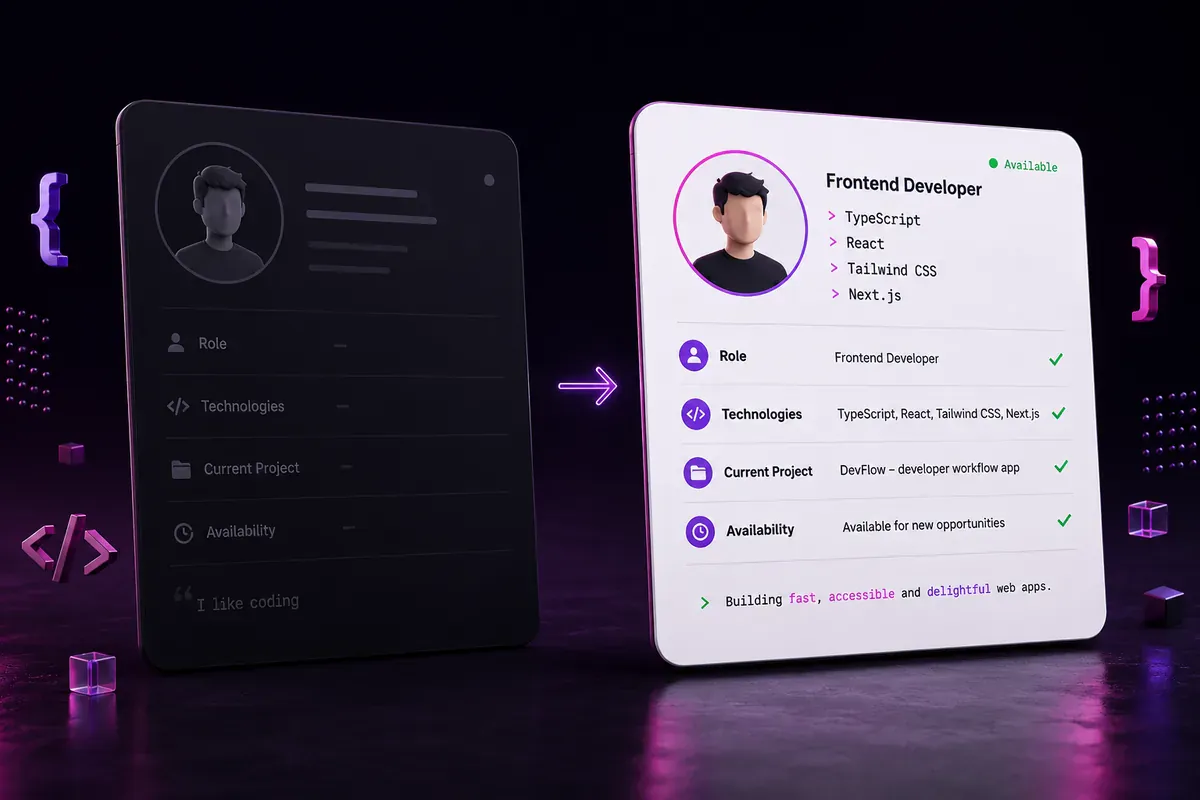
Decorative text cannot fix an unclear message. Before converting your bio, answer at least two of these questions:
- What type of developer are you?
- Which technologies reflect your current work?
- What are you building or learning?
- What type of problem do you work on?
- Are you available for work or collaboration?
Start with a clear identifier
Compare these versions:
Vague
𝙸 𝚕𝚘𝚟𝚎 𝚌𝚘𝚍𝚒𝚗𝚐
Specific
𝚁𝚎𝚊𝚌𝚝 𝚍𝚎𝚟𝚎𝚕𝚘𝚙𝚎𝚛 𝚋𝚞𝚒𝚕𝚍𝚒𝚗𝚐 𝚠𝚎𝚋 𝚊𝚙𝚙𝚜
The second version tells visitors what the developer works with and what they build.
Limit the technology list
A long list makes a short bio difficult to scan. Select two to four technologies that represent your current projects.
For example:
𝙵𝚛𝚘𝚗𝚝-𝙴𝚗𝚍 𝙳𝚎𝚟 • 𝚁𝚎𝚊𝚌𝚝 • 𝚃𝚢𝚙𝚎𝚂𝚌𝚛𝚒𝚙𝚝
Avoid unsupported claims
Words such as "expert," "genius," and "world-class" provide little useful detail. Let your portfolio, repositories, experience, and results show your ability.
Keep status details current
Remove "open to work" or "available for freelance projects" when your situation changes. An outdated status can confuse potential clients or employers.
How to Create Monospace Text
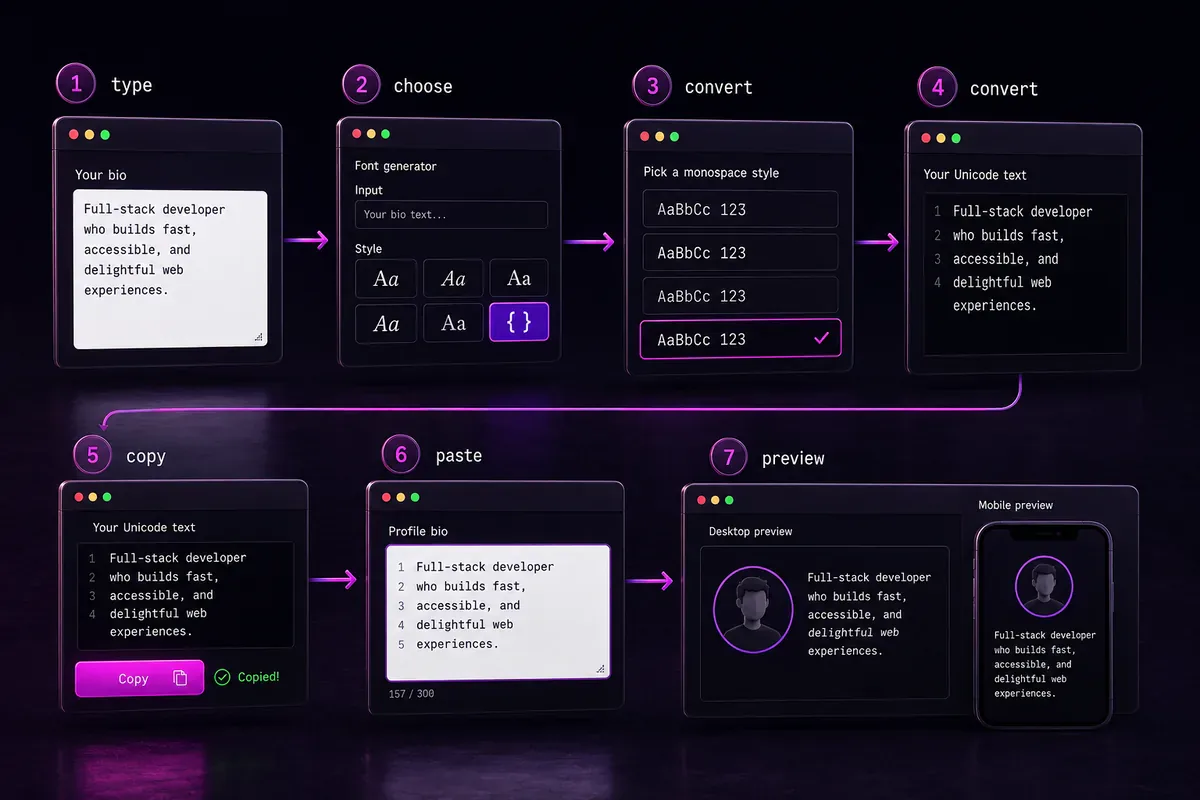
You do not need to replace each character manually.
- Write your bio in ordinary text.
- Open the tool for creating monospace text.
- Enter or paste your bio.
- Review the converted characters.
- Copy the version you prefer.
- Paste it into the intended profile field.
- Check the result on desktop and mobile.
For other decorative styles, visit the main FontifyText generator. Profiles created for Discord can also use the Discord Font Generator.
Practical example
Start with ordinary text:
Front-End Developer • React • Building web tools
Convert it:
𝙵𝚛𝚘𝚗𝚝-𝙴𝚗𝚍 𝙳𝚎𝚟𝚎𝚕𝚘𝚙𝚎𝚛 • 𝚁𝚎𝚊𝚌𝚝 • 𝙱𝚞𝚒𝚕𝚍𝚒𝚗𝚐 𝚠𝚎𝚋 𝚝𝚘𝚘𝚕𝚜
Paste the converted version into the profile, then check whether every character appears correctly.
Is Unicode Monospace the Same as a Monospace Font?
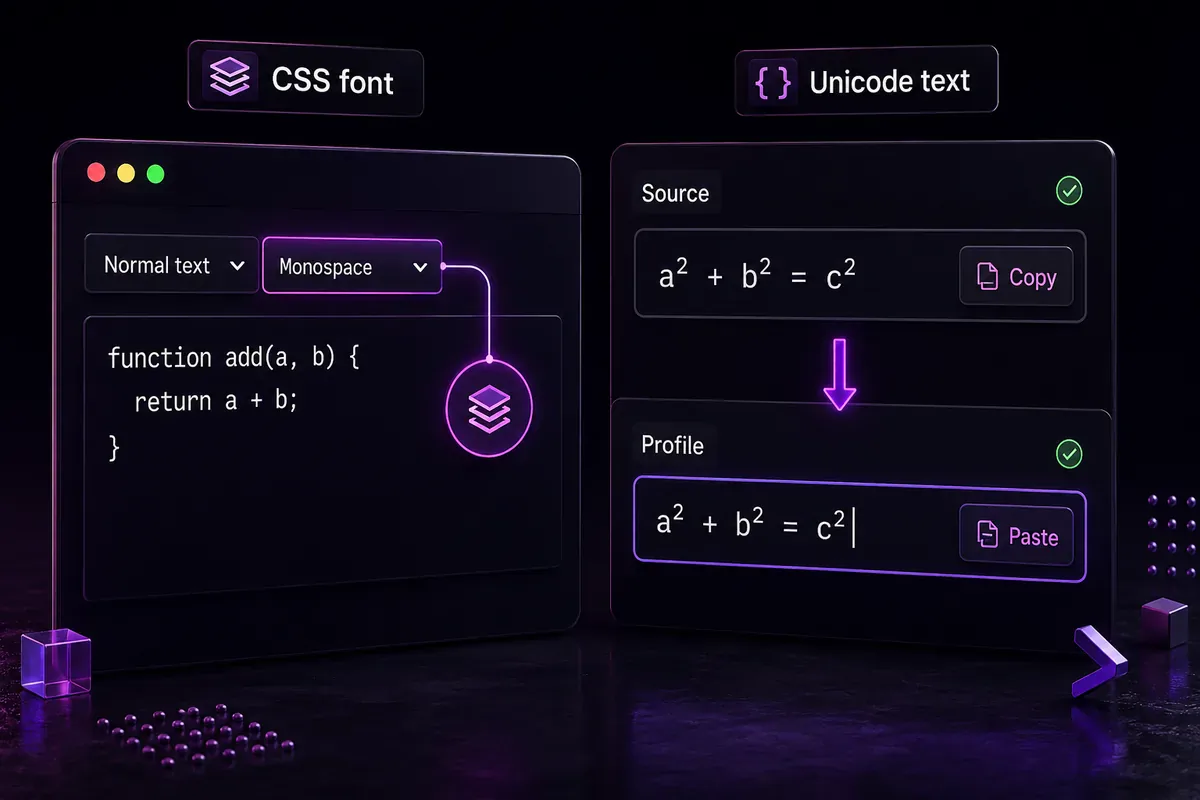
No. They can look similar, but they work differently.
A traditional monospace font displays ordinary characters through an installed typeface or a CSS rule:
font-family: monospace;Copying the text into another app does not normally copy that font choice.
Mathematical monospace Unicode uses different characters:
Developer
𝙳𝚎𝚟𝚎𝚕𝚘𝚙𝚎𝚛
Because the characters themselves are different, the visual style can remain after pasting them into many Unicode-compatible fields. The exact weight, spacing, and shape can still change between apps and operating systems.
This guide covers copy-and-paste Unicode text. It does not cover downloadable programming font files such as .ttf or .otf.
Using Monospace Unicode Accessibly
The short version is below. For the full picture — what screen readers do with styled Unicode, how to test yours, and which styles are least risky — see Unicode text and screen readers.
Mathematical alphanumeric characters were designed for mathematical and technical notation rather than ordinary styled prose. Stable W3C MathML guidance warns that using them only for visual styling can create problems for searching, restyling, accessibility, and other types of text processing. See the W3C guidance on mathematical alphanumeric characters.
Screen-reader behavior can differ by device, browser, language, and assistive software. A stylized line may not be announced in the same way as its ordinary-text version.
Use these practices:
- Keep essential profile information in ordinary text.
- Limit Unicode styling to short decorative lines.
- Do not convert a full resume, project guide, or important instruction.
- Avoid surrounding every word with decorative symbols.
- Include a plain-text introduction in longer profile sections.
- Test important content with the intended device and software when possible.
A practical GitHub setup is to keep the short bio easy to read and place a fuller ordinary-text introduction in the profile README.
Frequently Asked Questions
How do I choose monospace text ideas for developer bios?
Choose a line that clearly states your role, main technologies, current project, or availability. A useful bio gives visitors specific information rather than relying only on decoration.
Can I use monospace text in my GitHub bio?
Supported Unicode characters can be pasted into the bio field, but you should preview the result. GitHub's public bio field has a 160-character limit, so keep the wording focused.
Is monospace Unicode the same as a code block?
No. A code block applies formatting to ordinary characters through Markdown or a platform interface. Mathematical monospace Unicode replaces ordinary letters with different Unicode characters.
Can screen readers read monospace Unicode text?
Results can vary. Some assistive software may announce stylized characters differently from ordinary letters. Keep essential information in plain text and use decorative Unicode sparingly.
Does monospace text work on every device?
Not identically. Many devices can display the characters, but their shape, spacing, weight, and readability can vary according to the app, operating system, and available fonts.
Create Your Monospace Developer Bio
The most useful monospace text ideas for developer bios clearly communicate a role, skill set, project, or current status. Choose an example that reflects your real work, edit the details, and preview it on the platform where it will appear.
Use the Monospace Font Generator to create your version and preview it where it will appear.