
Social Media Fonts
Best Fonts for Twitter Bio: 25 Copy-and-Paste Styles
Compare the best fonts for Twitter bio, copy 25 readable X styles, learn where Unicode text works, and fix broken or missing characters on mobile.
Contents
- Quick Bio Font Checklist
- Best Fonts for Twitter Bio at a Glance
- Quick Example
- What Are Twitter Bio Fonts?
- 25 Best Fonts for Twitter and X Bios
- Clean and Professional Styles
- Creative and Personal Styles
- Gaming and Alternative Styles
- Minimal and Experimental Effects
- How to Change the Font in Your Twitter Bio
- Example: Writer Profile
- Where Fancy Fonts Work on X
- Bio, Display Name, and Username Example
- Using Fonts in X Posts
- Choose a Font for Your Account Type
- Creator
- Consultant
- Business
- Writer or Artist
- Developer
- Gamer
- Readability, Accessibility, and Broken Font Fixes
- Readable Versus Overdecorated
- Fix Boxes, Empty Characters, or Broken Marks
- Bio Will Not Save
- Twitter Bio Templates, FAQs, and Final Tips
- Creator Bio
- Consultant Bio
- Writer Bio
- Business Bio
- Developer Bio
- Artist Bio
- Gamer Bio
- Minimal Bio
- Frequently Asked Questions
- Conclusion: Choose a Style That Remains Clear
The best fonts for Twitter bio text are bold sans-serif, small caps, monospace, and short cursive styles. Use them for one role or opening phrase, then keep names, links, contact details, and calls to action in plain text so the profile remains easy to read.
X does not include a normal profile font menu. A Twitter font generator replaces standard letters with visually similar Unicode characters that you can copy and paste.
The 25 options below include Unicode letter styles and decorative text effects. They are not 25 installed typefaces.
Quick Bio Font Checklist
- Style one short role, label, or opening phrase.
- Keep important account information in plain text.
- Start with bold, small caps, monospace, or light cursive.
- Check every letter before saving.
- Preview the finished bio at mobile size.
- Remove boxes, empty spaces, or misplaced marks.
- Keep a plain-text copy as a fallback.
Best Fonts for Twitter Bio at a Glance
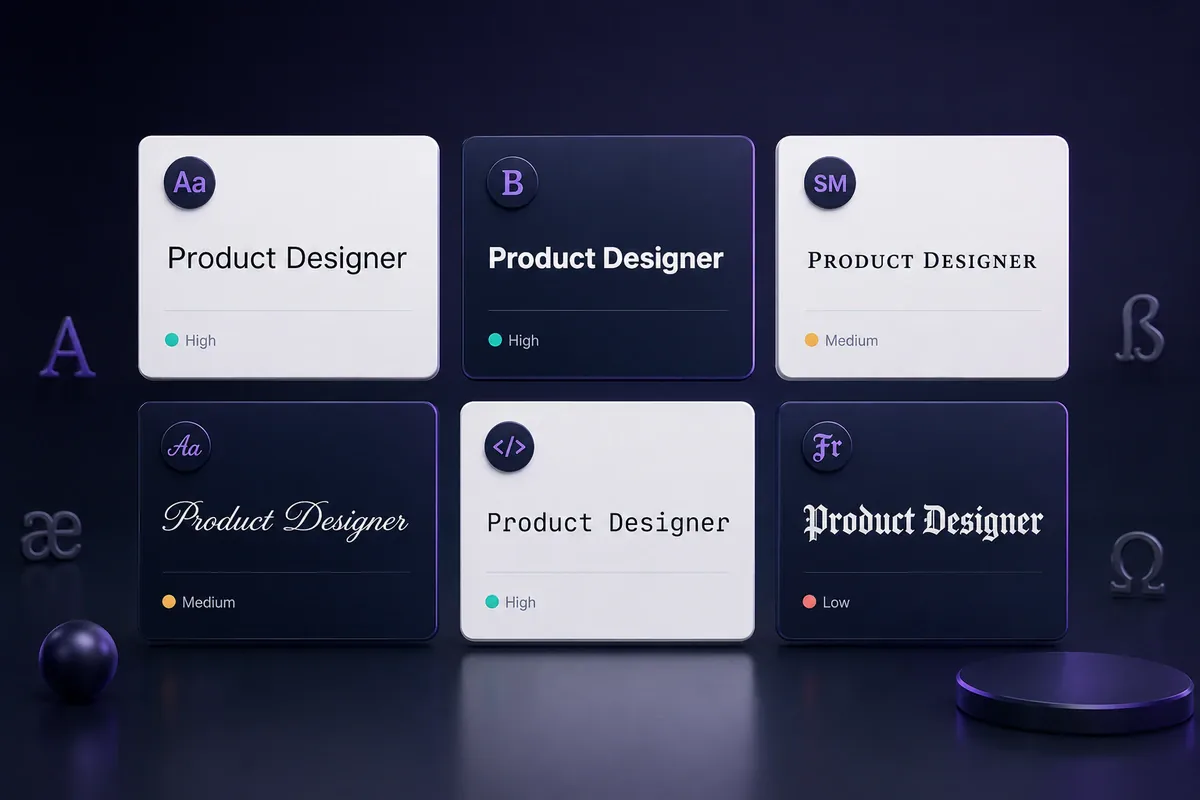
The following styles offer a useful balance between personality and readability. The ratings are editorial judgments based on letter recognition, spacing, size, and reliance on combining marks.
| Style | Example | Readability | Best Fit |
|---|---|---|---|
| Bold sans-serif | 𝗖𝗿𝗲𝗮𝘁𝗼𝗿 | High | Businesses, consultants, creators |
| Bold serif | 𝐂𝐫𝐞𝐚𝐭𝐨𝐫 | High | Writers, educators, publications |
| Small caps | ᴄʀᴇᴀᴛᴏʀ | High | Short roles and category labels |
| Monospace | 𝙲𝚛𝚎𝚊𝚝𝚘𝚛 | High | Developers, gamers, tech accounts |
| Cursive | 𝒞𝓇𝑒𝒶𝓉𝑜𝓇 | Medium | Writers, artists, personal brands |
| Fullwidth | Creator | Medium | Music, gaming, aesthetic profiles |
| Fraktur | ℭ𝔯𝔢𝔞𝔱𝔬𝔯 | Low | Alternative or gaming labels |
| Glitch text | C̷r̴e̵a̸t̷o̵r̸ | Very low | Very short decorative accents |
For a professional profile, start with bold sans-serif or small caps. Monospace suits technical accounts, while restrained cursive can add a softer tone to a writer or artist bio.
Quick Example
Plain bio:
Growth strategist helping small brands plan clearer campaigns.
Styled bio:
𝗚𝗿𝗼𝘄𝘁𝗵 𝗦𝘁𝗿𝗮𝘁𝗲𝗴𝗶𝘀𝘁
Helping small brands plan clearer campaigns.
The second version separates the role from the description without converting every sentence.
What Are Twitter Bio Fonts?
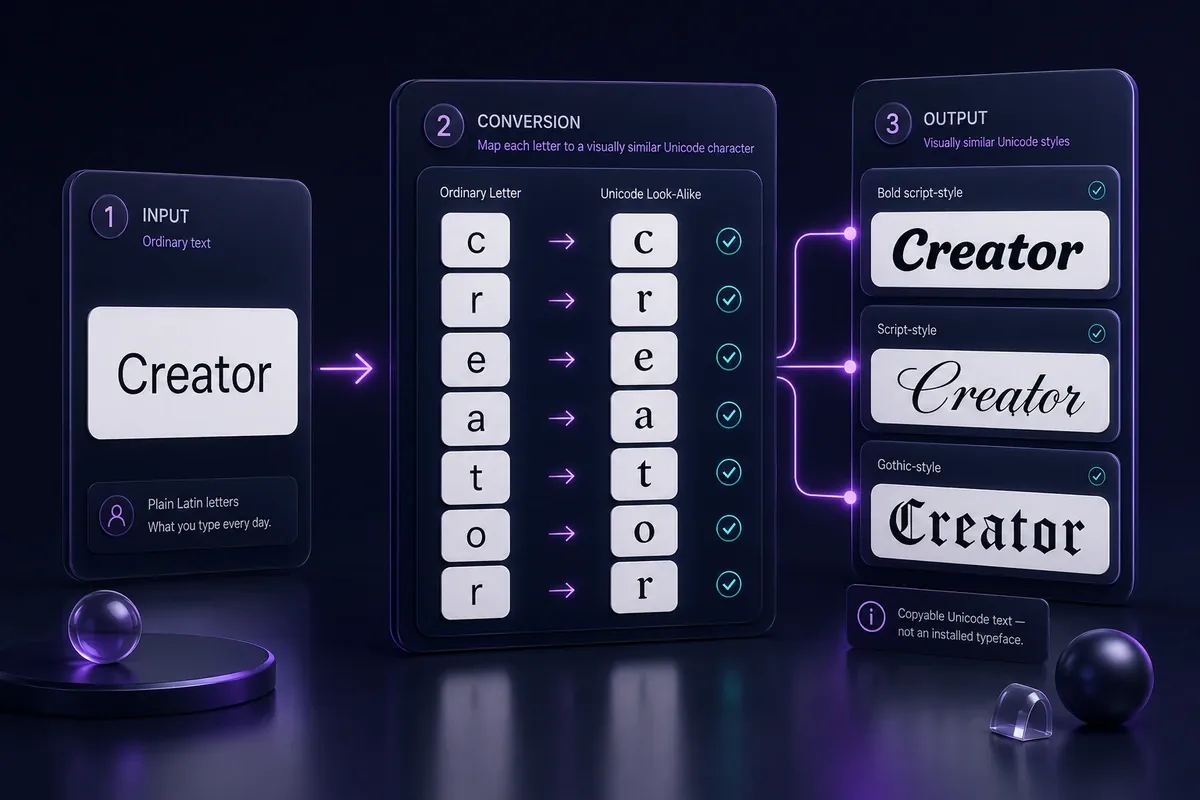
Twitter bio “fonts” are Unicode characters that resemble bold, cursive, outlined, Gothic, or other writing styles. They remain text rather than downloaded or installed typefaces.
Many generators repurpose mathematical alphanumeric symbols, letterlike symbols, compatibility characters, and combining marks for social profile styling. Some of these characters were encoded for mathematical, technical, or language-related purposes rather than decorative bios.
For example:
- Plain text:
Creator - Bold Unicode:
𝗖𝗿𝗲𝗮𝘁𝗼𝗿 - Script Unicode:
𝒞𝓇𝑒𝒶𝓉𝑜𝓇 - Monospace Unicode:
𝙲𝚛𝚎𝚊𝚝𝚘𝚛
Unicode assigns characters, while fonts and rendering systems determine the visible glyphs. This is why a character may look wider, thinner, or unsupported on another device. The Unicode Consortium explains how unsupported characters can appear as missing-glyph symbols when the available font cannot draw them. See its unsupported-character guidance.
25 Best Fonts for Twitter and X Bios
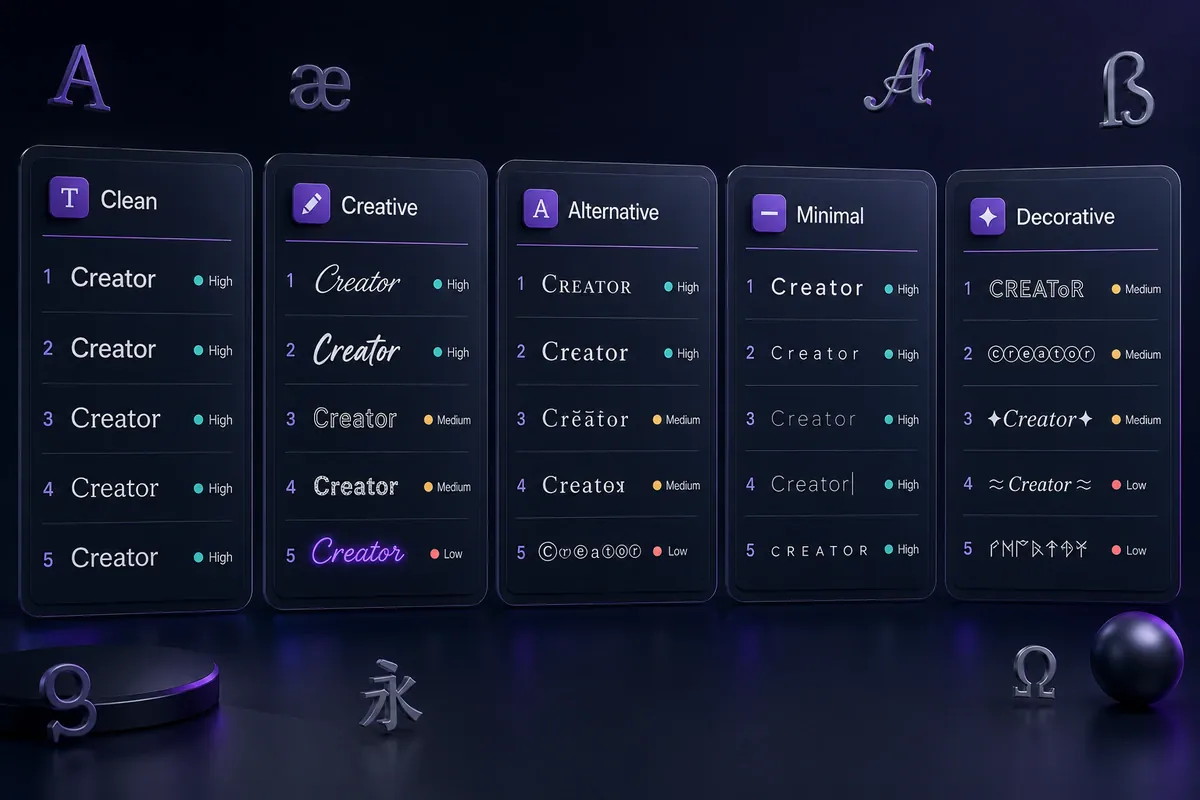
Each group has a different purpose. Clean styles suit longer labels. Decorative styles should be reserved for a word, name, or short accent.
Clean and Professional Styles
-
Bold sans-serif —
𝗖𝗿𝗲𝗮𝘁𝗼𝗿
Clear and direct for job titles, services, and category labels. Create related styles with the bold text generator. -
Bold serif —
𝐂𝐫𝐞𝐚𝐭𝐨𝐫
A more formal option for writers, educators, editors, and publications. -
Bold italic —
𝑪𝒓𝒆𝒂𝒕𝒐𝒓
Adds movement while keeping strong letter shapes. -
Italic sans-serif —
𝘊𝘳𝘦𝘢𝘵𝘰𝘳
Works for a tagline, specialty, or short personal statement. -
Small caps —
ᴄʀᴇᴀᴛᴏʀ
A neat choice for labels such as “WRITER,” “FOUNDER,” or “DESIGNER.” -
Monospace —
𝙲𝚛𝚎𝚊𝚝𝚘𝚛
Fits developers, data professionals, security researchers, and gaming accounts. -
Double-struck —
ℂ𝕣𝕖𝕒𝕥𝕠𝕣
Distinctive but wider than most clean styles.
Creative and Personal Styles
-
Cursive script —
𝒞𝓇𝑒𝒶𝓉𝑜𝓇
Soft and personal for writers, artists, photographers, and lifestyle creators. Try related options in the cursive font generator. -
Bold cursive —
𝓒𝓻𝓮𝓪𝓽𝓸𝓻
More noticeable than light script, though heavier at small sizes. -
Minimal serif italic —
𝐶𝑟𝑒𝑎𝑡𝑜𝑟
An editorial choice for essayists, book accounts, and academic profiles. -
Fullwidth —
Creator
Creates a retro, spacious effect but can cause earlier line breaks. -
Circled letters —
Ⓒⓡⓔⓐⓣⓞⓡ
Playful and suited to one short word. -
Squared letters —
🄲🅁🄴🄰🅃🄾🅁
Useful for badge-like labels, though letter coverage can be limited. -
Parenthesized letters —
⒞⒭⒠⒜⒯⒪⒭
Visually busy, so it works better for an accent than a description.
Gaming and Alternative Styles
-
Fraktur —
ℭ𝔯𝔢𝔞𝔱𝔬𝔯
A historic blackletter style for gamer names or alternative labels. -
Bold Fraktur —
𝕮𝖗𝖊𝖆𝖙𝖔𝖗
Heavier and darker than regular Fraktur. Find similar text in the Gothic font generator. -
Greek-inspired substitutions —
Ƈяєαтσя
A mixture of lookalike characters rather than a consistent alphabet. Some letters may be read as different characters. -
Symbol-framed text —
【Creator】
Adds an alternative feel while keeping the main word in standard text. -
Decorated text —
✦ Creator ✦
Symbols around plain text often remain clearer than replacing every letter. -
Strikethrough —
C̶r̶e̶a̶t̶o̶r̶
Suitable for jokes or a temporary theme. The line position may vary.
Minimal and Experimental Effects
-
Aesthetic spaced text —
C r e a t o r
Simple but space-hungry, especially in longer bios. -
Superscript —
ᶜʳᵉᵃᵗᵒʳ
Small and subtle, with uneven support across the alphabet. -
Subscript —
꜀ᵣₑₐₜₒᵣ
Experimental and difficult to read because matching forms do not exist for every letter. -
Underlined Unicode —
C̲r̲e̲a̲t̲o̲r̲
Built with combining marks that can shift or overlap. -
Glitch or Zalgo —
C̷r̴e̵a̸t̷o̵r̸
Very low readability. Avoid it for services, links, schedules, or contact details.
How to Change the Font in Your Twitter Bio
X allows profile owners to edit their display name, bio, location, website, and other details through the Edit profile screen. Its profile guide states that a bio can contain up to 160 characters. See the official X profile customization guide.
Follow these steps:
- Open the Twitter font generator.
- Enter the role or phrase you want to style.
- Compare several readable options.
- Copy the chosen version.
- Open X and visit your profile.
- Select Edit profile.
- Paste the text into the Bio field.
- Check the character count and line breaks.
- Preview the text at normal mobile size.
- Save the profile.
For device-specific help, read how to copy and paste fonts on iPhone and Android.
Example: Writer Profile
Plain version:
Writer and editor. Essays about books, work, and online culture.
Styled version:
𝒲𝓇𝒾𝓉𝑒𝓇 & 𝐸𝒹𝒾𝓉𝑜𝓇
Essays about books, work, and online culture.
The role receives the visual treatment, while the subjects remain clear.
Where Fancy Fonts Work on X
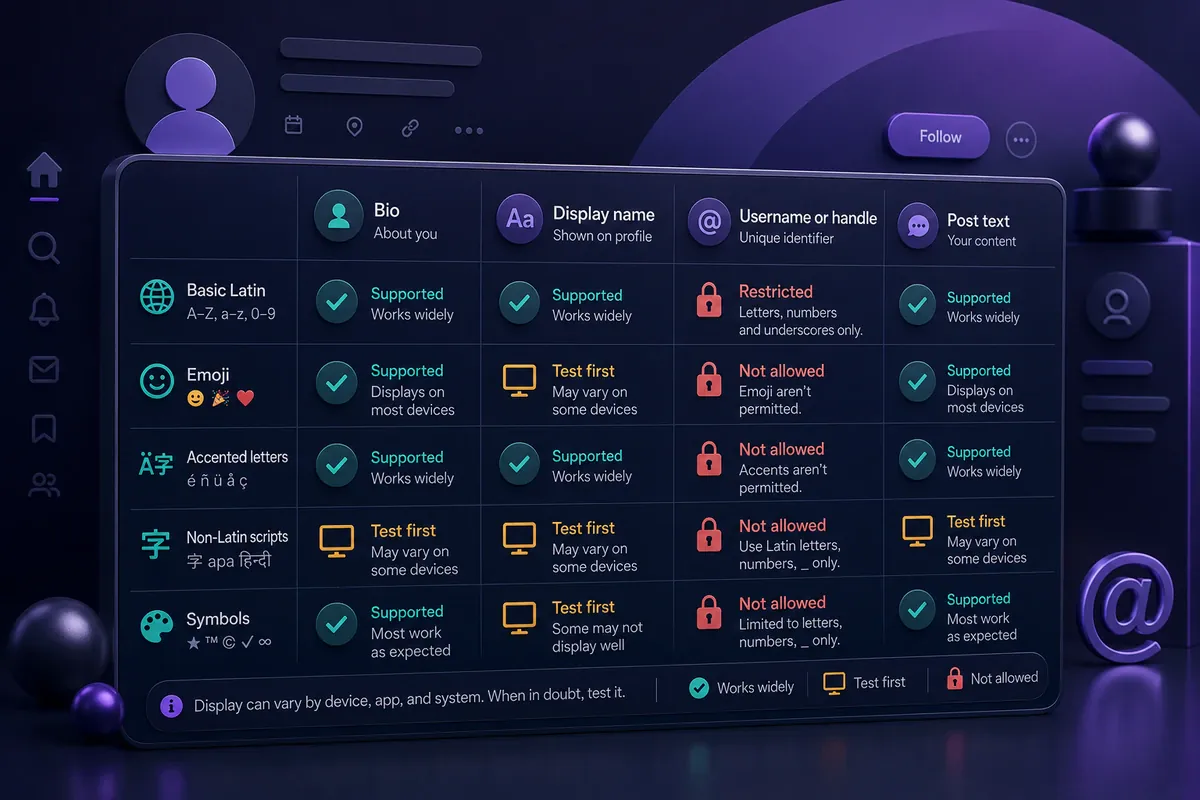
An X profile contains separate fields with different limits and character rules.
| Field | Decorative Unicode | Official Rule | Suggested Use |
|---|---|---|---|
| Bio | Often accepted, but rendering varies | Up to 160 characters | Style one role or opening phrase |
| Display name | Many pasted characters may display | Up to 50 characters | Use a short recognizable treatment |
Username or @handle | Decorative characters are not allowed | Up to 15 characters | Keep it in standard characters |
| Posts | Many Unicode characters may display | Check every post before publishing | Use styling as a short accent |
X states that usernames can contain letters, numbers, and underscores. They cannot contain symbols, spaces, or dashes and cannot exceed 15 characters. Display names can contain up to 50 characters. See the official username and display-name guidance.
Bio, Display Name, and Username Example
- Display name:
𝗠𝗮𝘆𝗮 | Designer - Username:
@mayadesigns - Bio:
Brand designer for thoughtful small businesses. Portfolio below.
The styled display name creates contrast, while the handle and service description remain easy to identify.
Using Fonts in X Posts
A post has the same 280-character limit whether the text is plain or styled, so Unicode fonts work best as a short opening hook rather than the whole post. Style the first five to ten words, then switch back to plain text for the rest — this earns the initial pause without making the full post harder to scan or search.
Plain post:
New writing tip: cut your first sentence in half. It almost always reads better.
Styled post:
𝗡𝗲𝘄 𝘄𝗿𝗶𝘁𝗶𝗻𝗴 𝘁𝗶𝗽: Cut your first sentence in half. It almost always reads better.
For a launch or announcement post, a bold opener works the same way a headline works in a newsletter:
𝗪𝗲'𝗿𝗲 𝗹𝗶𝘃𝗲 The waitlist is open — link in bio. First 100 signups get early access.
Keep links, prices, dates, and @mentions in plain text within the post body. X's search index matches plain letters, so a keyword written in Unicode bold will not surface when someone searches that exact word.
Choose a Font for Your Account Type
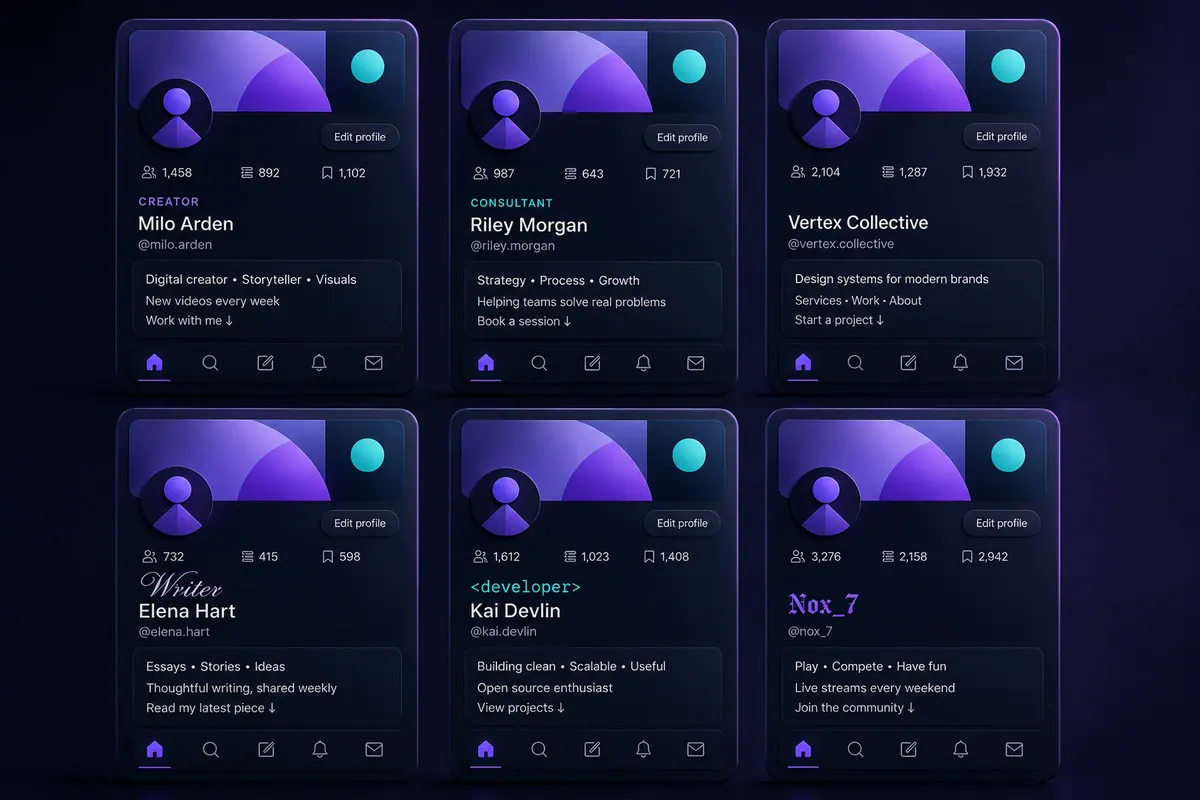
The right choice depends on the information visitors need first.
Creator
𝗖𝗢𝗡𝗧𝗘𝗡𝗧 𝗖𝗥𝗘𝗔𝗧𝗢𝗥
Practical filming and editing tips for solo creators.
Bold text separates the account category from the value statement.
Consultant
𝗚𝗿𝗼𝘄𝘁𝗵 𝗦𝘁𝗿𝗮𝘁𝗲𝗴𝗶𝘀𝘁
Campaign planning for independent brands.
A clean role label fits a professional service account.
Business
ᴘʀᴏᴅᴜᴄᴛɪᴠɪᴛʏ ꜱᴏꜰᴛᴡᴀʀᴇ
Planning tools for distributed teams. Support: @BrandHelp
Small caps can separate the product category without hiding support information.
Writer or Artist
𝒲𝓇𝒾𝓉𝑒𝓇 & 𝐸𝓈𝓈𝒶𝓎𝒾𝓈𝓉
Books, cities, memory, and ordinary life.
Cursive suits a short identity line, while the subject list remains plain.
Developer
𝙵𝚛𝚘𝚗𝚝-𝙴𝚗𝚍 𝙳𝚎𝚟
TypeScript, accessibility, and design systems.
Monospace creates a technical tone without changing the technology names.
Gamer
𝕹𝖎𝖌𝖍𝖙 𝕽𝖆𝖎𝖉𝖊𝖗
RPG streams Tuesday and Friday. Clips below.
Fraktur gives the identity label a darker style, while the schedule stays readable.
Readability, Accessibility, and Broken Font Fixes
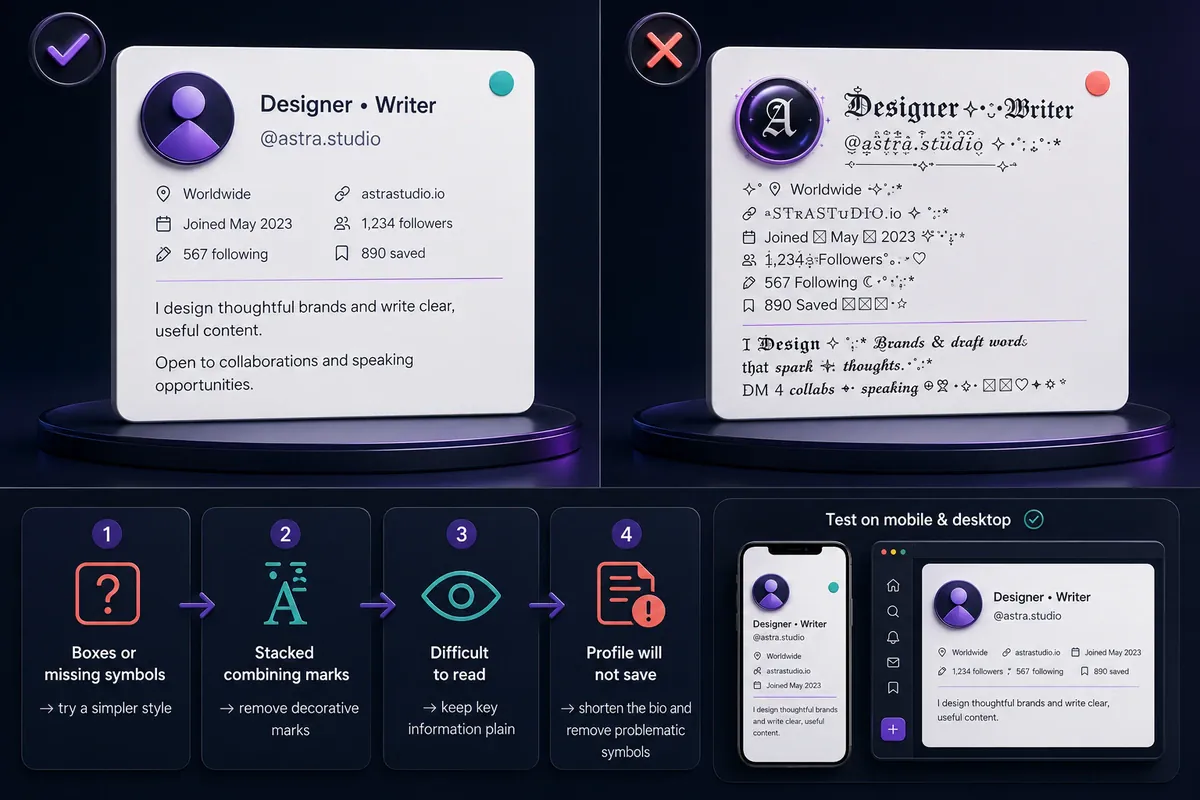
Decorative Unicode may appear differently across phones, browsers, operating systems, and assistive tools. It can also make text harder to copy, pronounce, or recognize.
Screen readers process each Unicode character independently rather than recognizing the intended letter, so a bio or post written entirely in bold, Fraktur, or script Unicode may be read aloud letter-by-letter, skipped, or announced as "symbol" instead of the word you typed. WebAIM's font guidance explains why this happens and why readable text presentation matters for real accessibility, not just visual style. Style one short role, name, or hook — never an entire bio, thread, or paragraph — so the underlying words stay recoverable for anyone using assistive technology.
Use standard text for:
- Names people need to search or remember.
- Contact details.
- Website instructions.
- Support handles.
- Posting schedules.
- Services and product descriptions.
- Calls to action.
Readable Versus Overdecorated
Hard to scan:
𝓕𝓻𝓮𝓮𝓵𝓪𝓷𝓬𝓮 𝓓𝓮𝓼𝓲𝓰𝓷𝓮𝓻 𝓱𝓮𝓵𝓹𝓲𝓷𝓰 𝓼𝓶𝓪𝓵𝓵 𝓫𝓻𝓪𝓷𝓭𝓼 𝔀𝓲𝓽𝓱 𝓿𝓲𝓼𝓾𝓪𝓵 𝓲𝓭𝓮𝓷𝓽𝓲𝓽𝔂.
Easier to scan:
𝗙𝗿𝗲𝗲𝗹𝗮𝗻𝗰𝗲 𝗗𝗲𝘀𝗶𝗴𝗻𝗲𝗿
Helping small brands with visual identity.
Fix Boxes, Empty Characters, or Broken Marks
- Save the original wording in plain text.
- Replace the affected word with bold sans-serif, small caps, or standard text.
- Remove stacked accents and combining marks.
- Check whether one letter caused the problem.
- Open the profile on another device or browser.
- Paste the text again without hidden spaces.
- Return important information to plain text when the issue remains.
Bio Will Not Save
Check that the bio is no longer than 160 characters. Remove fake verification symbols, angle brackets, quotation marks, and any URL X identifies as unsafe, then try again.
X lists these among the reasons a profile update may fail in its profile-change troubleshooting guide.
Fancy “fonts” are Unicode characters rather than installed typefaces. Their appearance and pronunciation can vary by device, operating system, available fonts, and assistive technology. Keep essential information in plain text and test the finished profile before saving it.
Twitter Bio Templates, FAQs, and Final Tips
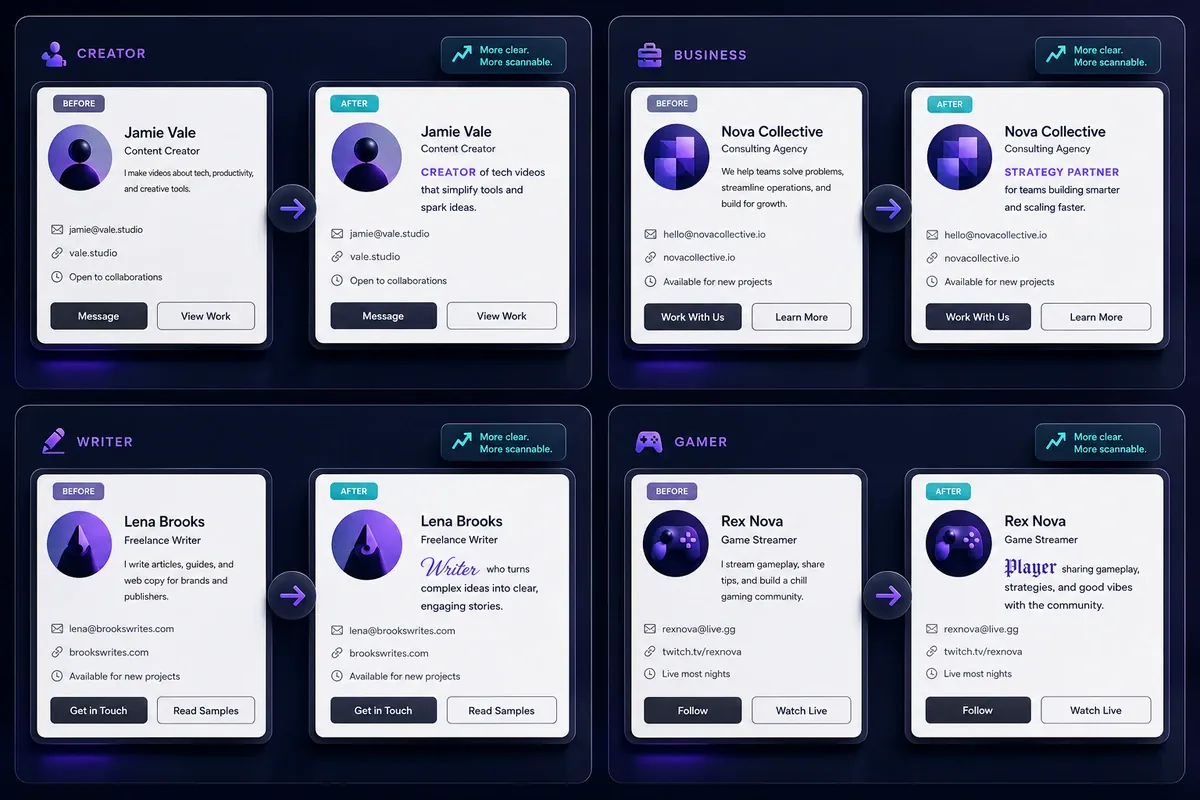
Replace every sample service, posting frequency, support handle, booking statement, and schedule with accurate information about your account.
Creator Bio
𝗖𝗢𝗡𝗧𝗘𝗡𝗧 𝗖𝗥𝗘𝗔𝗧𝗢𝗥
Practical video tips for small teams. New tutorials every week.
Consultant Bio
𝗚𝗿𝗼𝘄𝘁𝗵 𝗦𝘁𝗿𝗮𝘁𝗲𝗴𝗶𝘀𝘁
Campaign planning for independent brands. Booking details below.
Writer Bio
𝒲𝓇𝒾𝓉𝑒𝓇 & 𝐸𝒹𝒾𝓉𝑜𝓇
Essays about books, culture, and creative work.
Business Bio
ᴅᴇꜱɪɢɴ ᴛᴏᴏʟꜱ
Templates for small creative teams. Support: @BrandHelp
Developer Bio
𝙵𝚛𝚘𝚗𝚝-𝙴𝚗𝚍 𝙳𝚎𝚟
TypeScript, accessible interfaces, and practical CSS notes.
Artist Bio
𝒱𝒾𝓈𝓊𝒶𝓁 𝒜𝓇𝓉𝒾𝓈𝓉
Drawing quiet places, unusual buildings, and imagined cities.
Gamer Bio
𝕹𝖎𝖌𝖍𝖙 𝕽𝖆𝖎𝖉𝖊𝖗
RPG streams Tuesday and Friday. Community clips below.
Minimal Bio
𝗪𝗿𝗶𝘁𝗲𝗿
Notes on work, cities, and the internet.
Frequently Asked Questions
What are the best fonts for Twitter bio text?
The best fonts for Twitter bio text are bold sans-serif, bold serif, small caps, and monospace because their letter shapes are relatively clear. Short cursive text can suit a writer or artist. Preview the chosen style at mobile size before saving it.
How do I change the font in my Twitter bio?
Enter the text in a Twitter font generator, choose a readable Unicode style, and copy it. Open X, select Edit profile, paste the text into the Bio field, check the line breaks, and save the profile.
Can I use fancy fonts in my Twitter username?
No. X usernames accept letters, numbers, and underscores rather than decorative Unicode characters. A styled phrase may work in the display name or bio, but the @handle must follow X’s username rules.
Why do Twitter bio fonts appear as boxes?
A box often means the available device font cannot draw that Unicode character. Try a simpler style, remove combining marks, test another device, or replace the affected word with plain text.
Are fancy Twitter fonts accessible?
Accessibility depends on the selected characters, device, language, and assistive tool. Decorative text may not be announced or interpreted as expected. Keep names, services, links, and calls to action in plain text.
Conclusion: Choose a Style That Remains Clear
The best fonts for Twitter bio text give one useful detail extra emphasis without making the full profile difficult to read. Bold sans-serif, small caps, monospace, and short cursive phrases are sensible starting points.
Check every character, keep essential details plain, and replace any style that appears broken on mobile.
Also active on Facebook? The same copy-paste approach applies to fancy text for Facebook posts, bios, and Pages, or browse the full directory of font generators for every platform and style FontifyText supports.