
Social Media Fonts
Fancy Text for Facebook — Copy & Paste Stylish Fonts
Use fancy text for Facebook posts, bios, and comments with readable Unicode styles. Learn to generate, copy, paste, and troubleshoot text for free online.
Contents
- Why Facebook Does Not Have a Built-In Font Option
- What Is Fancy Text for Facebook, Really?
- Where to Use Stylish Facebook Fonts
- Facebook Posts and Status Updates
- Facebook Bios and About Sections
- Facebook Comments
- Facebook Group Names
- Facebook Page Names and Headlines
- Facebook Group Posts and Announcements
- What to Avoid
- Best Font Styles for Facebook
- How to Generate and Use Fancy Text for Facebook
- Fancy Text for Facebook on Mobile
- Troubleshooting Broken or Boxed Fancy Text
- Empty boxes appear instead of letters
- The preview works but the Facebook field rejects it
- The copy button does not work on mobile
- Other people see a slightly different result
- Do Stylish Fonts Affect Facebook Post Reach?
- Frequently Asked Questions
- What is fancy text for Facebook, and how does it work?
- Can I use stylish Facebook fonts in comments and messages?
- Will fancy text work in the Facebook mobile app?
- Is it safe to use a Facebook font generator?
- Which fancy text style works best for Facebook posts?
- Create Your Fancy Facebook Text
Fancy text for Facebook helps a post opener, profile bio, Page headline, or comment stand out without using an image or installing a font. Generate one readable Unicode style, copy it, paste it into Facebook, and keep important details in plain text so the result stays clear on mobile.
Fancy text for Facebook adds visual variety to the platform's standard text box. Bold, italic, and custom font controls are not built into ordinary posts, comments, or bios. Yet you may still see posts with 𝓬𝓾𝓻𝓼𝓲𝓿𝓮 𝓽𝓮𝔁𝓽, 𝕠𝕦𝕥𝕝𝕚𝕟𝕖𝕕 𝕝𝕖𝕥𝕥𝕖𝕣𝕤, or 𝗯𝗼𝗹𝗱 𝗵𝗲𝗮𝗱𝗹𝗶𝗻𝗲𝘀.
Those posts use copy-and-paste Unicode characters that resemble styled fonts. This guide explains how the technique works, where to use it, and how to avoid unreadable text or empty boxes.
Quick summary
- Fancy Facebook text uses Unicode characters rather than installed font files.
- You can generate a style, copy it, and paste it into a supported Facebook field.
- Short post openers, bios, page headlines, event descriptions, and comment hooks are strong candidates.
- Long paragraphs and accessibility-sensitive wording should stay in ordinary text.
- The Facebook Fonts generator is free and requires no login.
Why Facebook Does Not Have a Built-In Font Option
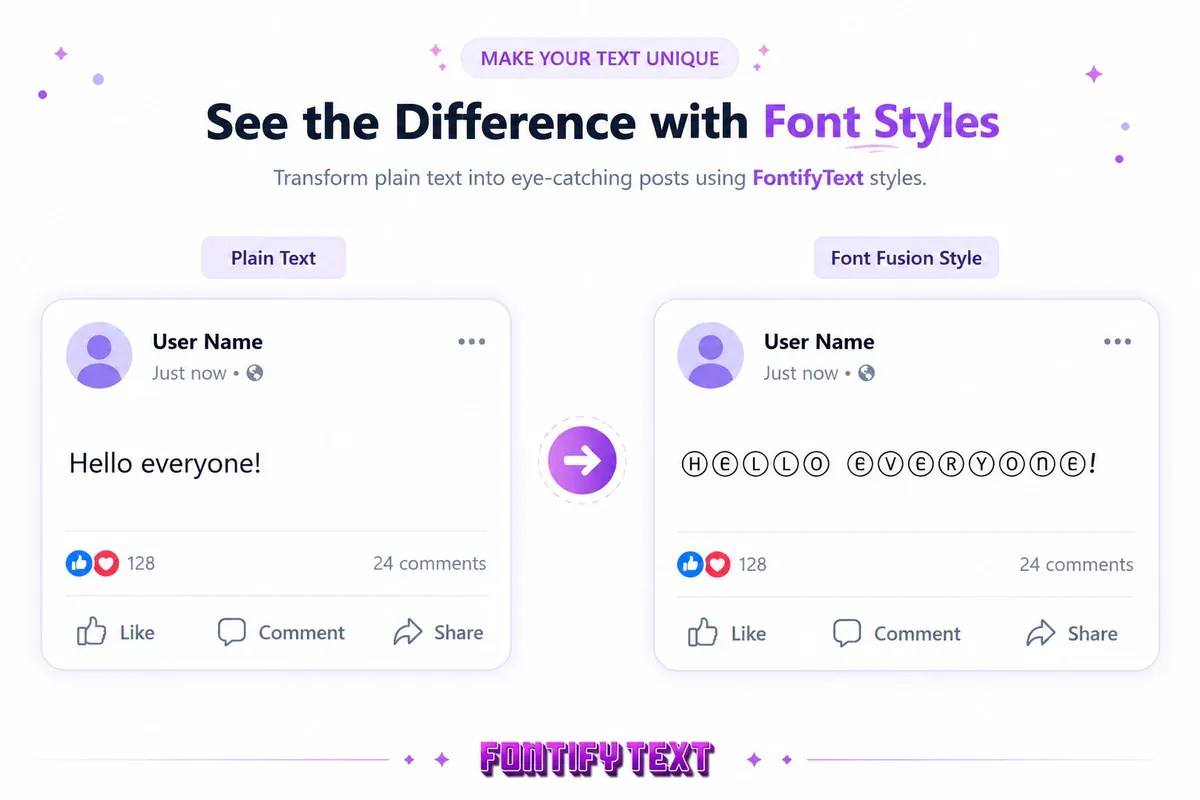
Facebook's standard text fields do not provide the kind of font toolbar found in a document editor. A post or comment normally inherits the interface's own typeface and styling.
The copy-and-paste alternative relies on the Unicode Standard, which represents writing systems, symbols, emoji, and many specialized characters. Some encoded alphabets and symbols resemble bold, script, outlined, or circled lettering. Unicode's Mathematical Alphanumeric Symbols chart shows many of the bold, italic, script, Fraktur, and double-struck characters used by text generators.
Characters such as 𝔸, 𝐁, 𝒞, and Ⓓ are not ordinary letters with CSS styling applied. They are separate characters. That is why they can remain visually distinctive after being pasted into a plain-text field, provided the destination accepts and can display them.
What Is Fancy Text for Facebook, Really?
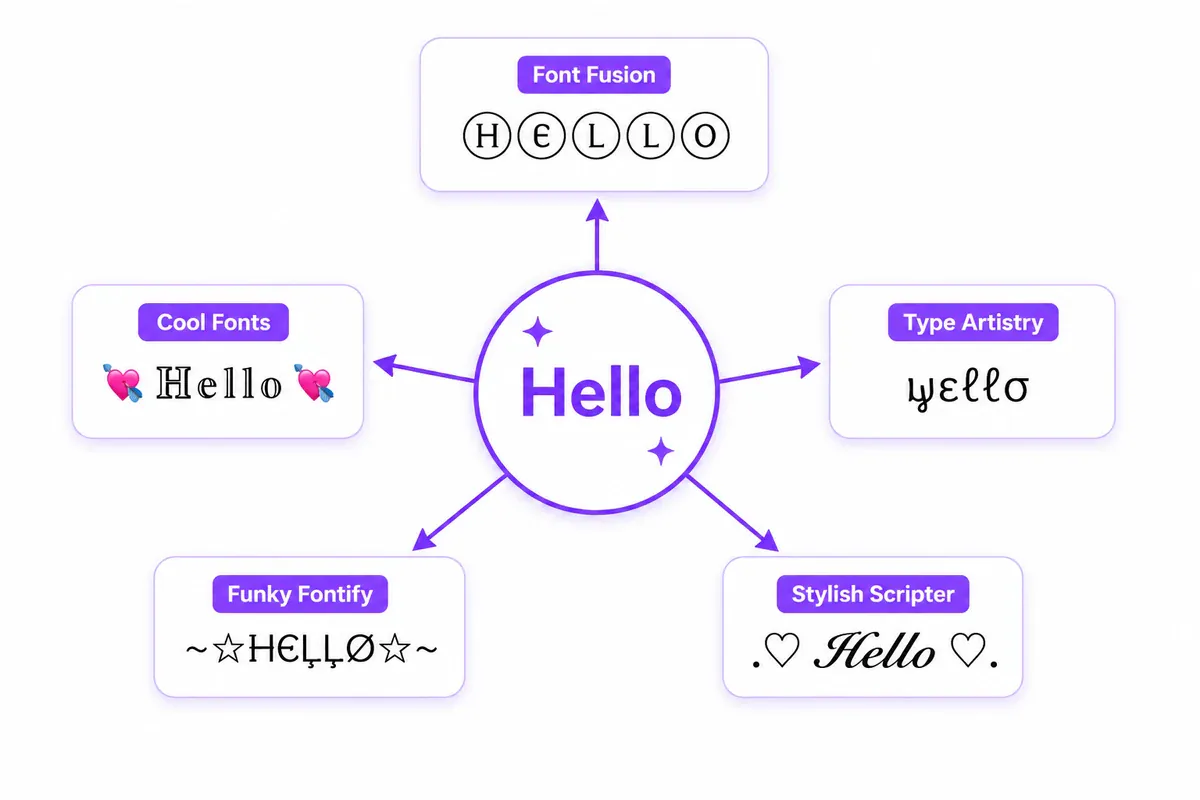
A Facebook font generator does not install a new typeface in Facebook. It maps ordinary letters to alternative Unicode characters and may add decorative symbols around the result.
Type hello into FontifyText and different styles can produce results such as:
- Font Fusion → Ⓗⓔⓛⓛⓞ
- Stylish Scripter → .♡ ʜᴇʟʟᴏ ♡.
- Type Artistry → ƒσηт style
- Funky Fontify → ĦЄĻĻØ
- Cool Fonts → 💘 ℍ𝕖𝕝𝕝𝕠 💘
The character 𝒽 and the ordinary character h, for example, are separate Unicode characters. Their similar shapes create the appearance of a font change even though Facebook receives plain Unicode text.
If you want to compare individual style families, see the guides to bold copy-and-paste text, cursive text, and bubble text.
Where to Use Stylish Facebook Fonts
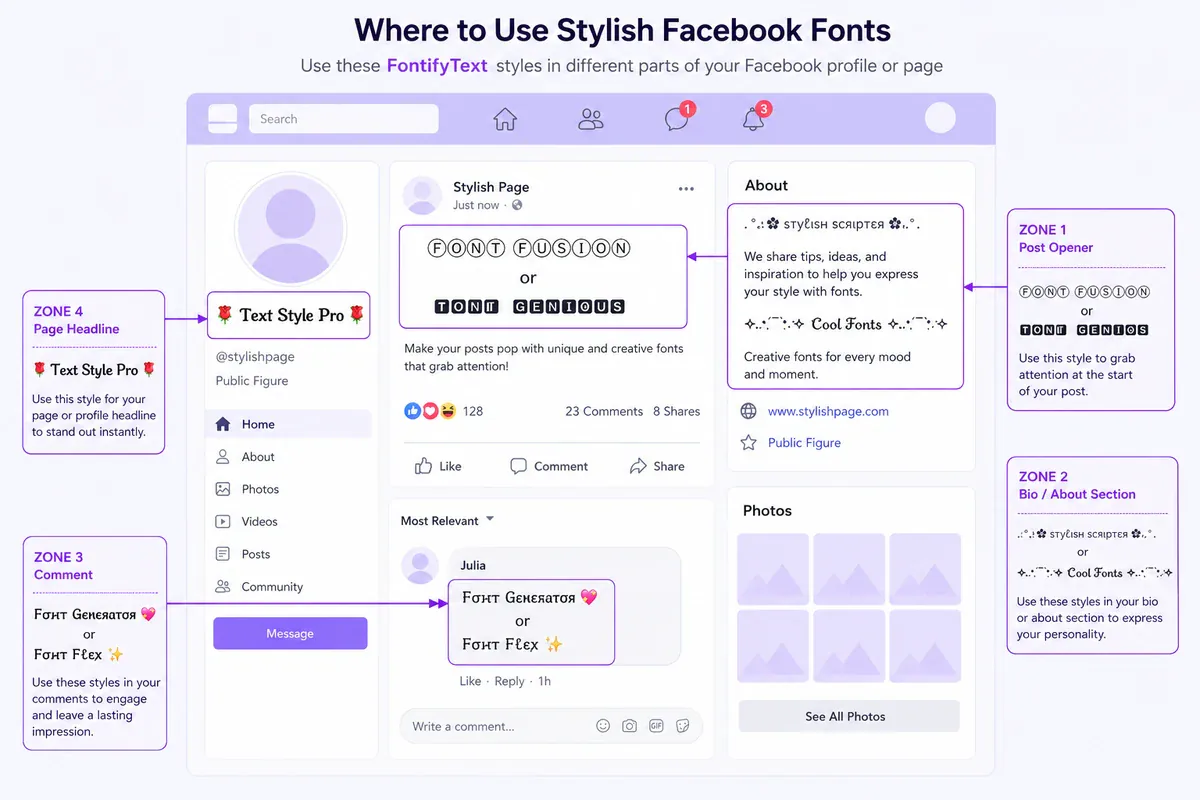
Not every style fits every part of Facebook. Decorative text is most useful as a short visual accent rather than a replacement for all your writing.
Facebook Posts and Status Updates
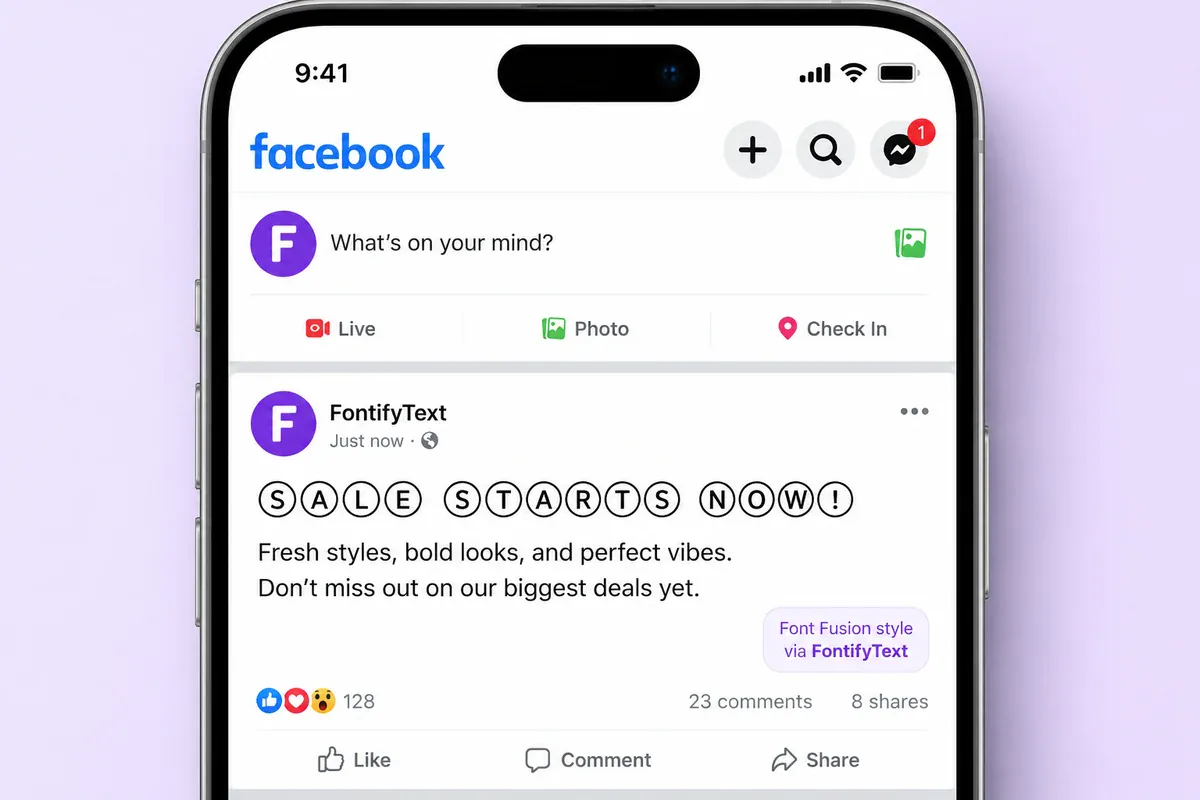
A styled first line can separate the opener from the body of a post. Clean circled, block, or bold-looking styles are usually easier to scan than heavily decorated alternatives.
Good options for post openers: Font Fusion (Ⓛⓘⓚⓔ ⓣⓗⓘⓢ), Font Genius (🅻🅸🅺🅴 🆃🅷🅸🆂), and Text Style Pro.
Keep the rest of a long post in normal text. Once the styled line has established a hierarchy, ordinary characters make the details quicker to read. For cleaner headline options, compare the Bold Fonts generator.
Facebook Bios and About Sections
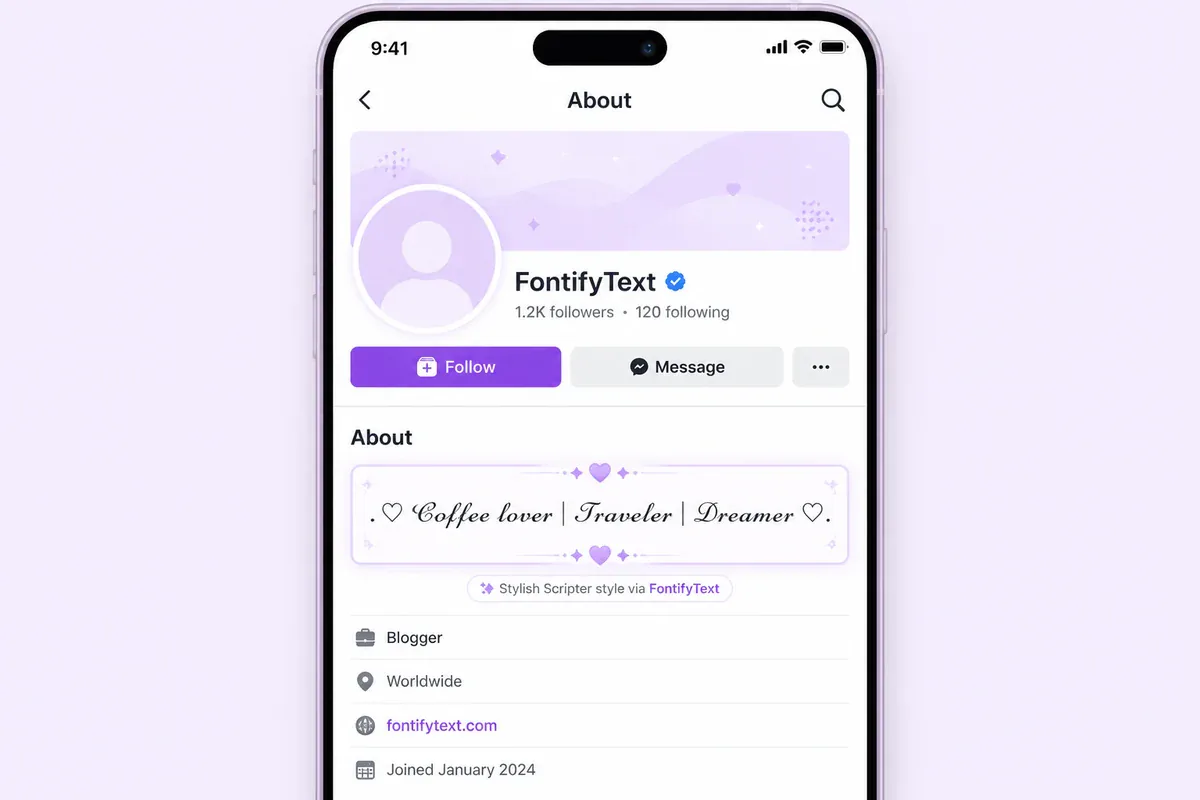
A short styled phrase can add personality to a bio or About section without redesigning the whole profile.
Good options for bios: Stylish Scripter (.♡ 𝓛𝓲𝓴𝓮 𝓽𝓱𝓲𝓼 ♡.), Cool Fonts, and Font Flex. The aesthetic font guide offers more ideas for soft, Y2K, vaporwave, and cottagecore-inspired profile text. Check every result on your own profile because field rules and rendering can change.
Facebook Comments
Comments are short, so one styled word or phrase can create a useful visual anchor. Bubble, small-cap, or light script styles tend to remain readable. Try the Bubble Fonts generator for circled letters. Dense gothic or glitch text makes more sense only when it matches the conversation.
Facebook Group Names
A styled group name helps a community stand out in Facebook's group search results and in a member's sidebar list of groups, where most group names appear in plain text. Keep the name short — long decorative phrases wrap awkwardly in the narrow group header and search result cards.
Good options for group names: Font Fusion (Ⓡⓔⓐⓓⓔⓡⓢ Ⓒⓘⓡⓒⓛⓔ), Font Genius (🅁🄴🄰🄳🄴🅁🅂 🅷🆄🄱), and Type Style. Test the exact name in Facebook's group settings before saving, since group names have stricter character rules than posts or comments.
Facebook Page Names and Headlines
A Page name itself usually keeps to plain text — Facebook's Page-naming rules are stricter than a post or bio field — but the Page's cover headline, pinned-post title, and "Our Story" section accept styled Unicode the same way a personal profile does.
Good options for Page headlines: Text Style Pro (🅕🅞🅝🅣 🅢🅗🅞🅟) for a pinned announcement, Stylish Scripter (.♡ 𝓕𝓸𝓷𝓽 𝓢𝓱𝓸𝓹 ♡.) for a boutique or creative Page, and Font Genius for a bold, no-nonsense business name.
Facebook Group Posts and Announcements
Group announcements, pinned-post dividers, and event reminders can use restrained decorative text as a heading, with the details left in plain text underneath:
Ⓔⓥⓔⓝⓣ Ⓤⓟⓓⓐⓣⓔ Meetup: Saturday, 10 AM at the community hall.
Keep business names, contact details, prices, dates, and calls to action in ordinary text so people can read, search, and copy them easily.
What to Avoid
- Full paragraphs written entirely in decorative characters
- Dense Zalgo or cursed text in professional or customer-facing posts
- Decorative text as the only version of an important instruction
- Unchecked styles in Page names, usernames, or other fields with stricter rules
Assistive software may announce styled characters one by one or interpret them unpredictably. WebAIM's font guidance explains why readable text presentation matters, while the W3C guidance on meaningful sequence describes the importance of preserving understandable reading order. Use ordinary text for essential meaning and decorative Unicode only as an optional accent. For deliberately distorted styles, read the glitch text accessibility and readability tips before posting.
Best Font Styles for Facebook
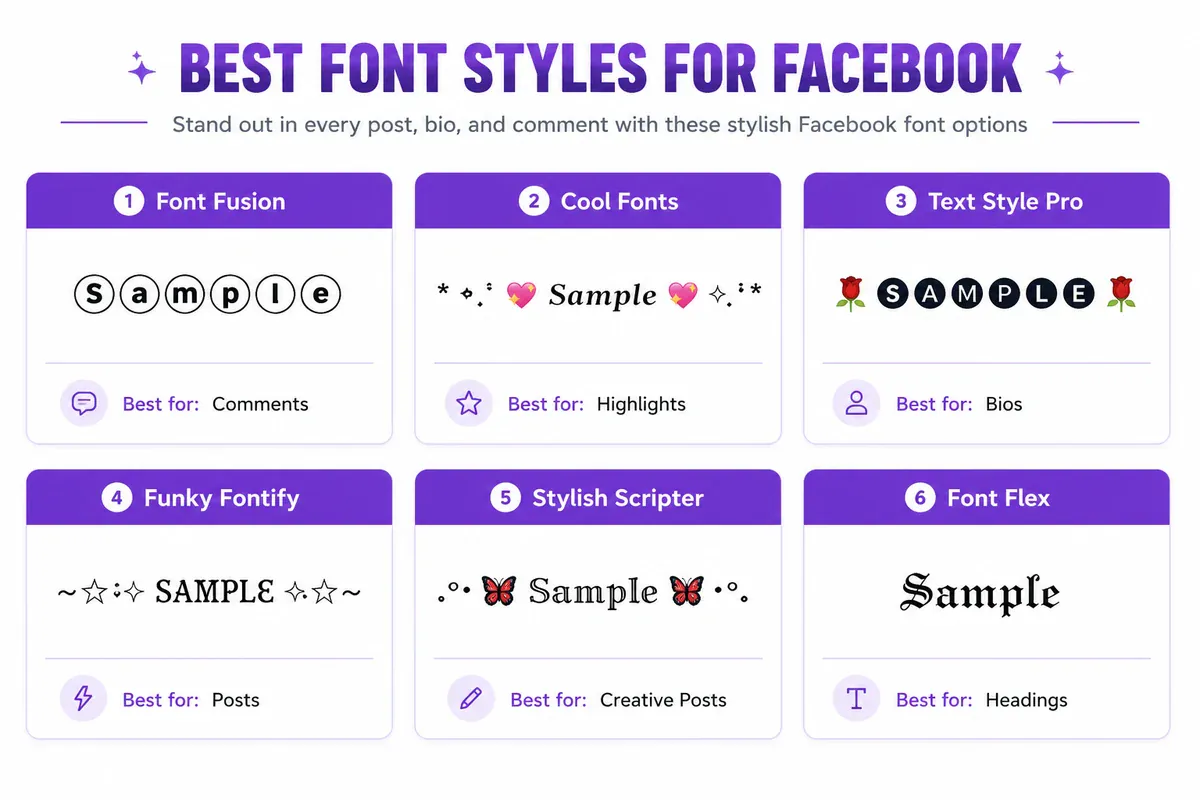
The Facebook Fonts generator offers styles suited to different tones and placements:
| Style | Example output | Suitable uses |
|---|---|---|
| Font Fusion | Ⓕⓞⓝⓣ Ⓖⓔⓝⓔⓡⓐⓣⓞⓡ | Post hooks and clean announcements |
| Cool Fonts | .✧💘 𝔽𝕠𝕟𝕥 💘✧. | Aesthetic bios and soft personal posts |
| Text Style Pro | 🥀💘 🅕🅞🅝🅣 💘🥀 | Status updates and Page announcements |
| Type Artistry | ❤️❥══ ƒσηт ══❥❤️ | Quotes, birthdays, and celebrations |
| Font Genius | 🅵🅾🅽🆃 | Bold headlines and pinned posts |
| Stylish Scripter | .♡🦋 ғ𝕆几т 🦋♡. | Creative bios and profile intros |
More decorative choices include:
| Style | Example output | Suitable uses |
|---|---|---|
| Text Design Pro | Fѳпт Gёпёяатѳя 💔 | Casual posts and comment hooks |
| Funky Fontify | Giveaways and playful content | |
| Fancy Text | Fσпт Gєпєяαтσя | Events and special occasions |
| Font Flex | Fôöt ģärltör | Subtle bios and minimalist profiles |
| Font Blast | f•ŇT ĝeŇehât•h | Short, attention-grabbing openers |
| Type Style | 💠 🅵🅾🅽🆃 💠 | Branded posts and group announcements |
When choosing fancy text for Facebook, begin with Font Fusion, Font Genius, or Type Style for a clean result. For personal bios, compare Cool Fonts, Stylish Scripter, and Font Flex. Fun celebrations can carry more decoration, but the underlying words should still be recognizable.
You can also browse the broader Fancy Fonts generator or focus on flowing characters with the Cursive Fonts generator.
How to Generate and Use Fancy Text for Facebook

You do not need an account, browser extension, or downloaded font.
- Open the FontifyText Facebook Fonts generator.
- Enter the word, phrase, or short sentence you want to style.
- Compare the live previews and choose a readable result.
- Use the copy button beside that style.
- Paste the text into a Facebook post, comment, bio, or another supported field.
- Inspect the pasted version before publishing or saving.
For announcements, try Font Fusion or Font Genius first. For a personal bio, compare Stylish Scripter and Cool Fonts. Type Artistry and Funky Fontify suit lighter, celebratory content.
Fancy Text for Facebook on Mobile
The generator and Facebook can both be used from a phone. Generate the text in your mobile browser, copy it, switch to Facebook, and paste it into the intended field.
On iPhone or Android, press and hold in the Facebook text field to reveal the paste control. If the generator's copy button is unavailable because of browser clipboard permissions, select the output manually and use the browser's Copy command.
Heavily framed styles may wrap awkwardly on narrow screens. For mobile-first posts, begin with a clean bold-looking, script, circled, or double-struck style and preview the final line on the device.
Troubleshooting Broken or Boxed Fancy Text
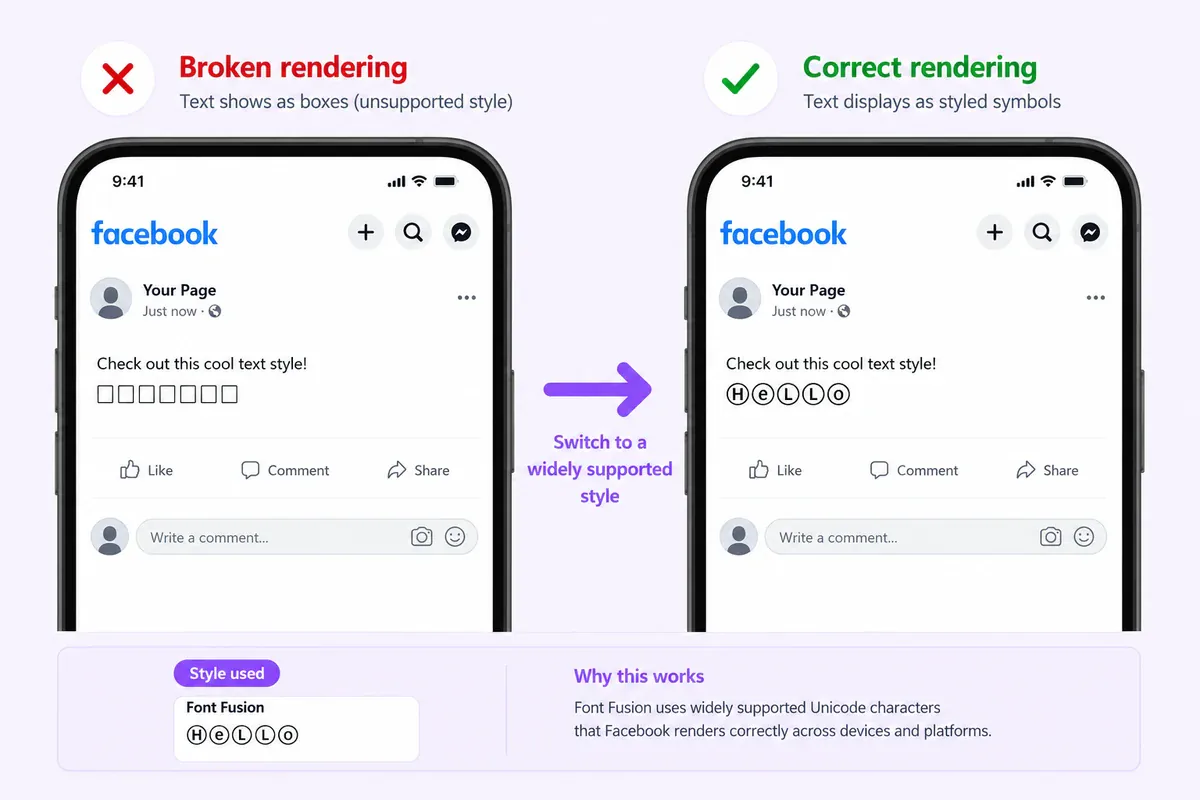
Empty boxes appear instead of letters
The device, app, or active font may not include a glyph for one of the pasted characters. Choose a simpler generated style or replace unsupported characters with ordinary letters.
The preview works but the Facebook field rejects it
Different Facebook fields can apply different character rules. A style accepted in a regular post may be rejected in a username, Page name, or settings field. Test the exact destination rather than assuming every field behaves alike.
The copy button does not work on mobile
Clipboard access may be restricted by the browser or its permissions. Select the generated result manually, press and hold, and choose Copy.
Other people see a slightly different result
Devices and apps may use different fallback fonts, which can change stroke shape, spacing, or symbol appearance. Keep public-facing text short and use common, readable styles when consistency matters.
Do Stylish Fonts Affect Facebook Post Reach?
Do not treat Unicode styling as a ranking shortcut. Meta's overview of how its ranking systems work describes a much broader process for ordering content. Product behavior can also change, while the effect of a decorative opener varies by post and audience.
The practical benefit is visual hierarchy: a readable styled phrase may help a person notice the opener. The message, relevance, timing, and audience response still do the real work. Choose styling to clarify the post, not to imitate an algorithm trick.
Frequently Asked Questions
What is fancy text for Facebook, and how does it work?
This kind of fancy text for Facebook uses Unicode characters that resemble styled letters. Generate a result with FontifyText, copy it, and paste it into a supported Facebook text field. It remains text rather than an installed font.
Can I use stylish Facebook fonts in comments and messages?
Many Facebook comments, posts, profile fields, and Messenger conversations accept Unicode text. Support and character rules can vary by field, app version, and device, so preview the final result before relying on it.
Will fancy text work in the Facebook mobile app?
Common Unicode styles often display in the Facebook apps on iPhone and Android. Generate the text in a browser, paste it into the app, and check for missing characters, unexpected spacing, or awkward wrapping.
Is it safe to use a Facebook font generator?
Use a generator that does not require unnecessary personal information or account access. FontifyText generates text in the browser without requiring a login; you only copy the result you choose.
Which fancy text style works best for Facebook posts?
Font Fusion and Font Genius are strong starting points for short post hooks because their circled and block forms remain recognizable. Stylish Scripter and Cool Fonts suit personal bios, while Type Artistry and Funky Fontify fit casual celebrations.
Create Your Fancy Facebook Text
Decorative Unicode can give a Facebook post, bio, group name, or Page headline a clear visual accent without installing anything. Keep the styled portion short, leave essential information in ordinary text, and test the result on mobile before publishing.
Try the Facebook Fonts generator, compare the available styles, copy your favorite, and paste it directly into Facebook. Posting on other platforms too? The same copy-paste method works for X/Twitter bios, display names, and posts, or browse the full directory of font generators for every style and platform FontifyText supports.