
Social Media
Bubble Text Generator Copy Paste: Circle Letters
Use this bubble text generator copy paste tool to make circled Unicode letters for Instagram, Discord, TikTok, gaming names, and bios—no signup.
Contents
- Copy-Paste Steps
- What Is a Bubble Text Generator?
- How Bubble and Circled Text Works
- Bubble Text Example
- Full Circle Letter Alphabet (A–Z)
- All 12 Styles in the Bubble Fonts Generator
- Bubble Number and Word Examples
- How to Use the Bubble Text Generator Copy Paste Tool
- Best Places to Use Bubble Text
- Bubble Text Generator vs Circle Font Generator
- When Bubble Letters Work Best
- Compatibility and Accessibility Notes
- Tips for Better Bubble Text Readability
- Keep It Short
- Mix Plain Text With Bubble Text
- Test Before Posting
- Do Not Overuse Symbols
- Creative Bubble Text Ideas
- Instagram Bio Ideas
- Discord and Gaming Ideas
- Creator Caption Ideas
- Common Mistakes to Avoid
- FAQ
- What is a bubble text generator copy paste tool?
- Can I use bubble text on Instagram?
- Are bubble letters real fonts?
- What is the bubble text alphabet?
- Why does bubble text look different on some devices?
- Create Bubble Text With FontifyText
Type a word into the bubble fonts generator, tap a circle style, and copy the result — that is the entire task. A bubble text generator copy paste tool turns normal letters into circled Unicode characters you can paste into posts, bios, chats, usernames, and gaming profiles. No font install, no app, no signup.
hello becomes ⓗⓔⓛⓛⓞ. VIP becomes ⓋⒾⓅ.
The generator converts letters and single digits: typing est. 2026 gives ⓔⓢⓣ. ②⓪②⑥ in the outline styles and 🅔🅢🅣. ❷⓿❷❻ in the filled ones, and 0123456789 gives ⓪①②③④⑤⑥⑦⑧⑨. Checked against the live tool on 21 October 2026. Three of the twelve styles leave digits plain — the two square sets and Roundie — and the two-digit circles ⑩ to ⑳ are single characters with no typed equivalent, so copy those from the number table further down this page. For digits on their own, the number font generator offers more styles.
Copy-Paste Steps
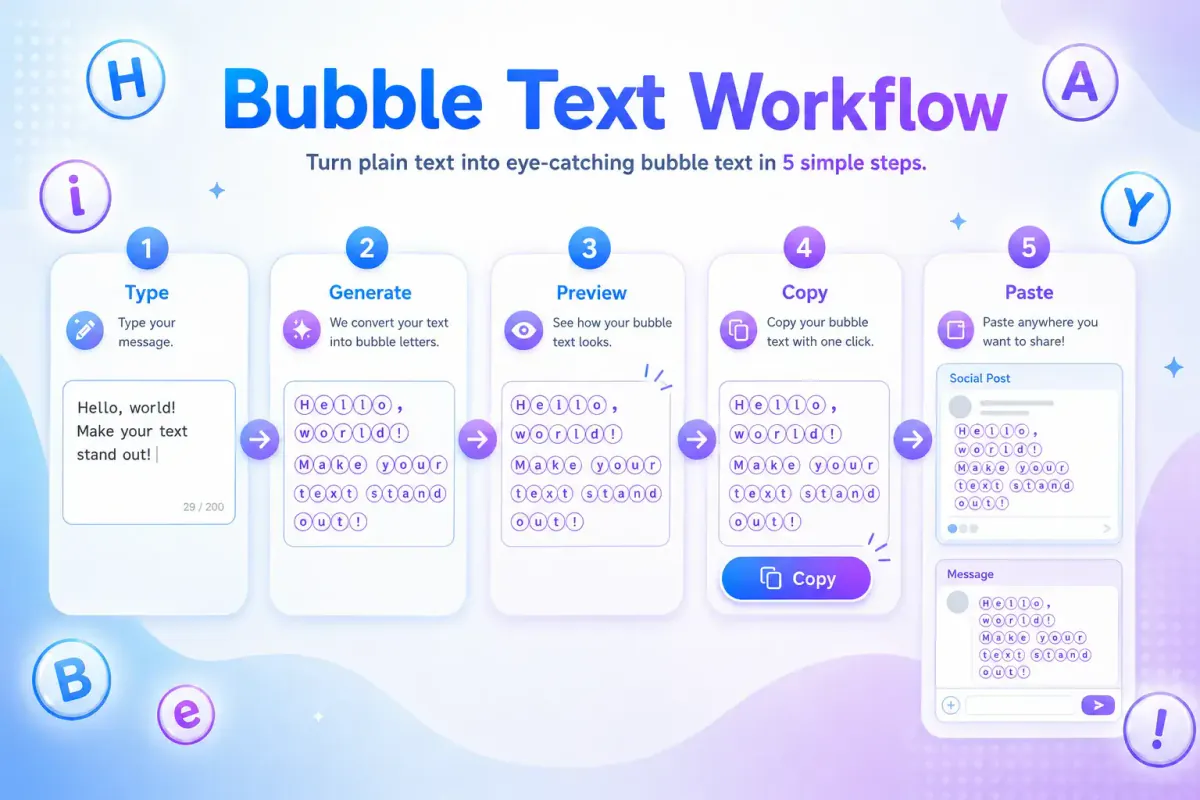
- Open the bubble font generator.
- Type your word, name, or short phrase.
- Pick a style from the preview cards — Bubble Letters for plain circles, Filled Bubble for bold, or one of the framed versions.
- Tap Copy.
- Paste into Instagram, Discord, TikTok, X, or any chat app.
What Is a Bubble Text Generator?
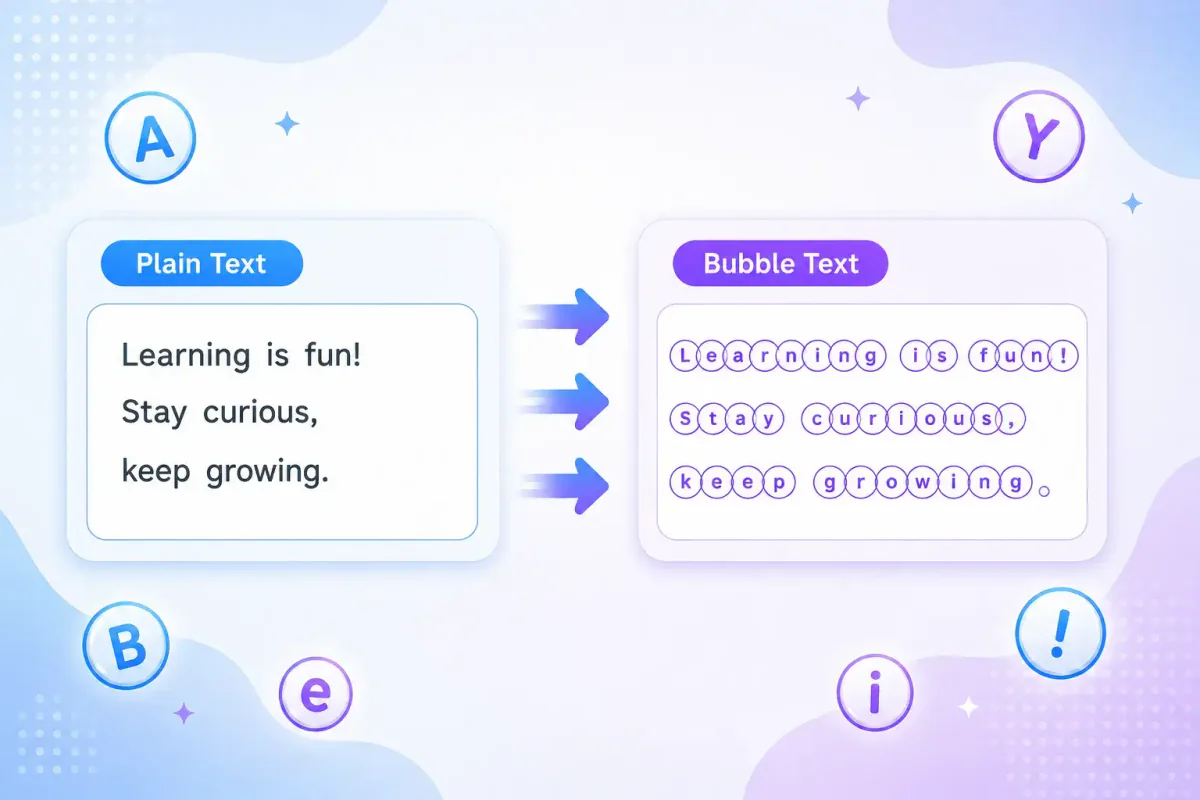
A bubble text generator converts plain text into rounded, circled, or enclosed characters. These characters look like letters inside circles, which gives your text a soft sticker-like style.
For example, hello can become ⓗⓔⓛⓛⓞ. A short word like VIP can become ⓋⒾⓅ.
This style is popular because it feels playful without being hard to read. It stands out in crowded feeds, usernames, and message threads.
Direct answer: A bubble text generator is an online tool that changes regular text into copy-paste circled letters and numbers using Unicode characters.
Try the main FontifyText font generator or visit the dedicated bubble letter generator to create your own circle text.
How Bubble and Circled Text Works
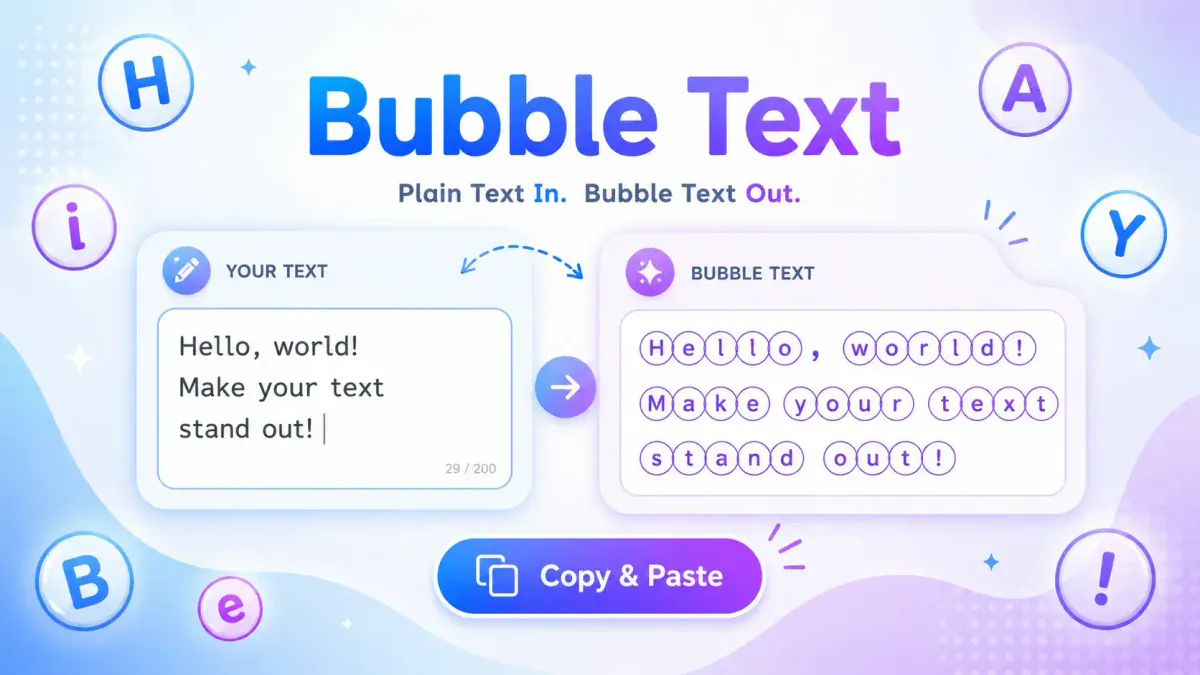
Bubble text usually relies on Unicode characters, not image-based fonts. Unicode is the text standard that lets many devices display letters, symbols, emojis, and special characters. The official Unicode charts include enclosed and circled alphanumeric characters, such as ①, Ⓐ, and ⓐ. You can check the trusted reference in the Unicode Enclosed Alphanumerics chart.
That means your bubble text can often be copied like normal text. You do not need to upload an image or attach a special file.
Still, support can vary by app, device, browser, or font. Most major social platforms show common Unicode bubble letters clearly, but some rare characters may look different on older systems.
Bubble Text Example
Plain text:
FontifyText
Bubble text:
ⒻⓞⓝⓣⓘⓕⓨⓉⓔⓧⓣ
This makes the tool useful when you want a quick visual change without editing graphics.
Full Circle Letter Alphabet (A–Z)
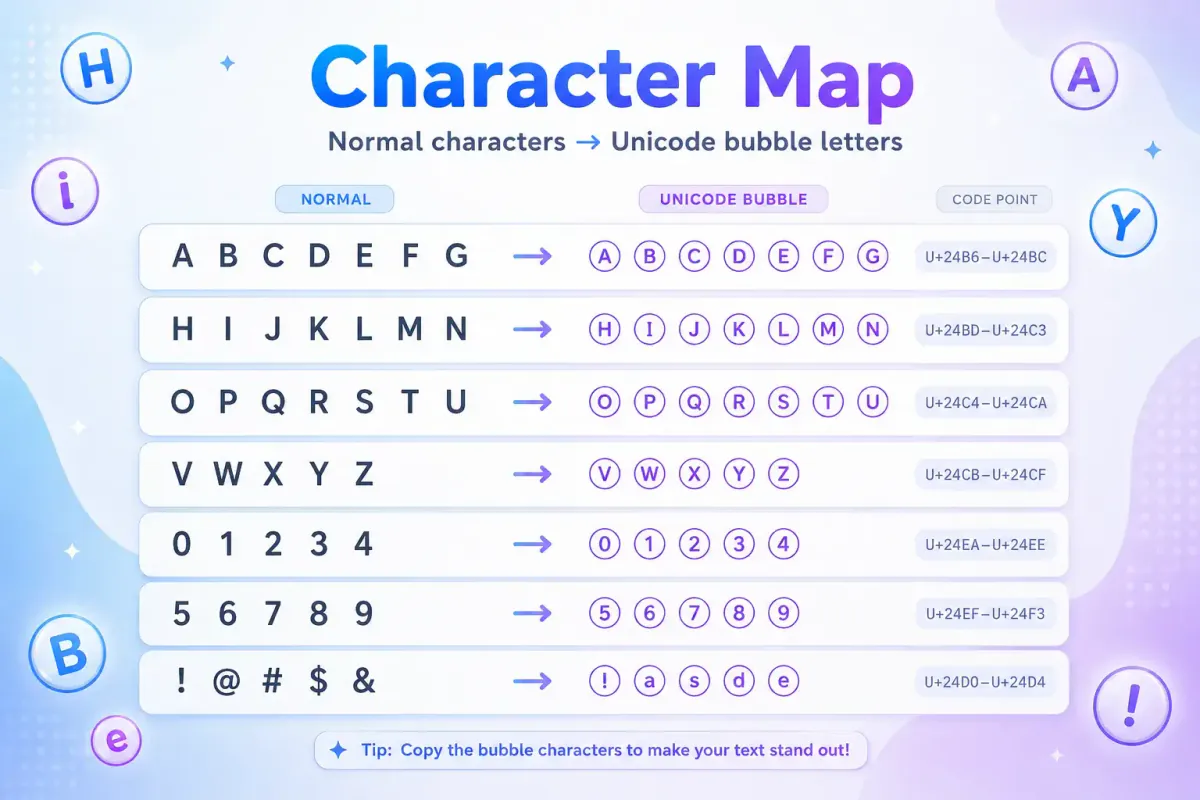
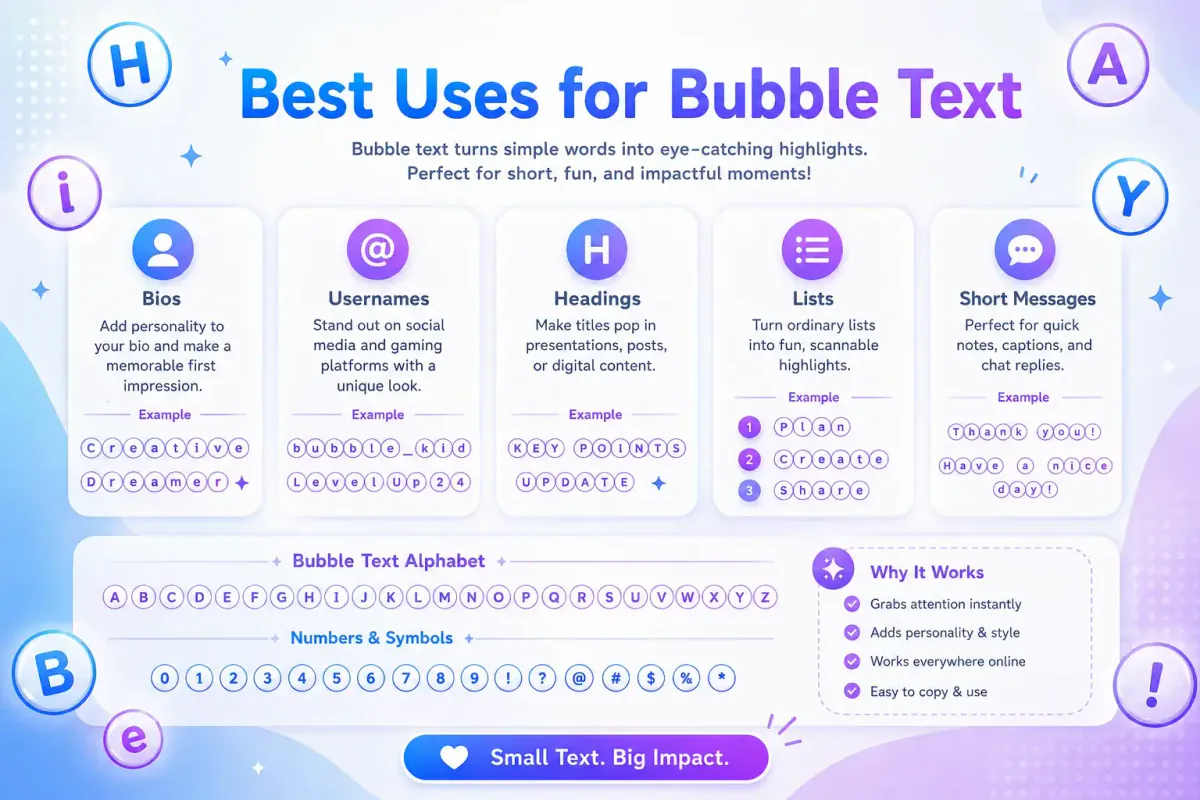
Every letter has a filled (black-circle) and an outline (white-circle) version. Copy any row directly.
| Letter | Outline Circle | Filled Circle |
|---|---|---|
| A–E | Ⓐ Ⓑ Ⓒ Ⓓ Ⓔ | 🅐 🅑 🅒 🅓 🅔 |
| F–J | Ⓕ Ⓖ Ⓗ Ⓘ Ⓙ | 🅕 🅖 🅗 🅘 🅙 |
| K–O | Ⓚ Ⓛ Ⓜ Ⓝ Ⓞ | 🅚 🅛 🅜 🅝 🅞 |
| P–T | Ⓟ Ⓠ Ⓡ Ⓢ Ⓣ | 🅟 🅠 🅡 🅢 🅣 |
| U–Z | Ⓤ Ⓥ Ⓦ Ⓧ Ⓨ Ⓩ | 🅤 🅥 🅦 🅧 🅨 🅩 |
| a–e | ⓐ ⓑ ⓒ ⓓ ⓔ | — |
| f–j | ⓕ ⓖ ⓗ ⓘ ⓙ | — |
| k–o | ⓚ ⓛ ⓜ ⓝ ⓞ | — |
| p–t | ⓟ ⓠ ⓡ ⓢ ⓣ | — |
| u–z | ⓤ ⓥ ⓦ ⓧ ⓨ ⓩ | — |
Lowercase letters only exist as outline circles in standard Unicode — there is no separate filled lowercase set, which is why generators fall back to uppercase filled circles for a bold look.
All 12 Styles in the Bubble Fonts Generator
The circled letters generator offers 12 styles. Seven are plain conversions — the letters and nothing else — and five wrap the same letters in decoration. Every style keeps your spaces, and the circle styles also convert single digits. Here is every style, exactly as it outputs Font Generator 2024:
| Style Name | Sample Output | Character Type |
|---|---|---|
| Bubble Letters | Ⓕⓞⓝⓣ Ⓖⓔⓝⓔⓡⓐⓣⓞⓡ ②⓪②④ | Outline circles, keeps your case; digits ⓪–⑨ |
| Filled Bubble | 🅕🅞🅝🅣 🅖🅔🅝🅔🅡🅐🅣🅞🅡 ❷⓿❷❹ | Filled circles, capitals only; digits ⓿–❾ |
| Bubble Uppercase | ⒻⓄⓃⓉ ⒼⒺⓃⒺⓇⒶⓉⓄⓇ ②⓪②④ | Everything to outline capitals |
| Bubble Lowercase | ⓕⓞⓝⓣ ⓖⓔⓝⓔⓡⓐⓣⓞⓡ ②⓪②④ | Everything to outline lowercase |
| Squared Letters | 🄵🄾🄽🅃 🄶🄴🄽🄴🅁🄰🅃🄾🅁 2024 | Outline squares, capitals only; digits stay plain |
| Filled Squares | 🅵🅾🅽🆃 🅶🅴🅽🅴🆁🅰🆃🅾🆁 2024 | Filled squares, capitals only; digits stay plain |
| Parenthesized | 🄕⒪⒩⒯ 🄖⒠⒩⒠⒭⒜⒯⒪⒭ ⑵0⑵⑷ | Parenthesised capitals and lowercase; digits ⑴–⑼ |
| Bubble gum | •∘.˚○˙∘ Ⓕⓞⓝⓣ Ⓖⓔⓝⓔⓡⓐⓣⓞⓡ ②⓪②④ ∘˙○˚.•∘ | Bubble Letters with a dotted frame |
| Fizz | .⊹˚∙∘˙◌ Ⓕⓞⓝⓣ Ⓖⓔⓝⓔⓡⓐⓣⓞⓡ ②⓪②④ ◌˙∘∙˚⊹. | Bubble Letters with a sparkle frame |
| Pop Font | –°。⋆˚⁺⚬✮°。⋆˚⁺⚬ 🅕🅞🅝🅣 🅖🅔🅝🅔🅡🅐🅣🅞🅡 ❷⓿❷❹ ⚬⁺˚⋆。°✮⚬⁺˚⋆。°– | Filled Bubble with a starry frame |
| Soda Pop | ✧⁺⸜(●′▾‵●)⸝⁺✧ 🄕🄞🄝🄣 🄖🄔🄝🄔🄡🄐🄣🄞🄡 ⑵0⑵⑷ ✧⁺⸜(●′▾‵●)⸝⁺✧ | Parenthesised capitals with a kaomoji |
| Roundie | ..••°°°°••.. (F)(o)(n)(t) (G)(e)(n)(e)(r)(a)(t)(o)(r) (2)(0)(2)(4) ..••°°°°••.. | Each character in plain parentheses |
If you want circled letters and nothing else, Bubble Letters is the one — it keeps capitals and lowercase as you typed them. Filled Bubble is the bold version; Unicode has no filled lowercase, so it capitalises everything. Squared Letters and Filled Squares are the same idea in boxes.
Two things to know before copying. Unicode has no zero in the parenthesised set, so 0 stays plain in Parenthesized and Soda Pop. And four of the filled squares — 🅰 🅱 🅾 🅿 — double as emoji, so some apps draw them as coloured buttons; if a name contains A, B, O or P, preview it in the target app first.
Bubble Number and Word Examples
The word examples below are exactly what the generator produces. The circle styles convert single digits as you type — ⓪ to ⑨ in outline, ⓿ to ❾ in filled. The two-digit circles ⑩ to ⑳ are single Unicode characters with no typed equivalent, so copy those from this table and paste them beside your generated word.
| Type | Normal | Bubble / Circled Text | Source | Example Use |
|---|---|---|---|---|
| Word example | gamer | ⓖⓐⓜⓔⓡ | Generator output | Gaming names |
| Brand-style word | creator | ⓒⓡⓔⓐⓣⓞⓡ | Generator output | Profile labels |
| Short callout | new | ⓝⓔⓦ | Generator output | Story captions |
| Numbers 1–10 | 1 2 3 4 5 6 7 8 9 10 | ① ② ③ ④ ⑤ ⑥ ⑦ ⑧ ⑨ ⑩ | Copy from this table | Ranked lists, steps |
| Numbers 11–20 | 11 12 13 14 15 16 17 18 19 20 | ⑪ ⑫ ⑬ ⑭ ⑮ ⑯ ⑰ ⑱ ⑲ ⑳ | Copy from this table | Longer numbered lists |
| Mixed text | level 10 | ⓛⓔⓥⓔⓛ ⑩ | Generator word + pasted ⑩ (typing 10 gives ①⓪) | Gaming profiles |
For longer phrases, use bubble text sparingly. A full paragraph in circled letters can feel crowded, especially on mobile screens.
How to Use the Bubble Text Generator Copy Paste Tool
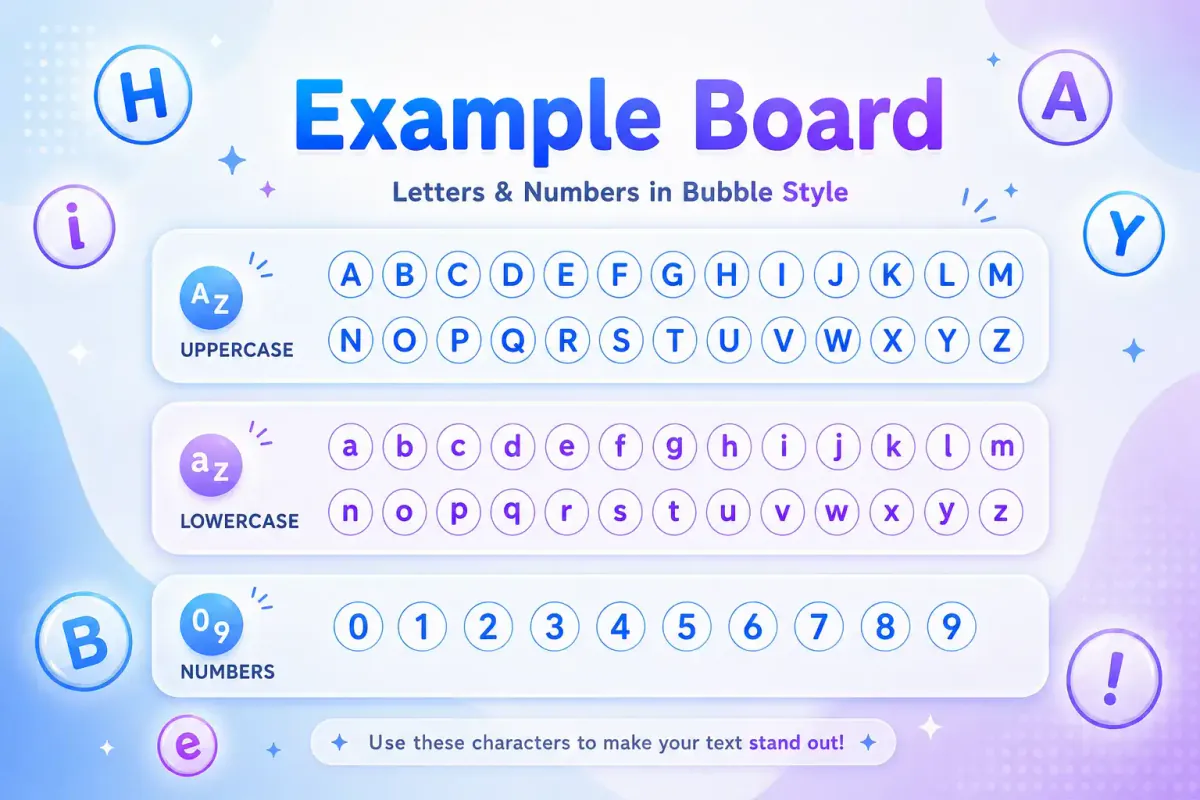
Using a bubble text generator copy paste tool should feel simple. The goal is to create text you can move into your favorite platform in seconds.
- Go to the FontifyText bubble fonts page.
- Type your word, username, caption, or short phrase.
- Preview the bubble letter style.
- Copy the version you like.
- Paste it into Instagram, Discord, TikTok, X, YouTube, a gaming profile, or a chat app.
- Check the final look before saving or posting.
A short phrase usually works best. For example, daily wins becomes ⓓⓐⓘⓛⓨ ⓦⓘⓝⓢ, which is clear and easy to scan.
Best Places to Use Bubble Text
Bubble fonts are most useful in short, high-visibility text areas. They can help important words stand out without needing bold or color options.
Good places include:
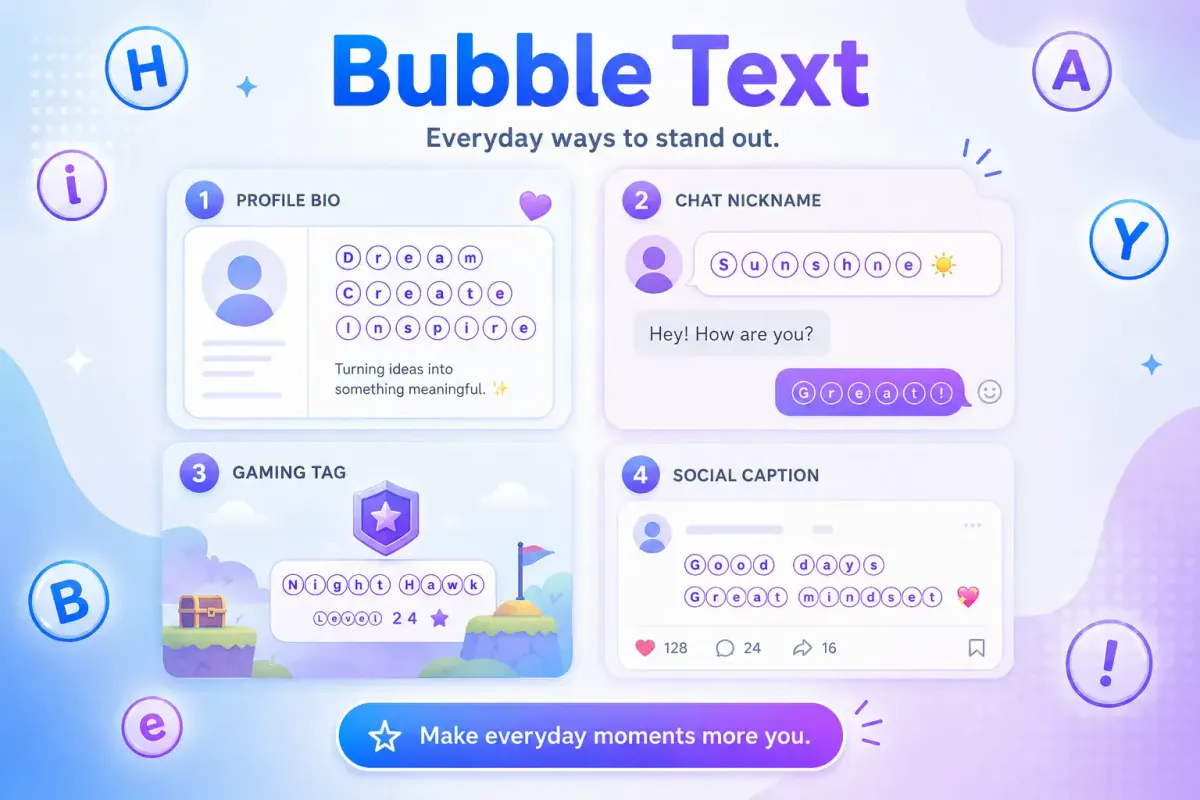
- Instagram bios and highlight names
- Discord nicknames and server labels
- Gaming clan names and status lines
- TikTok captions and comment callouts
- YouTube channel sections
- Short list markers such as ①, ②, and ③
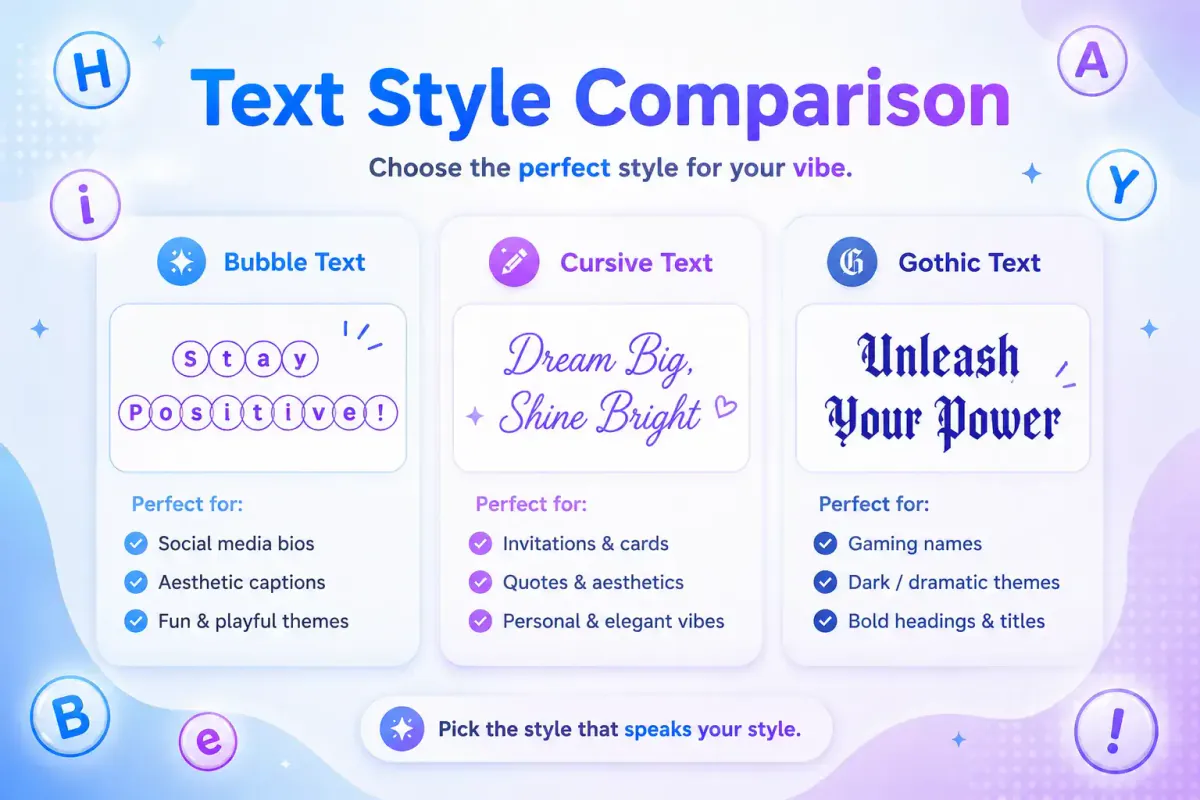
For a softer style, you may also like the cursive text generator guide. For a darker, dramatic style, compare it with the gothic text guide or generate it with the gothic font generator. If you want a gentler, more playful look than solid circles, try the cute fonts generator or the aesthetic fonts generator. For bio layout ideas specifically, see the Instagram fonts generator.
Bubble Text Generator vs Circle Font Generator
People use different names for the same type of tool. Some search for a bubble text generator, while others search for a circle font generator or circled text generator copy paste tool.
The main difference is usually wording, not function.
| Search Term | What It Usually Means | Best For |
|---|---|---|
| Bubble text generator | Turns normal text into rounded circled letters | Bios, captions, fun names |
| Circle bubble text generator | Focuses on letters inside circles | Stylish usernames |
| Bubble letter generator | May mean Unicode text or drawn bubble letters | Decorative text |
| Circle font generator | Creates circle-style copy-paste text | Social profiles |
| Circled text generator copy paste | Converts text into circled Unicode characters | Quick copying |
| Unicode bubble letters | Refers to the actual text characters | Compatibility checks |
FontifyText focuses on copy-paste Unicode output. That makes it faster than designing custom letters in an image editor.
If you need bubble letters as a picture rather than as text — a thumbnail, a sticker, a banner — the font image generator renders your words in rounded display typefaces such as Bubblegum Sans, Fredoka, Titan One and Luckiest Guy, and downloads a PNG with a transparent or coloured background. Unicode bubble text is for fields that only accept text; the image route is for places that accept a picture.
When Bubble Letters Work Best
Bubble letters copy and paste styles are strongest when they support the message instead of replacing it. They add personality, but the text should still be easy to understand.
Use bubble text for:
- Names:
ⓐⓛⓔⓧ - Labels:
ⓥⓘⓟ - Statuses:
ⓞⓝⓛⓘⓝⓔ - List numbers:
① ② ③ - Short titles:
ⓓⓐⓘⓛⓨ ⓠⓤⓔⓢⓣ
Avoid using bubble text for long bios, serious instructions, passwords, legal text, or anything that must be searched or read by assistive tools. If you want a styled look across a longer line, the small caps generator is the safer choice — small capitals keep their letter shapes, so a whole sentence stays readable in a way a row of circles does not.
A good rule is simple: decorate the highlight, not the whole message.
Compatibility and Accessibility Notes
Compatibility: Uppercase circle letters (Ⓐ–Ⓩ) and circled numbers 1–20 (①–⑳) belong to the Enclosed Alphanumerics block, added in Unicode 3.2 (2002), so they render on nearly every phone, browser, and app released in the last decade. Lowercase circle letters (ⓐ–ⓩ) and circled numbers above 20 were added later, in Unicode 5.2/6.0 (2009–2010) — a handful of very old Android versions and legacy feature phones may show them as empty boxes (□) instead. Filled circle letters (🅐–🅩) sit in the Supplementary Multilingual Plane, so a small number of older systems without full emoji-range font support may not render them at all.
Accessibility: Screen readers such as VoiceOver, TalkBack, and NVDA do not treat enclosed characters as plain letters. Some will announce each one as "circled letter A" instead of just "A," others may skip the character or read nothing, and behavior differs by screen reader and OS version. Bubble text also will not match when someone searches, copies into a form field, or types your username to find you — the enclosed character and the plain letter are different Unicode code points, not the same letter with styling applied.
Practical rule: use bubble text for the decorative part of a name or caption, and keep anything that needs to be read aloud, searched, or typed back exactly (usernames, phone numbers, links, prices) in plain text.
Tips for Better Bubble Text Readability
Bubble text should look fun, not messy. These tips help your text stay clear on small screens.
Keep It Short
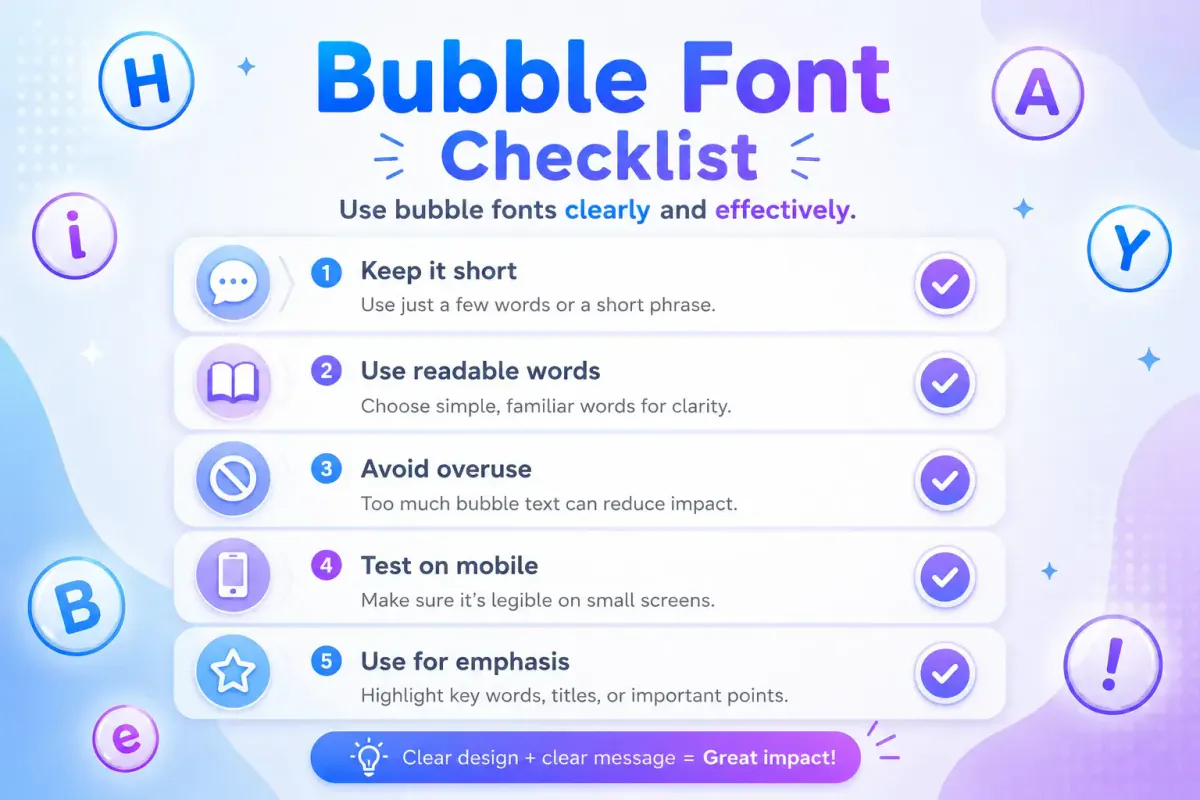
Use bubble letters for one word, a short phrase, or a section label. Long bubble sentences can look heavy.
Better:
ⓒⓡⓔⓐⓣⓞⓡ
Harder to read:
ⓣⓗⓘⓢ ⓘⓢ ⓜⓨ ⓕⓤⓛⓛ ⓟⓡⓞⓕⓘⓛⓔ ⓓⓔⓢⓒⓡⓘⓟⓣⓘⓞⓝ
Mix Plain Text With Bubble Text
A mixed style often looks cleaner. For example:
New drop ① ⓢⓐⓥⓔ ⓘⓣ
This keeps the message readable while still adding a visual accent.
Test Before Posting
Paste the text where you plan to use it, then check it on mobile. Some platforms crop usernames, shorten bios, or display symbols differently.
Do Not Overuse Symbols
Bubble text already has a strong shape. Too many stars, arrows, emojis, and circles in one line can make it feel busy.
Creative Bubble Text Ideas
A circle bubble text generator can help you create small design moments across your profiles. Here are practical ideas you can try — generate the word part in the tool, then paste in any circled number from the number table above where needed.
Instagram Bio Ideas
ⓐⓡⓣⓘⓢⓣⓓⓐⓘⓛⓨ ⓥⓘⓑⓔⓢⓢⓣⓤⓓⓘⓞ ①
Pair one bubble word with plain text for a clean bio. For example:
ⓒⓡⓔⓐⓣⓞⓡ | edits, clips, and ideas
For more profile layouts and style ideas, compare these with the Instagram bio fonts examples. Bubble letters sit at the rounder end of the same family as kawaii and heart-decorated styles — the cute text guide works through which of those survive a paste into Instagram and which arrive as boxes.
Discord and Gaming Ideas
ⓛⓔⓥⓔⓛ ⑩ⓠⓤⓔⓢⓣ ⓜⓞⓓⓔⓣⓔⓐⓜ Ⓐ
These work well in display names, role names, and short server labels. Discord is also where bubble labels tend to sit beside text faces — if you want one for a reaction or a role, the lenny face collection has them grouped by mood and copies with a tap.
Creator Caption Ideas
ⓃⒺⓌ① save thisⓒⓗⓔⓒⓚ ⓣⓗⓘⓢ
Short bubble callouts can help your caption sections feel organized.
Common Mistakes to Avoid
The biggest mistake is using bubble text everywhere. When every word is decorated, nothing stands out.
Another mistake is choosing style over clarity. If your followers cannot read your username or bio quickly, the design is working against you.
You should also avoid using Unicode bubble letters in fields that require exact matching. Usernames, emails, discount codes, and search terms may not behave like plain letters.
Finally, do not copy a style from someone else's profile word for word. Use a bubble letter generator to create your own version that fits your name, niche, or community.
FAQ
What is a bubble text generator copy paste tool?
A bubble text generator copy paste tool changes normal text into circled Unicode letters and numbers that you can copy and paste into supported apps.
Can I use bubble text on Instagram?
Yes, many Instagram bios, captions, and comments support common Unicode bubble letters. Always preview the final text before saving your profile.
Are bubble letters real fonts?
Copy-paste bubble letters are usually Unicode characters, not installed fonts. They act like text, so you can paste them into many apps.
What is the bubble text alphabet?
The bubble text alphabet is a set of circled letter characters, such as ⓐ, ⓑ, ⓒ, and Ⓐ, Ⓑ, Ⓒ. It is used for decorative text styling.
Why does bubble text look different on some devices?
Different systems and apps may use different fallback fonts. Because of that, the same circled text can look slightly different across phones, browsers, and platforms.
Create Bubble Text With FontifyText
A bubble text generator copy paste tool is one of the easiest ways to add personality to social profiles, gaming names, and short captions. It works best when you use it for highlights, labels, usernames, and simple callouts.
Create your own bubble letters now with FontifyText, explore more bubble fonts, or reach out through the FontifyText contact page for support.