
Elegant Text
Calligraphy Font Generator Copy-Paste Text
36 calligraphy styles to copy and paste, ready-made sets for weddings and bios, and how it differs from cursive.
Contents
- Calligraphy Font Generator Copy-Paste Text
- What Is a Calligraphy Font Generator?
- How to Make Calligraphy Text (3 Steps)
- 36 Calligraphy Font Generator Copy-Paste Examples
- Ready-Made Copy Sets by Occasion
- Unicode Calligraphy vs. Installable Font Files
- Where Calligraphy Text Works (Compatibility Notes)
- Calligraphy vs. Cursive vs. Script: What Is the Difference?
- The difference in the letters themselves
- Aesthetic Use Cases for Calligraphy Text
- Tips for Readable Calligraphy Text
- Calligraphy Font Generator FAQ
- Try the Calligraphy Font Generator
Calligraphy Font Generator Copy-Paste Text
Want elegant, hand-lettered text without owning a single pen? This calligraphy font generator copy-paste tool turns your words into flowing script styles you can copy in one tap — no app, no font file, no sign-up. Type once below, pick the look you love, and paste it straight into an Instagram bio, a wedding invitation, a Discord name, or an email signature.
Quick start:
- Enter your word or phrase in the calligraphy font generator.
- Scan the elegant styles as they appear live.
- Tap Copy on your favorite and paste it anywhere.
- Keep names and captions short so the ornate styles stay readable on mobile.
What Is a Calligraphy Font Generator?
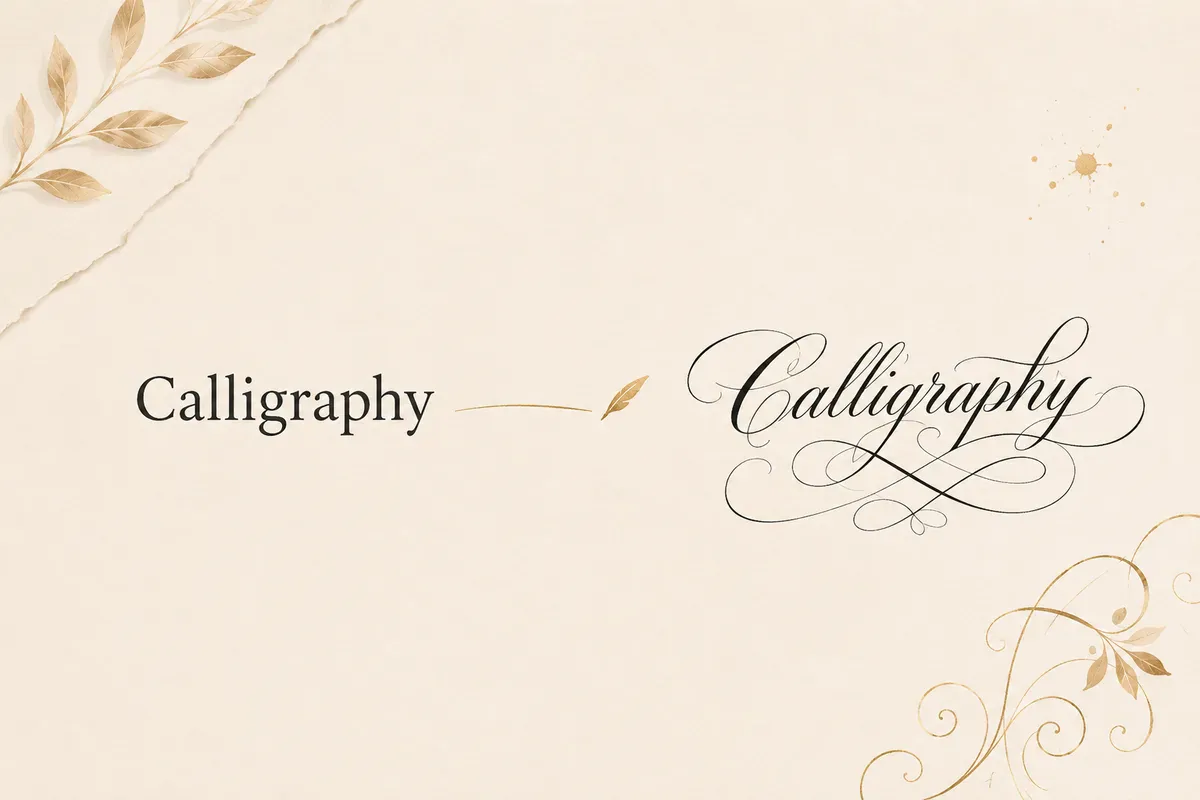
A calligraphy font generator takes your normal text and rewrites it using flowing, decorative Unicode characters — script, bold script, italic, and blackletter styles that look hand-lettered. The result reads like a custom calligraphy font, but it is made from plain characters that any device can display.
That distinction matters because the styles are built from Unicode — the same standard behind emojis and every alphabet — so the styling travels with the text after you paste it. There is nothing to install and nothing to break.
For example, the word "Calligraphy" becomes 𝒞𝒶𝓁𝓁𝒾ℊ𝓇𝒶𝓅𝒽𝓎 in a classic script or 𝓒𝓪𝓵𝓵𝓲𝓰𝓻𝓪𝓹𝓱𝔂 in a bolder wedding script. It is the same word with a far more elegant feel.
How to Make Calligraphy Text (3 Steps)
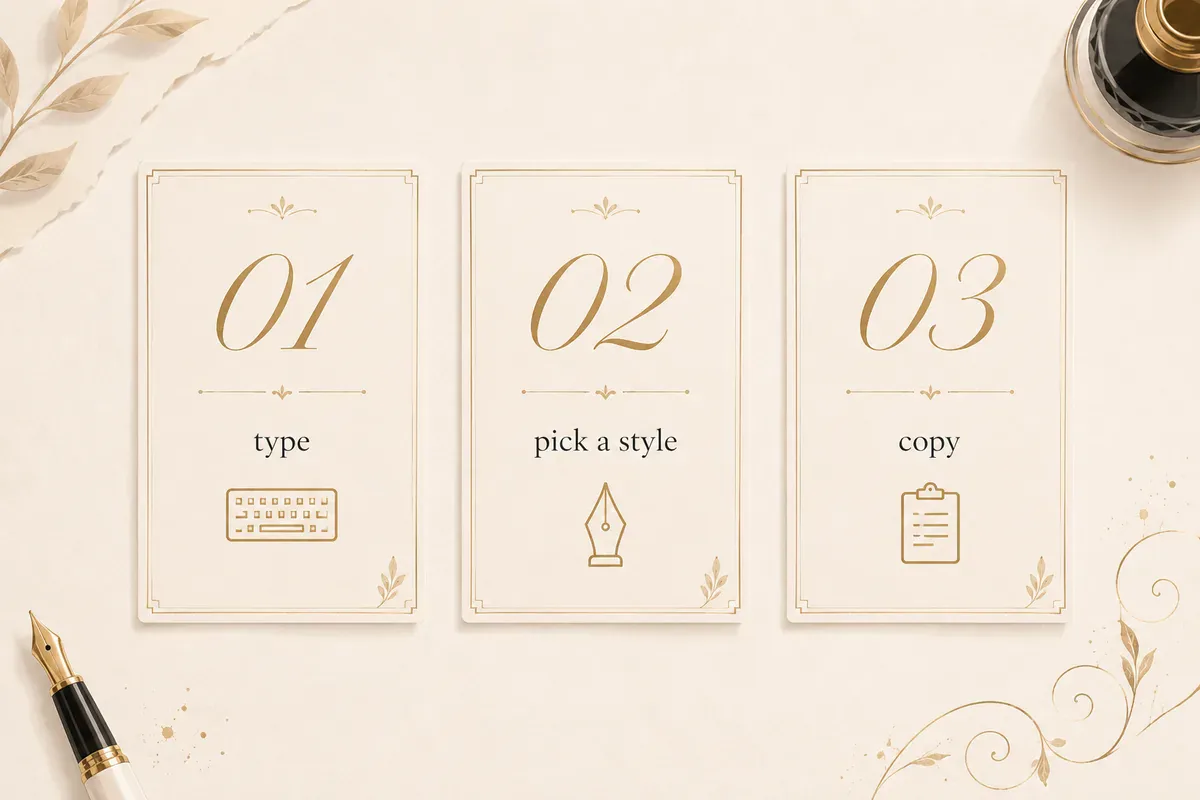
- Type your text. Enter a name, quote, or phrase in the input box. Every calligraphy style updates live as you type.
- Pick a style. Scroll the script, italic, and ornate options and find the one that fits the occasion.
- Copy and paste. Tap Copy, then paste into your bio, caption, invite, or design. Keyboard shortcuts work too — Ctrl+V on Windows, Cmd+V on Mac.
On a phone, the copy button places the styled text straight on your clipboard, so pasting into apps like Instagram or Discord takes one more tap. New to this? Our guide on how to copy and paste fonts on iPhone and Android walks through it.
36 Calligraphy Font Generator Copy-Paste Examples
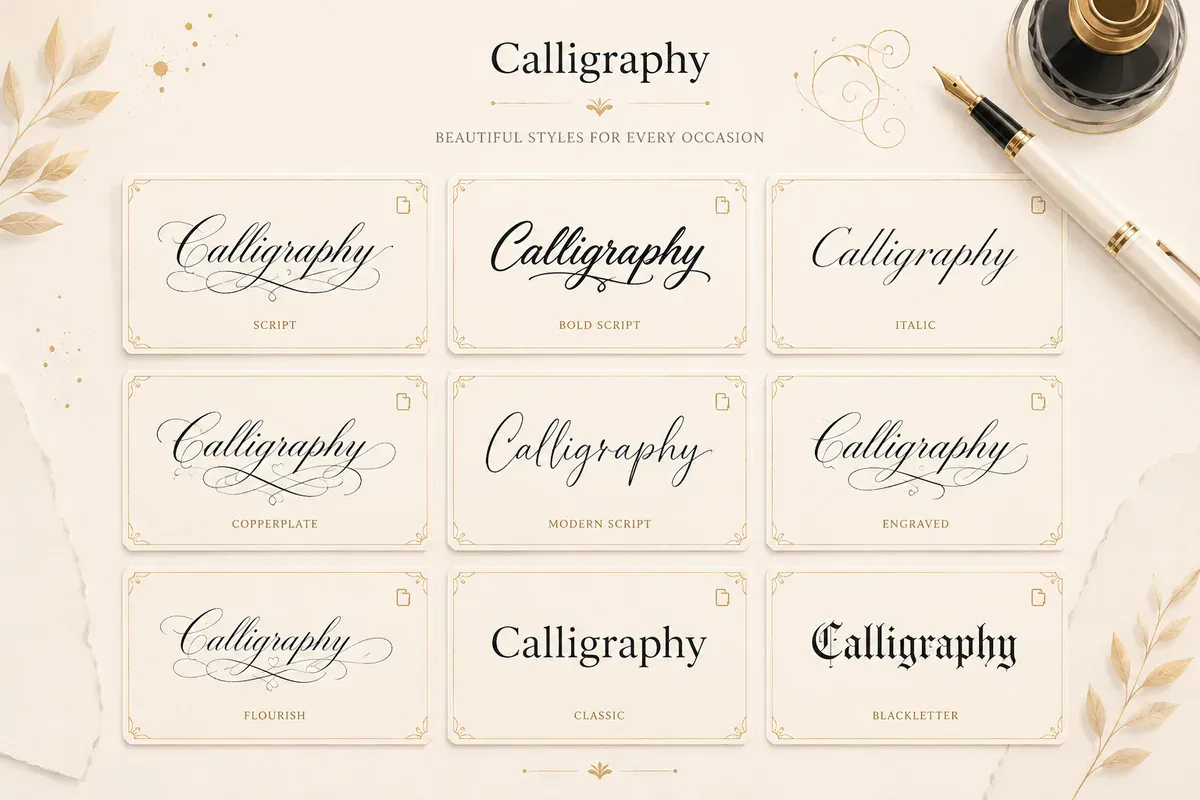
Here are 36 elegant styles applied to the word Calligraphy. Add your own text in the generator to get these looks for any name, bio line, or caption.
- Classic Script - ❦ 𝒞𝒶𝓁𝓁𝒾ℊ𝓇𝒶𝓅𝒽𝓎 ❦
- Bold Script - ✒ 𝓒𝓪𝓵𝓵𝓲𝓰𝓻𝓪𝓹𝓱𝔂 ✒
- Flourished Script - ⋆。°✩ 𝒞𝒶𝓁𝓁𝒾ℊ𝓇𝒶𝓅𝒽𝓎 ✩°。⋆
- Wedding Script - ❧ 𝓒𝓪𝓵𝓵𝓲𝓰𝓻𝓪𝓹𝓱𝔂 ❧
- Elegant Italic - ❦ 𝐶𝑎𝑙𝑙𝑖𝑔𝑟𝑎𝑝ℎ𝑦 ❦
- Bold Italic Ink - ✦ 𝑪𝒂𝒍𝒍𝒊𝒈𝒓𝒂𝒑𝒉𝒚 ✦
- Copperplate Feel - ⚜ 𝓒𝓪𝓵𝓵𝓲𝓰𝓻𝓪𝓹𝓱𝔂 ⚜
- Royal Script - ♛ 𝒞𝒶𝓁𝓁𝒾ℊ𝓇𝒶𝓅𝒽𝓎 ♛
- Ribbon Script - ➶ 𝓒𝓪𝓵𝓵𝓲𝓰𝓻𝓪𝓹𝓱𝔂 ➷
- Vintage Fraktur - ✝ ℭ𝔞𝔩𝔩𝔦𝔤𝔯𝔞𝔭𝔥𝔶 ✝
- Bold Blackletter - ❖ 𝕮𝖆𝖑𝖑𝖎𝖌𝖗𝖆𝖕𝖍𝖞 ❖
- Rose Script - ❀ 𝒞𝒶𝓁𝓁𝒾ℊ𝓇𝒶𝓅𝒽𝓎 ❀
- Pearl Script - ⟡ 𝓒𝓪𝓵𝓵𝓲𝓰𝓻𝓪𝓹𝓱𝔂 ⟡
- Serif Monogram - ❦ 𝐂𝐚𝐥𝐥𝐢𝐠𝐫𝐚𝐩𝐡𝐲 ❦
- Airy Wide Serif - ❁ Calligraphy ❁
- Modern Script - ✎ 𝘊𝘢𝘭𝘭𝘪𝘨𝘳𝘢𝘱𝘩𝘺 ✎
- Signature Slant - ~ 𝘾𝙖𝙡𝙡𝙞𝙜𝙧𝙖𝙥𝙝𝙮 ~
- Sparkle Script - ₊˚⊹ 𝒞𝒶𝓁𝓁𝒾ℊ𝓇𝒶𝓅𝒽𝓎 ⊹˚₊
- Spaced Script - ⋆ 𝒞 𝒶 𝓁 𝓁 𝒾 ℊ 𝓇 𝒶 𝓅 𝒽 𝓎 ⋆
- Gilded Script - ✧ 𝓒𝓪𝓵𝓵𝓲𝓰𝓻𝓪𝓹𝓱𝔂 ✧
- Botanical Script - ❦꧁ 𝒞𝒶𝓁𝓁𝒾ℊ𝓇𝒶𝓅𝒽𝓎 ꧂❦
- Crown Italic - ♔ 𝑪𝒂𝒍𝒍𝒊𝒈𝒓𝒂𝒑𝒉𝒚 ♔
- Lace Script - ⊰ 𝒞𝒶𝓁𝓁𝒾ℊ𝓇𝒶𝓅𝒽𝓎 ⊱
- Ink Flourish - ❈ 𝓒𝓪𝓵𝓵𝓲𝓰𝓻𝓪𝓹𝓱𝔂 ❈
- Baroque Fraktur - ⚜ 𝕮𝖆𝖑𝖑𝖎𝖌𝖗𝖆𝖕𝖍𝖞 ⚜
- Petal Italic - ✿ 𝐶𝑎𝑙𝑙𝑖𝑔𝑟𝑎𝑝ℎ𝑦 ✿
- Starlit Script - 。゚✧ 𝒞𝒶𝓁𝓁𝒾ℊ𝓇𝒶𝓅𝒽𝓎 ✧゚。
- Grand Script - ❦ 𝓒 𝓪 𝓵 𝓵 𝓲 𝓰 𝓻 𝓪 𝓹 𝓱 𝔂 ❦
- Quill Italic - ✒ 𝘊𝘢𝘭𝘭𝘪𝘨𝘳𝘢𝘱𝘩𝘺 ✒
- Monogram Bold - ◈ 𝐂𝐚𝐥𝐥𝐢𝐠𝐫𝐚𝐩𝐡𝐲 ◈
- Heart Script - ♡ 𝒞𝒶𝓁𝓁𝒾ℊ𝓇𝒶𝓅𝒽𝓎 ♡
- Vine Script - ❧ 𝓒𝓪𝓵𝓵𝓲𝓰𝓻𝓪𝓹𝓱𝔂 ❦
- Diamond Script - ❖ 𝒞𝒶𝓁𝓁𝒾ℊ𝓇𝒶𝓅𝒽𝓎 ❖
- Bold Wide - ❦ Calligraphy ❦
- Cursive Ribbon - ⤿ 𝓒𝓪𝓵𝓵𝓲𝓰𝓻𝓪𝓹𝓱𝔂 ⤾
- Ornate Script - ⚜。°✩ 𝒞𝒶𝓁𝓁𝒾ℊ𝓇𝒶𝓅𝒽𝓎 ✩°。⚜
Want a looser, everyday flow instead of formal calligraphy? Try our cursive font generator — the closest match for flowing, connected letterforms.
Ready-Made Copy Sets by Occasion
The list above is one word in 36 styles. These are the opposite — a whole set of lines in a single style, so a wedding invite or a bio reads as one piece instead of four competing ones. Copy a block, then swap the words for your own.
Wedding stationery — Wedding Script
| Line | Copy |
|---|---|
| Names | ❧ 𝓐𝓿𝓮𝓻𝔂 & 𝓝𝓸𝓪𝓱 ❧ |
| Announcement | ❧ 𝓢𝓪𝓿𝓮 𝓽𝓱𝓮 𝓓𝓪𝓽𝓮 ❧ |
| Date | ❧ 𝓙𝓾𝓷𝓮 14, 2027 ❧ |
Bio and profile lines — Classic Script
| Line | Copy |
|---|---|
| Tagline | ❦ 𝓈𝓁ℴ𝓌 𝓂ℴ𝓇𝓃𝒾𝓃ℊ𝓈 ❦ |
| Craft account | ❦ 𝓂𝒶𝒹ℯ 𝒷𝓎 𝒽𝒶𝓃𝒹 ❦ |
| Catch-all | ❦ 𝓃ℴ𝓉ℯ𝓈 & 𝓉𝒽𝒾𝓃ℊ𝓈 ❦ |
Monograms — Royal Script
| Line | Copy |
|---|---|
| Two initials | ♛ 𝒜 ℳ ♛ |
| Couple | ♛ ℛ & 𝒥 ♛ |
| Three initials | ♛ ℰ ℒ 𝒦 ♛ |
Business and signature — Elegant Italic
| Line | Copy |
|---|---|
| Studio name | ❦ 𝑆𝑡𝑢𝑑𝑖𝑜 𝐿𝑢𝑚𝑒𝑛 ❦ |
| Call to action | ❦ 𝐵𝑜𝑜𝑘 𝑎 𝑠𝑒𝑠𝑠𝑖𝑜𝑛 ❦ |
| Established line | ❦ 𝐸𝑠𝑡. 2019 ❦ |
Two notes from building these. Numbers stay plain — 14, 2027 and 2019 are unchanged above, because these styles carry no digit forms, so a date will always mix styled letters with ordinary numerals. And the monogram set uses letterlike substitutes for ℳ, ℛ, ℰ and ℒ, which is why those initials look slightly different in weight from the ones beside them.
Every set above came out of the calligraphy generator with the named style selected — type your own words to get the same block.
Unicode Calligraphy vs. Installable Font Files
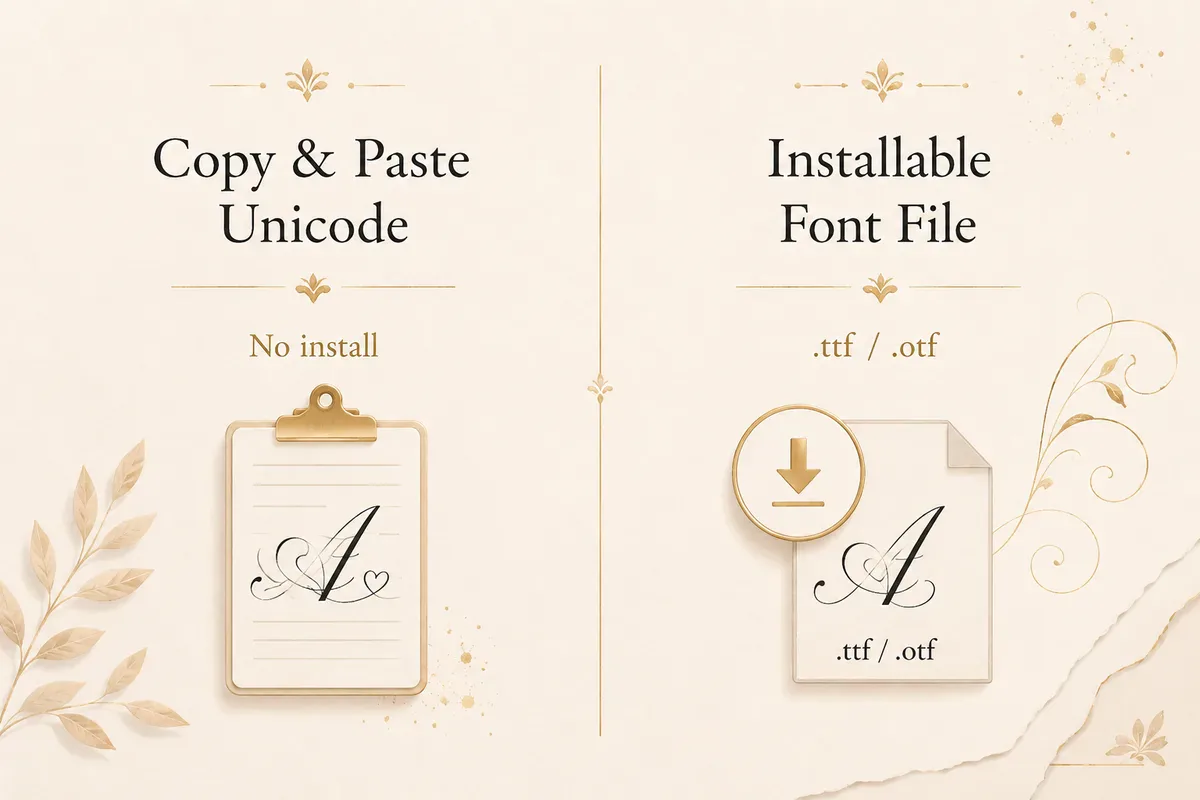
This is the single point most people get confused about, so it is worth being clear. There are two very different ways to get "calligraphy fonts," and they are not interchangeable.
Unicode calligraphy (what this generator makes) swaps your letters for look-alike characters that already exist inside the Unicode standard — the Mathematical Alphanumeric block, to be exact. Nothing is installed.
Because the characters live on the device already, the styled text pastes into a bio, caption, or message and still looks the same to everyone who sees it.
Installable font files (.ttf or .otf) are actual typefaces you download and install on your computer. They only appear inside design software like Canva, Photoshop, or Microsoft Word, and only on a device where the file is installed.
Paste that text into Instagram and it reverts to plain letters, since the platform has no idea what your font is.
| What you are comparing | Unicode calligraphy (this tool) | Installable font file (.ttf / .otf) |
|---|---|---|
| Setup | None — copy and paste | Download and install |
| Works in bios, chats, captions | Yes | No |
| Works in Canva, Photoshop, Word | As pasted text | Yes, as a real typeface |
| Looks the same for other people | Yes, on any device | Only if they have the font too |
| Good for | Social media, messages, quick posts | Print, logos, professional layouts |
| Cost | Free | Free to paid, depends on license |
Short version: If the text lives on a screen — a bio, a caption, or a chat — use the copy-paste generator. If you are designing something to print or export, install a real font file with a license that fits your use.
Where Calligraphy Text Works (Compatibility Notes)

Since these styles are Unicode, they paste and display on almost every modern app and device. The one place they do not go is the @username field: every major platform restricts handles to plain letters, numbers and a few punctuation marks, and rejects or strips styled characters. Display names are a different field and do accept them. The table keeps the two apart.
| Platform | Bio | Posts / Captions | Display name | @username / handle | Notes |
|---|---|---|---|---|---|
| Yes | Yes | Yes | No | Search matches the stored characters, so a styled display name is not found by its plain spelling | |
| TikTok | Yes | Yes | Yes | No | Useful for captions and display names |
| Discord | Yes | Yes | Yes (nickname) | No | Server nicknames and messages both work; the unique username does not |
| Yes | Yes | Yes (profile name) | No | Status and about section supported | |
| X (Twitter) | Yes | Yes | Yes | No | Keep bios short to fit the character limit |
| Yes | Yes | Limited | No | Posts, bio, and comments; profile names are reviewed and styled ones can be rejected | |
| Canva | Yes | Yes | — | — | Paste as text into any text box |
| Email signatures | Yes | Yes | — | — | Works in Gmail, Outlook, and most clients |
| Limited | Yes | Limited | No | Works, but keep it subtle for a professional feel |
For the detail on what the username restriction means in practice — search, hashtags and mentions — see the Instagram bio fonts guide and the Unicode text accessibility notes.
A couple of practical notes:
- Screen readers read styled Unicode letter by letter or may skip decorative symbols, so avoid it for essential information.
- Older or niche apps may show a box or blank for rare symbols. If that happens, pick a simpler style like the Elegant Italic or Serif Monogram.
Calligraphy vs. Cursive vs. Script: What Is the Difference?
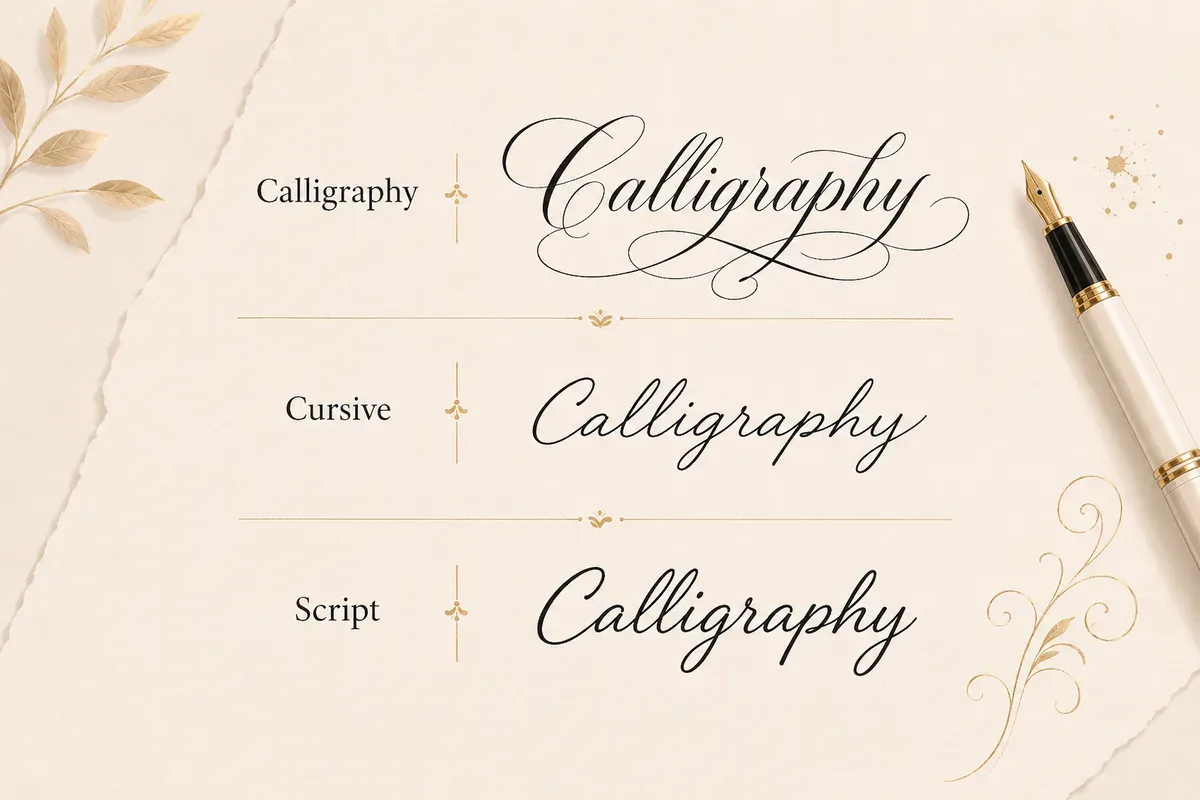
These three terms overlap, and online they are often used for the same tool. Here is the practical difference:
- Calligraphy is the most decorative and artistic — thick-and-thin strokes, flourishes, and an ornamental, "special occasion" feel. It suits invitations and headings.
- Cursive is everyday joined-up handwriting — simpler and more casual than calligraphy. See our cursive fonts tool.
- Script is the broad family of flowing, connected letterforms that both of the above belong to — not a separate style so much as the umbrella term for both. The script text generator holds the plainest versions of these letterforms, without the symbols the other presets wrap around them.
The difference in the letters themselves
Strip away the decorative symbols each preset adds and only four Unicode blocks are doing the work. This is the same name in each:
| Unicode block | "Amelia" | Reads as |
|---|---|---|
| Mathematical Script | 𝒜𝓂ℯ𝓁𝒾𝒶 | Light, fine-stroked — the plain script baseline |
| Mathematical Bold Script | 𝓐𝓶𝓮𝓵𝓲𝓪 | Heavier, more contrast — what most people mean by calligraphy |
| Mathematical Italic | 𝐴𝑚𝑒𝑙𝑖𝑎 | Slanted roman, not joined — closest to everyday handwriting |
| Mathematical Bold Italic | 𝑨𝒎𝒆𝒍𝒊𝒂 | Slanted and heavy — a signature line rather than a flourish |
The practical rule: bold script for occasions, plain script for bios, italic when the line has to stay readable at small sizes. A wedding heading and a bio line rarely want the same one.
One thing worth knowing before you compare: Mathematical Script has gaps. Unicode never assigned script forms for B, E, F, H, I, L, M, R and lowercase e, g and o, so those borrow letterlike symbols instead — that is why the ℯ in 𝒜𝓂ℯ𝓁𝒾𝒶 sits slightly differently from the letters around it. Bold Script has no gaps, which is part of why it looks more even in a heading.
For copy-paste Unicode text the labels matter less than the block. Pick the row above that fits your space, not the word that fits your occasion.
Aesthetic Use Cases for Calligraphy Text
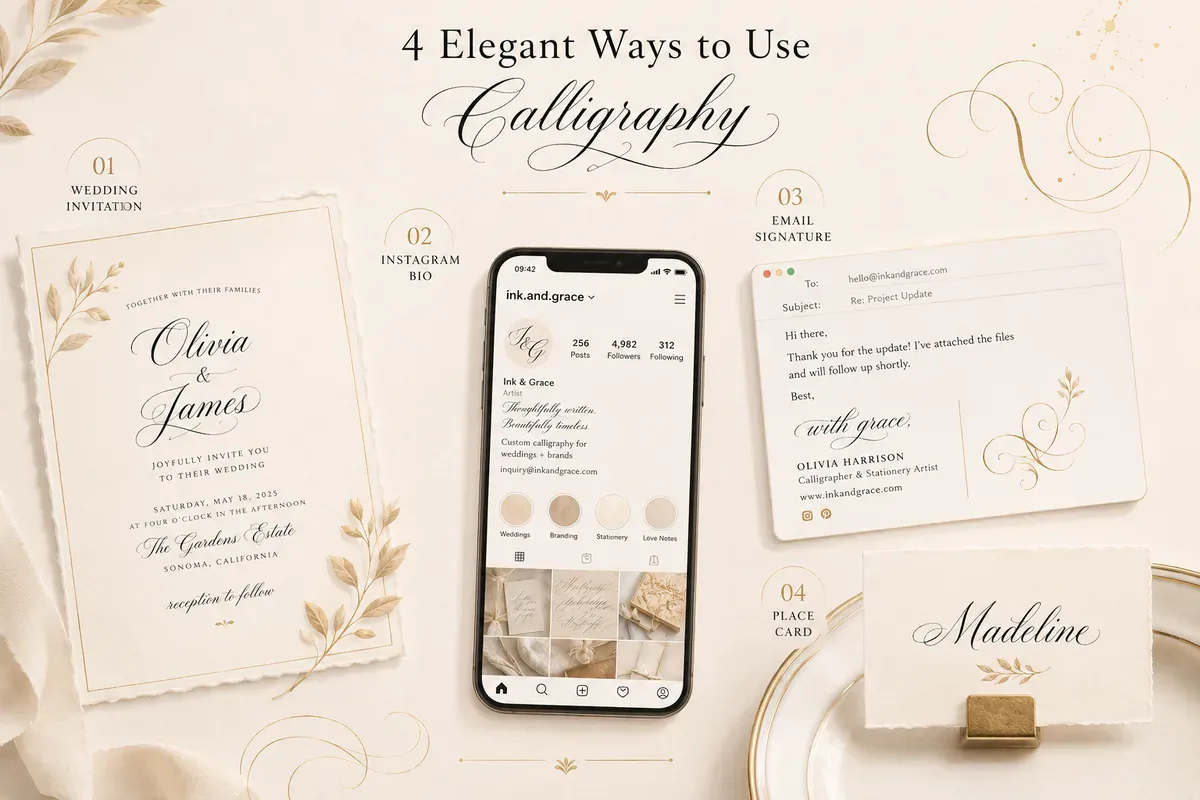
Calligraphy text fits anywhere you want an elegant, considered feel instead of plain default type. A few real ways people use it:
- Wedding stationery. Names, "save the date," and dates on digital invites, place cards, and menus made in Canva — a couple's names in Bold Script (
𝓐𝓿𝓮𝓻𝔂 & 𝓝𝓸𝓪𝓱) reads as a ready-made monogram without opening a design tool. - Instagram and TikTok bios. One elegant script line sets the tone before anyone reads a post.
- Email signatures. A refined name line adds polish to client and business emails.
- Logos and brand mockups. Quick to test an elegant wordmark idea before committing to a real typeface.
- Greeting cards and quotes. Script styling suits thank-you notes, congratulations, and quote posts.
- Certificates and invitations. Headings and names look formal without design software.
- Tattoo mock-ups. Script styling shows an artist the letterform you have in mind before anything is drawn — the tattoo font generator covers this directly, with blackletter and memorial lettering alongside script.
If you want the broader set of decorative looks, our aesthetic fonts and symbolic fonts tools pair well with calligraphy.
Tips for Readable Calligraphy Text
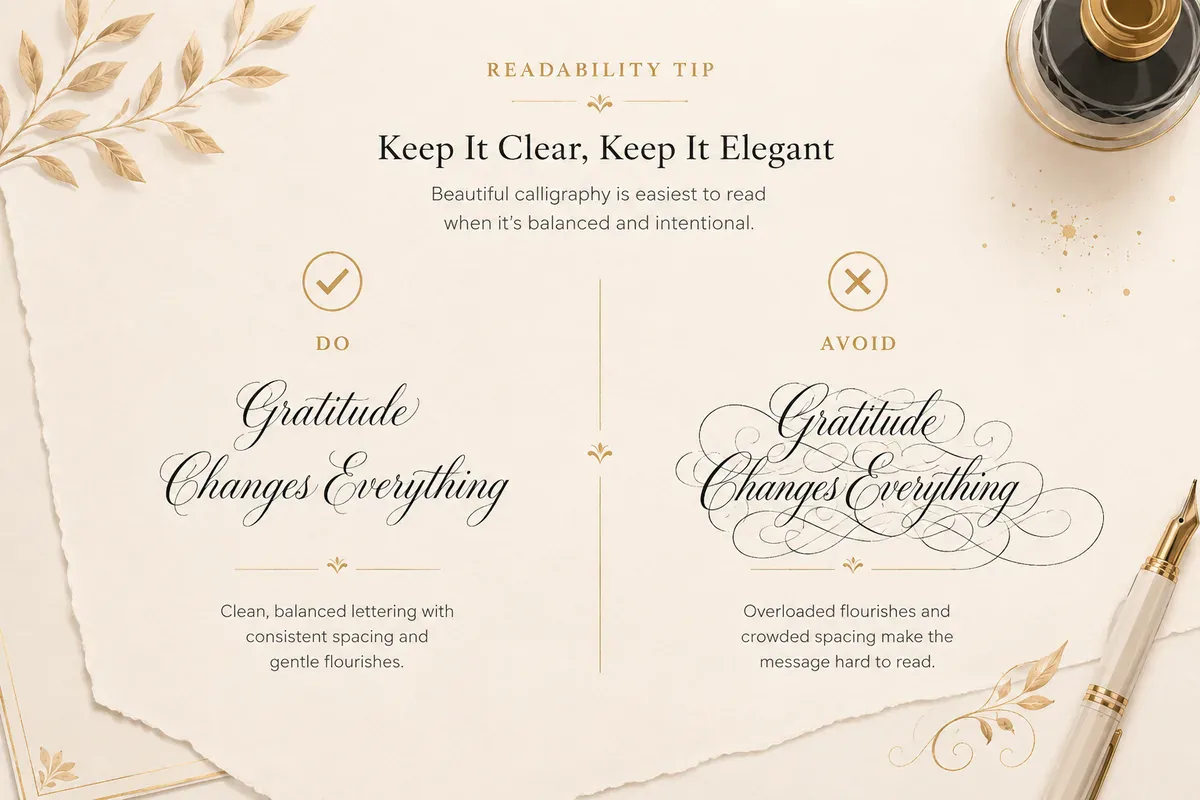
Elegant styles work well when they stay easy to read. A few quick rules:
- Keep it short. One styled name or line beats a full paragraph of script.
- Use one style at a time. Mixing three fonts in a line looks busy, not refined.
- Go light on flourishes. Two or three accents frame the text; ten of them bury it.
- Test on mobile. Most people see your text on a phone, so check it there first.
- Pick a simpler style for usernames. Italic or serif variants stay clear at tiny sizes.
Calligraphy Font Generator FAQ
What is a calligraphy font generator copy-paste tool? It is a free online tool that rewrites your text in elegant Unicode script styles you can copy and paste anywhere. There is nothing to download, and the styling stays with the text after you paste it into a bio, caption, or invite.
Are these calligraphy fonts free to copy and paste? Yes. The FontifyText calligraphy font generator is free, with no sign-up and no watermark. Enter your text, tap copy, and paste it wherever you like.
Do calligraphy fonts work on Instagram and for wedding invites? Yes. Because the styles use Unicode, they display in Instagram bios, captions, and usernames, and paste into Canva for digital wedding invitations and place cards. Simpler script styles stay clearer.
Why do some calligraphy characters show as boxes? A box or blank means that app or device does not have a glyph for one rare symbol. Switch to a simpler style like the Elegant Italic or Serif Monogram, or remove the decorative symbol, and it will display correctly.
Can I use this calligraphy text for a printed logo?
For on-screen use — bios, captions, digital invites — copy-paste calligraphy works well. For a printed logo, install a licensed .ttf or .otf calligraphy typeface instead, since copy-paste styles are Unicode characters meant for text fields, not print artwork.
Is there a swirly or gothic version of calligraphy text? Yes, though they're separate tools rather than options inside this one. The swirly font generator leans further into decorative flourishes than the scripts above. For a darker, medieval look instead of an elegant one, the gothic text generator uses blackletter characters rather than script.
Try the Calligraphy Font Generator
Elegant, flowing, and ready in seconds — calligraphy text is the quickest way to give a name, caption, or invitation a refined, hand-lettered feel. Open the calligraphy lettering tool, type your words, and copy the style that fits the occasion. Pair it with our everyday cursive styles when you want to compare looks, and keep it short so every letter stays clear.