
Unicode Text
Unicode Homoglyphs: How to Spot a Fake Name or Link
Some characters are drawn identically to ordinary letters. A measured list of 36, why your eyes cannot catch them, and how to check a name or link properly.
Contents
- The 36 characters that are drawn identically
- Cyrillic — all 21 checked were identical
- Greek — 13 of 14 identical
- Two more worth knowing
- Unicode's own standard names the same two alphabets
- Why you cannot do this by eye
- How to actually check
- For a link
- For a name or a piece of text
- What to do if you find one
- What your browser already does for you
- Most mixed-script text is nobody's attack
- Where this actually bites
- Limitations of this page
- FAQ
- Are Unicode homoglyphs illegal?
- Is Cyrillic а really identical to Latin a?
- How do I check a link on a phone?
- Does a VPN or antivirus stop this?
- Can I use lookalike characters in my own username for style?
- What about screen readers?
- Sources
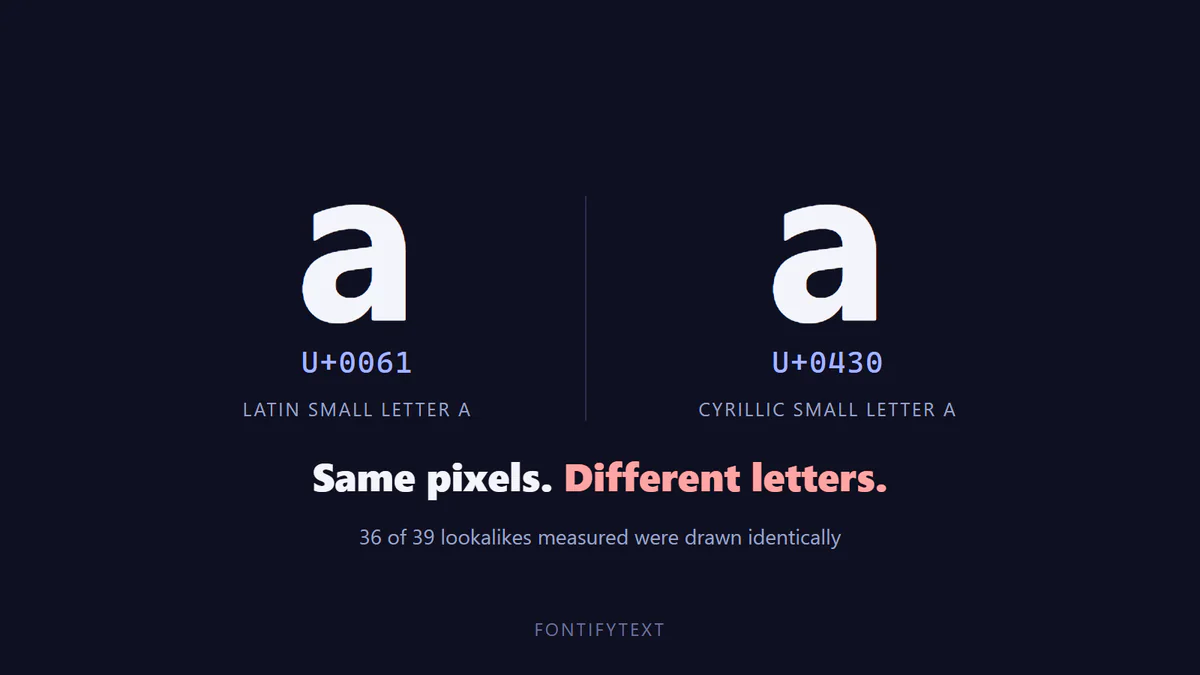
The short version: ехample and example are different words. Two of the letters in the first one are Cyrillic — е is U+0435 and х is U+0445, neither of them the Latin letter it resembles. On most screens the two are drawn with identical pixels, so no amount of careful looking will separate them — you have to decode the text rather than inspect it.
A homoglyph is a character that is drawn the same as another character. Unicode contains thousands of them, for the ordinary reason that different writing systems independently arrived at similar letter shapes. Cyrillic а and Latin a are unrelated letters that happen to look alike, and that is not a flaw in Unicode; it is a fact about alphabets.
It becomes a problem in one specific place: anywhere a name is used as an identifier. A domain, a username, an email sender, a package name. If two identifiers look the same and are not the same, one can stand in for the other.
This page covers which characters actually do this, why your eyes are the wrong instrument, and what to do instead. It does not cover whether the styled text from this site's own generators is a risk — the compatibility guide answers that one, with a measurement, and the short answer is that decorated letters are visibly decorated and so make poor disguises.
The 36 characters that are drawn identically
On 2026-10-01 we drew 39 well-known cross-script lookalikes at 100px and compared each one, pixel by pixel, with the Latin letter it resembles. 36 of the 39 produced identical pixels. The method and its controls are described in the compatibility guide's research section; the measurement here is the list.
Cyrillic — all 21 checked were identical
| Looks like | Character | Code point | Unicode name |
|---|---|---|---|
| a | а | U+0430 | Cyrillic small a |
| c | с | U+0441 | Cyrillic small es |
| e | е | U+0435 | Cyrillic small ie |
| i | і | U+0456 | Cyrillic small byelorussian-ukrainian i |
| j | ј | U+0458 | Cyrillic small je |
| o | о | U+043E | Cyrillic small o |
| p | р | U+0440 | Cyrillic small er |
| s | ѕ | U+0455 | Cyrillic small dze |
| x | х | U+0445 | Cyrillic small ha |
| y | у | U+0443 | Cyrillic small u |
| A | А | U+0410 | Cyrillic capital a |
| B | В | U+0412 | Cyrillic capital ve |
| C | С | U+0421 | Cyrillic capital es |
| E | Е | U+0415 | Cyrillic capital ie |
| H | Н | U+041D | Cyrillic capital en |
| K | К | U+041A | Cyrillic capital ka |
| M | М | U+041C | Cyrillic capital em |
| O | О | U+041E | Cyrillic capital o |
| P | Р | U+0420 | Cyrillic capital er |
| T | Т | U+0422 | Cyrillic capital te |
| X | Х | U+0425 | Cyrillic capital ha |
Greek — 13 of 14 identical
| Looks like | Character | Code point | Unicode name |
|---|---|---|---|
| o | ο | U+03BF | Greek small omicron |
| A | Α | U+0391 | Greek capital alpha |
| B | Β | U+0392 | Greek capital beta |
| E | Ε | U+0395 | Greek capital epsilon |
| H | Η | U+0397 | Greek capital eta |
| I | Ι | U+0399 | Greek capital iota |
| K | Κ | U+039A | Greek capital kappa |
| M | Μ | U+039C | Greek capital mu |
| N | Ν | U+039D | Greek capital nu |
| O | Ο | U+039F | Greek capital omicron |
| P | Ρ | U+03A1 | Greek capital rho |
| T | Τ | U+03A4 | Greek capital tau |
| X | Χ | U+03A7 | Greek capital chi |
Two more worth knowing
| Looks like | Character | Code point | Unicode name |
|---|---|---|---|
| l | ⅼ | U+217C | Small roman numeral fifty |
| d | ԁ | U+0501 | Cyrillic small komi de |
Notice what the list is mostly made of: the capital letters shared between the Latin, Cyrillic and Greek alphabets. A, B, E, H, K, M, O, P, T, X appear in all three. Those ten are the backbone of the problem, and they are the letters you would use to spell out something in capitals.
Unicode's own standard names the same two alphabets
This is the part worth pausing on, because it arrives from a completely different direction.
UTS #39, Unicode Security Mechanisms is the Unicode Consortium's standard for this problem — version 18.0.0, revision 34, dated 2026-08-27. Among other things it defines six restriction levels that an identifier can satisfy, from ASCII-Only upwards. The fourth one, Moderately Restrictive, allows Latin plus any one other recommended script — and then carves out an exception. In the standard's words, it covers Latin and any one other recommended script "except Cyrillic, Greek".
The standard singles out those two scripts by name.
Our pixel measurement knew nothing about restriction levels. It compared shapes. Of the 36 characters it found drawn identically to a Latin letter, 34 were Cyrillic or Greek. A standards committee reasoning about identifier safety and a script measuring pixels on a Windows machine arrived at the same two alphabets.
That is a good reason to trust the shape of the problem, and a good reason to be cautious about any list that claims to be complete — including the one above.
Why you cannot do this by eye
It is tempting to think the answer is to look more carefully. It is not, and the standard says so plainly.
UTS #39 notes that "shapes of characters vary greatly among fonts used to represent them" and concludes that "character confusability with arbitrary fonts can never be avoided." The confusables data it publishes was built by examining candidates "according to a set of common fonts" — the interface fonts of the major operating systems. Change the font and some pairs separate while others converge.
Our own measurement has the same limitation, and it is worth being blunt about it: it was one font stack, on one machine, in one browser. A different typeface would move some of those numbers. That is not a weakness peculiar to this test; it is the nature of the thing being measured.
So the list above is a guide to where to look, not a checklist that makes you safe. Any method that depends on recognising a shape has already lost.
One more warning from the standard, because it is easy to get backwards: the confusables mappings "should definitely not be used as a 'normalization' of identifiers." They exist to test whether two strings could be confused. They are not a repair tool, and quietly rewriting someone's name into ASCII is its own kind of bug.
How to actually check
For a link
Look at the address bar, not at the link text. Link text can say anything; it is written by whoever wrote the page. The address bar is the browser's own account of where you are.
If you see xn--, the browser is telling you something. That prefix is punycode — the ASCII encoding used for domain names containing non-ASCII characters. Seeing it is not proof of an attack, because plenty of legitimate international domains are encoded that way. But if a domain you expected to be ordinary English letters appears as punycode, the letters were not what you assumed.
Do not type the address from a message. Navigate to it the way you normally would — a bookmark, a search, the app rather than the email. This single habit defeats the entire category, because a lookalike domain only works if you arrive by following it.
For a name or a piece of text
Decode it rather than read it. Paste the suspect text somewhere that shows code points rather than shapes: a Unicode inspector, your editor's hex view, or a one-line script. Anything outside the Basic Latin range (U+0000 to U+007F) in what should be an English-language identifier is worth a question.
A character counter will not help. A lookalike occupies exactly one character, so the count is the one you expected. This is a common false reassurance.
Check for mixed scripts, not for odd-looking letters. The useful question is not "does this letter look strange" but "do these letters come from more than one alphabet". A word with Latin and Cyrillic in it is the signal, regardless of how it looks.
What to do if you find one
Report it to the platform or registrar, and tell whoever else is likely to receive the same message. Do not try to reproduce the fake to show someone — that is how a demonstration becomes a tool.
What your browser already does for you
Chrome publishes its IDN policy in the Chromium source tree, and it is more thorough than most people expect. It runs a script-mixing check based on the "Highly Restrictive" profile of UTS 39 — the level above the one that carves out Cyrillic and Greek — and falls back to displaying punycode when a label fails.
By Chrome's own documentation, it shows the xn-- form when, among other conditions:
- the label draws characters from multiple scripts in a way the profile disallows
- two or more numbering systems are mixed
- invisible characters are present
- a character is used in an unusual way
- mixed-script or whole-script confusables are detected
- the label contains only digits and digit lookalikes
- the skeleton of the registrable part matches one of the top domains — in other words, if it reduces to the same shape as a site people visit constantly, it is shown as punycode
That last rule is the one that catches the classic bank-lookalike. There is also a whole-script check: a label where "all the letters in a given label belong to a set of whole-script-confusable letters" is shown as punycode unless the top-level domain belongs to that script.
But Chrome's documentation is careful about what it claims, and so should anyone relying on it. It describes the policy as "one of several tools that aim to protect users", alongside Safe Browsing and password managers. It is a display policy for domain names. It does nothing about a display name in a chat app, a sender name in an email client, or a username on a forum — and those are where most people actually meet a lookalike.
A password manager is the quiet hero here. It fills credentials based on the domain it stored, not on what the page looks like, so it simply does not offer them on a lookalike site. Noticing that your password manager has gone silent is a better signal than anything your eyes will give you.
Most mixed-script text is nobody's attack
A safety page that leaves out this section is doing harm of its own.
Multilingual text is ordinary. A Bulgarian name in a Latin-script sentence, a Greek mathematical symbol in English prose, a Serbian company whose name is spelled in Cyrillic — all of this is normal writing, and all of it mixes scripts. The great majority of non-ASCII characters you encounter are there because someone was writing their own language.
This is exactly why UTS #39 defines a ladder of restriction levels rather than a single rule. Different contexts need different strictness. A domain name registry has a reason to be strict; a chat message does not.
So the thing to be suspicious of is not "a non-English character". It is a non-English character inside something that is pretending to be English — a domain made of what look like ordinary Latin letters, a username copying someone else's, a brand name spelled with one letter swapped. The context does the work, not the character.
Treating every non-ASCII character as a threat is both wrong and unkind to most of the world's writing.
Where this actually bites
| Where | Why it works there | What helps |
|---|---|---|
| Domain names | the address is the identity, and it is read quickly | punycode display, password managers, navigating by bookmark |
| Usernames and handles | a near-identical handle reads as the real account | platforms restricting identifier characters |
| Display names | often unrestricted even where handles are not | check the handle, not the display name |
| Email sender names | the name is shown, the address is hidden | expand the header and read the actual address |
| Package and repository names | installed by typing, often from a copied command | lockfiles, checksums, reading what you paste |
Note the pattern in the right-hand column: not one of those defences is "look carefully". They are all mechanisms that compare strings rather than shapes.
This is also the reason platforms refuse non-Latin characters in usernames while allowing them in bios and captions. A bio is text. A handle is an identifier, and two identifiers that look alike are a problem for everyone who reads them. The restriction that feels arbitrary when you want a styled username is doing real work.
Limitations of this page
Stated plainly, because a safety page that oversells itself is worse than none.
- The list of 36 is not complete. It is 39 well-known candidates measured on one font stack. Unicode contains far more confusable pairs; UTS #39's data file is the reference, and even it is explicitly tied to a set of common fonts.
- Font-dependent, and the standard says so. Some pairs on that list will separate visibly in a different typeface, and other pairs not listed will converge.
- One machine, one browser, one date. Chromium 149 on Windows 11, 2026-10-01. Nothing here was tested on iOS, macOS or Android.
- Browser behaviour changes. The Chrome rules described above are current as of this writing and are a display policy, not a guarantee.
- Nothing here is about text already in a document. The subject is identifiers — names and addresses that stand for something.
FAQ
Are Unicode homoglyphs illegal?
The characters are not; they are ordinary letters in the alphabets they belong to. Using one to impersonate a person or a business can be fraud, which is a matter of what was done rather than which code point was used.
Is Cyrillic а really identical to Latin a?
In the fonts measured here, yes — the two were drawn with the same pixels, so no rendering difference existed to notice. In some typefaces they differ slightly. Neither fact helps you in practice, which is why the advice on this page is to decode rather than look.
How do I check a link on a phone?
Press and hold the link to see the destination before opening it, and look for xn--. Phone browsers show less of a long address than a desktop does, which is part of why lookalike domains work better on mobile. Where it matters, open the app instead of the link.
Does a VPN or antivirus stop this?
Not by itself. This is a problem of names resembling each other, not of traffic. A password manager and arriving by bookmark are better defences than either.
Can I use lookalike characters in my own username for style?
You can try, and most platforms will refuse them in a handle for the reasons above. If you want a styled name, the usual place it is allowed is a display name or bio rather than the identifier — and our font compatibility guide covers which styles survive where.
What about screen readers?
They read the character they are given, so a Cyrillic а is announced as a Cyrillic letter or skipped according to the settings. That makes a lookalike word read oddly or incompletely aloud — one of several reasons decorative Unicode is a poor fit for text that has to be understood.
Sources
- UTS #39: Unicode Security Mechanisms, version 18.0.0, revision 34, 2026-08-27 — confusables and skeletons, the six restriction levels, the font-dependency caveat, and the warning against using confusables data as normalisation.
- Internationalized Domain Names (IDN) in Google Chrome, Chromium documentation — the Highly Restrictive profile, the conditions that trigger punycode display, whole-script confusables and top-domain skeletons, and the statement that the policy is one of several tools.
- Our own measurement of 2026-10-01, Chromium 149 on Windows 11: 39 cross-script candidates compared pixel by pixel against their Latin counterparts, with controls. Method and full results in the compatibility guide's research section.