
Games
Discord Fonts Generator for Bios and Channels
Browse free discord fonts to copy and paste into your bio, nickname, channel name or message. 25 styles with a compatibility table and fixes.
Contents
- Which Discord Field Are You Styling?
- Compatibility Table for Discord Fonts
- 25 Discord-Ready Font Examples
- How to Use a Discord Font Generator Step by Step
- Step 1: Type Your Text
- Step 2: Choose a Style That Matches Your Server
- Step 3: Copy and Paste Into Discord
- Step 4: Test on Desktop and Mobile
- Step 5: Save a Plain Text Backup
- Troubleshooting: Boxes, Rejection, and Unsupported Symbols
- I see empty boxes (□□□) instead of styled text
- My styled message looks fine on desktop but broken on mobile
- The name field rejects my styled text
- My styled text is harder to read than expected
- Where to Use Discord Fonts for Server Branding
- Server Names
- Channel Names
- Bios and Profiles
- Messages and Announcements
- Generated Unicode Text vs Discord Markdown Formatting
- Simple Difference
- Example
- Practical Style Ideas for Different Discord Servers
- Gaming Server
- Streamer Server
- Study Server
- Anime or Roleplay Server
- More Font Styles for Discord
- FAQ
- What discord fonts should I use?
- How do I get discord fonts copy and paste for free?
- What fonts for discord work in server names?
- Why does my discord font show boxes or get rejected?
- Are discord font generators safe to use?
- Conclusion
Which Discord Field Are You Styling?
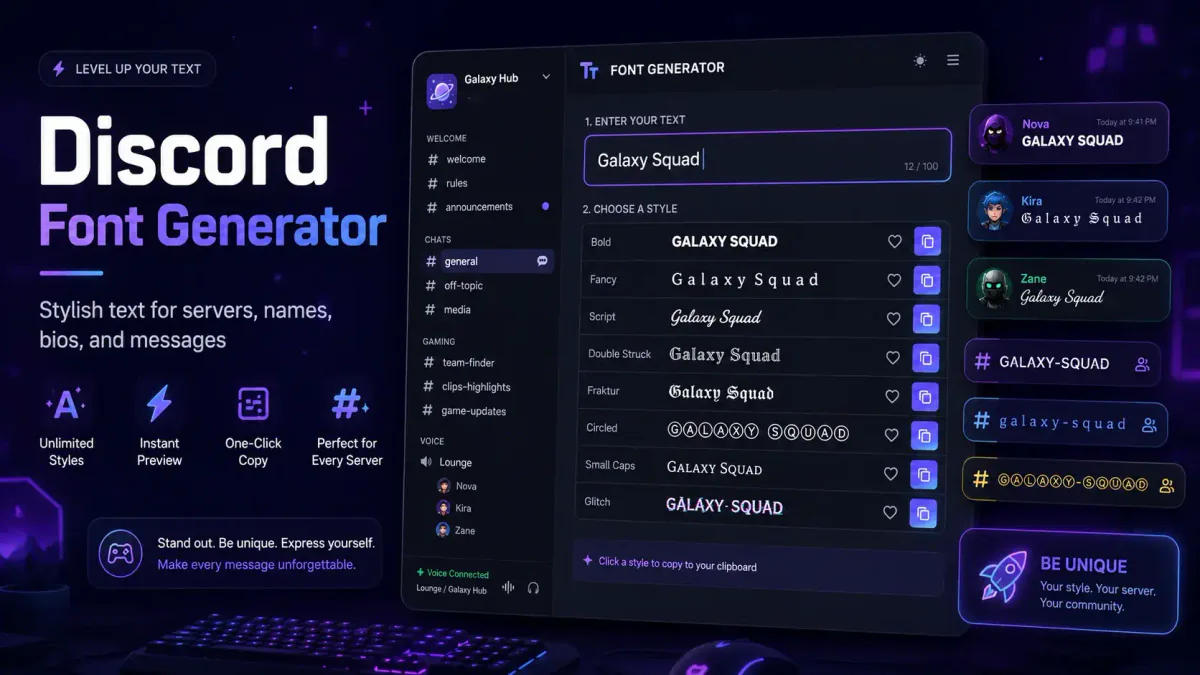
Looking for discord fonts to copy and paste into your bio, nickname, channel name, or message? Use the Discord fonts generator to turn plain text into bold, script, gothic, fullwidth, small caps, bubble, and other styles — then paste them directly into Discord. No app, bot, or sign-up needed.
This page covers which discord font styles work in each Discord field, 25 ready-to-copy examples, and what to do when text shows as boxes or gets rejected. If you are looking for fonts for discord that are safe and readable, you are in the right place.
Quick start: Type your text in the discord fonts generator, pick a style below, copy the result, and paste it into your bio, nickname, channel name, or message.
Compatibility Table for Discord Fonts
Not every discord font works the same way in every field. The table below shows which styles are supported and where limitations apply.
| Field | Unicode Support | Recommended Styles | Key Limitations |
|---|---|---|---|
Username (@name) | None | — | 2–32 characters, forced lowercase, and only a–z, 0–9, _ and .; no two periods in a row. Styled characters are rejected as you type |
| Display Name | Full | Bold, Script, Small Caps, Fullwidth, Gothic | 32-char limit. This is the name people see, and the field most styled text is actually meant for |
| Profile Bio | Full | Bold, Script, Small Caps, Fullwidth, Gothic | 190-char limit; some styles hard to read at a glance |
| Nickname | Full | Bold, Gothic, Small Caps, Symbols, Fullwidth | 32-char limit; avoid dense glitch or zalgo text |
| Channel Name | Partial | Fullwidth, Small Caps, Bold, Symbols, Plain | No combining marks (zalgo/glitch); some symbols rejected |
| Field | Unicode Support | Recommended Styles | Key Limitations |
|---|---|---|---|
| Message Text | Full | All Unicode styles + Markdown formatting | Markdown works alongside Unicode; no practical length limit |
| Server Name | Full | Bold, Small Caps, Fullwidth, Light Symbols | Keep under ~25 chars for visibility in server list |
| Role Name | Full | Bold, Symbols, Fullwidth, Small Caps | Avoid long decorative text; keep recognizable |
General rules for all fields:
- Bold Unicode, fullwidth, and small caps are the safest fonts for discord because they use characters supported by nearly every device.
- Script and gothic text add visual flair but are harder to scan in long phrases.
- Glitch and zalgo text use combining marks that may paste incorrectly or be blocked entirely in channel and role name fields.
- Emoji and common symbols (✦, ★, •, ◎) paste reliably into most fields.
25 Discord-Ready Font Examples
Use these discord fonts copy and paste examples directly in your server. Replace the sample text with your own.
| # | Field | Plain Text | Styled Result | Style |
|---|---|---|---|---|
| 1 | Bio | gamer • editor • night owl | 𝖌𝖆𝖒𝖊𝖗 • 𝖊𝖉𝖎𝖙𝖔𝖗 • 𝖓𝖎𝖌𝖍𝖙 𝖔𝖜𝖑 | Gothic |
| 2 | Bio | Streamer • Content Creator | 𝒮𝓉𝓇𝑒𝒶𝓂𝑒𝓇 • 𝒞𝑜𝓃𝓉𝑒𝓃𝓉 𝒞𝓇𝑒𝒶𝓉𝑜𝓇 | Script |
| 3 | Bio | student • coffee • life | ꜱᴛᴜᴅᴇɴᴛ • ᴄᴏꜰꜰᴇᴇ • ʟɪꜰᴇ | Small Caps |
| 4 | Bio | Coder • Gamer • Night owl | 𝗖𝗼𝗱𝗲𝗿 • 𝗚𝗮𝗺𝗲𝗿 • 𝗡𝗶𝗴𝗵𝘁 𝗼𝘄𝗹 | Bold |
| 5 | Bio | Designer • Artist • Creator | Designer • Artist • Creator | Fullwidth |
| 6 | Nickname | Raven | 𝕽𝖆𝖛𝖊𝖓 | Gothic |
| 7 | Nickname | Nova | 𝗡𝗼𝘃𝗮 | Bold |
| # | Field | Plain Text | Styled Result | Style |
|---|---|---|---|---|
| 8 | Nickname | Echo | ✦ Echo | Light Symbol |
| 9 | Nickname | Ghost | 『Ghost』 | Brackets |
| 10 | Nickname | Night | ɴɪɢʜᴛ | Small Caps |
| 11 | Channel | announcements | 📢 announcements | Emoji |
| 12 | Channel | game-chat | 🎮 game-chat | Emoji |
| 13 | Channel | rules | ✦ rules | Symbol |
| # | Field | Plain Text | Styled Result | Style |
|---|---|---|---|---|
| 14 | Channel | stream-alerts | ꜱᴛʀᴇᴀᴍ-ᴀʟᴇʀᴛꜱ | Small Caps |
| 15 | Channel | media | 𝗺𝗲𝗱𝗶𝗮 | Bold |
| 16 | Server | Nova Live | 𝗡𝗼𝘃𝗮 𝗟𝗶𝘃𝗲 | Bold |
| 17 | Server | Midnight RP | 𝓜𝓲𝓭𝓷𝓲𝓰𝓱𝓽 𝓡𝓟 | Script |
| 18 | Server | Study Room | ꜱᴛᴜᴅʏ ʀᴏᴏᴍ | Small Caps |
| 19 | Message | EVENT TONIGHT | 𝗘𝗩𝗘𝗡𝗧 𝗧𝗢𝗡𝗜𝗚𝗛𝗧 | Bold |
| 20 | Message | Join the game now! | 𝐉𝐨𝐢𝐧 𝐭𝐡𝐞 𝐠𝐚𝐦𝐞 𝐧𝐨𝐰! | Bold |
| # | Field | Plain Text | Styled Result | Style |
|---|---|---|---|---|
| 21 | Message | LIVE NOW | LIVE NOW | Fullwidth |
| 22 | Role | Mod | 𝗠𝗼𝗱 | Bold |
| 23 | Role | Admin | 🛡️ Admin | Emoji |
| 24 | Role | Support | ꜱᴜᴘᴘᴏʀᴛ | Small Caps |
| 25 | Role | VIP | ✦ VIP | Symbol |
For more ideas, browse Gothic fonts for dark-styled names or cursed fonts for ironic or horror text.
For cross-platform naming tips, read the gaming username guide.
How to Use a Discord Font Generator Step by Step
Follow this simple process to make cool text for Discord without overdoing it.
Step 1: Type Your Text
Start with the exact text you want to style. Keep it short if you plan to use it for a server name, channel name, or role.
Good examples include:
Raid HubStreamer LoungeAnime ChatRulesLive NowSquad Goals
Short text usually works better because decorative Unicode characters can take up more space.
Step 2: Choose a Style That Matches Your Server
Pick a style based on your server's vibe.
A gaming server may use bold or sharp text. A cozy community may use soft script or small caps. A streamer server may use clean bold text for announcements.
For example:
𝗥𝗮𝗶𝗱 𝗛𝘂𝗯works well for esports.𝓒𝓸𝔃𝔂 𝓒𝓱𝓪𝓽works well for friendly communities.LIVE NOWworks well for stream alerts.
Step 3: Copy and Paste Into Discord
After choosing a style, copy the generated text. Then paste it into your Discord message, profile, channel name, role name, or server name.
For a faster option, use the discord fonts copy and paste tool and test several styles before choosing one.
Step 4: Test on Desktop and Mobile
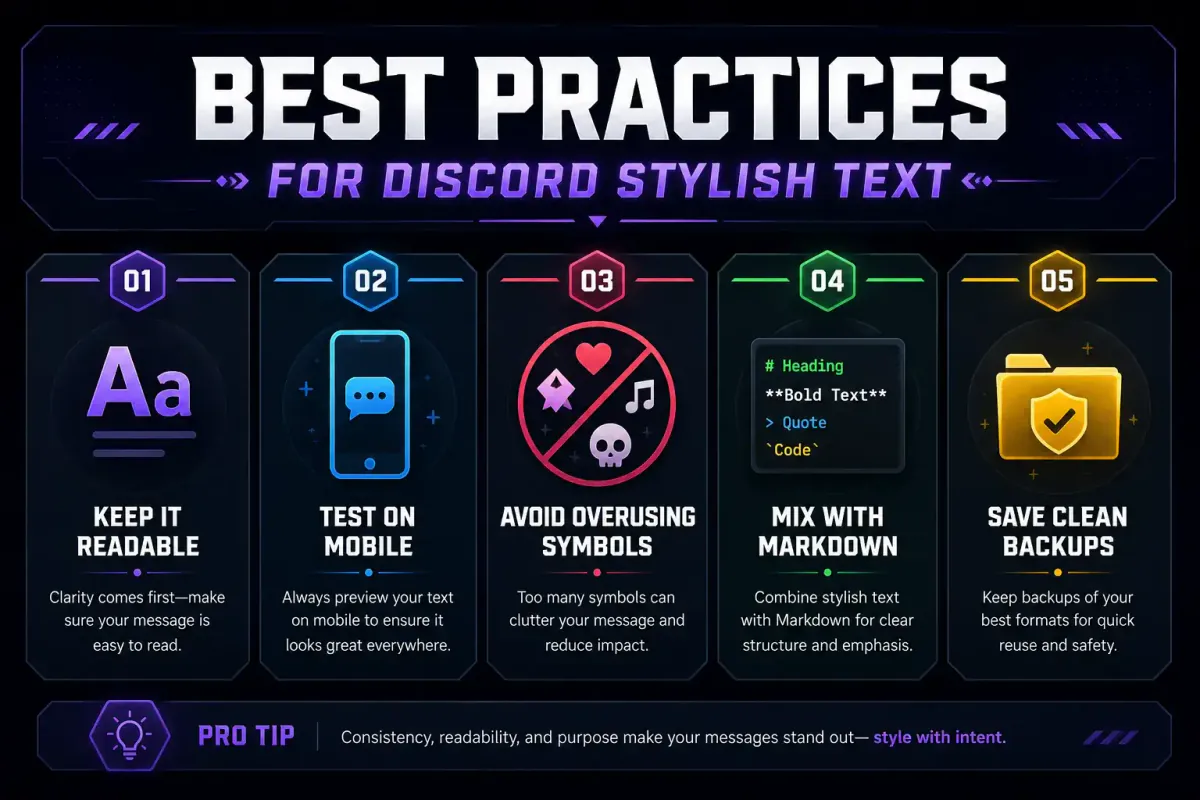
Before using stylish text in important places, check it on both desktop and mobile. Some characters look great on one device but may look strange on another.
This matters most for:
- Server names
- Channel names
- Role names
- Rules channels
- Welcome messages
- Streamer announcements
Step 5: Save a Plain Text Backup
Keep a plain version of your server name, channel list, and role names. If a font style becomes hard to read or does not display well for some members, you can switch back quickly.
Troubleshooting: Boxes, Rejection, and Unsupported Symbols
I see empty boxes (□□□) instead of styled text
Cause: The device, app, or text field does not have a glyph for one or more of the Unicode characters in your styled text. This is uncommon on modern phones and desktop Discord, but it can happen with rare characters, older operating systems, or specific text fields.
Fix: Choose a simpler style from the generator. Bold Unicode, fullwidth, and small caps use widely supported characters and are the most reliable fonts for discord.
My styled message looks fine on desktop but broken on mobile
Cause: Android and iOS sometimes render Unicode characters differently. Some decorative letters that look clear on a desktop monitor may appear cramped, fall back to a different design, or show boxes on a phone screen.
Fix: Before saving a server name, channel name, or bio, test the styled text on both a desktop client and the Discord mobile app. Keep the plain version nearby so you can restore it quickly.
The name field rejects my styled text
Cause: It depends which name field you are in, and one of them is not a matter of degree. The username — the @name that identifies the account — takes only lowercase a–z, 0–9, _ and ., so every styled character is rejected, always. The display name beside it accepts the full Unicode set within 32 characters, and is what almost everyone actually means by "my Discord name". Channel and role names are the strictest of the rest; server names and nicknames are more permissive but can still refuse unusual symbols.
Fix: If it is the username, there is nothing to fix — put the styled version in the display name instead. Anywhere else, remove glitch marks, stacked accents, emoji and rare symbols, and try bold Unicode or fullwidth letters first, because they use blocks Discord handles reliably.
My styled text is harder to read than expected
Cause: Script, gothic, and bubble text look decorative but some letters can become confusing. Glitch and zalgo text can make entire words unreadable.
Fix: Use decorative text only for short labels, names, or highlights. Keep instructions, rules, and long messages in plain or bold Unicode text.
Where to Use Discord Fonts for Server Branding
Stylish text is most useful when it helps members understand your server faster. It should not make basic navigation harder.
Server Names
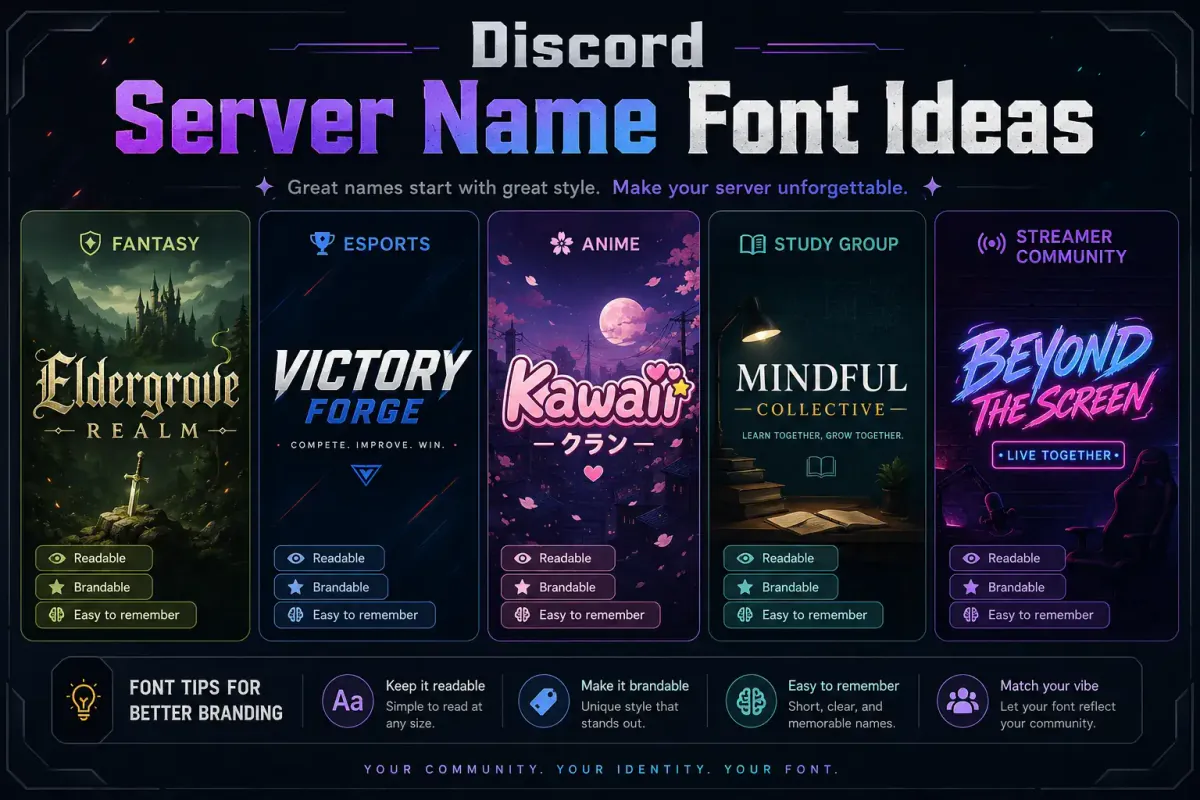
Discord fonts for server names can make your community feel more polished. For example, a streamer server could use 𝗡𝗼𝘃𝗮 𝗟𝗶𝘃𝗲, while a roleplay server could use 𝓜𝓲𝓭𝓷𝓲𝓰𝓱𝓽 𝓡𝓟.
Keep server names short. Long decorative names may be hard to scan in a user's server list.
Channel Names
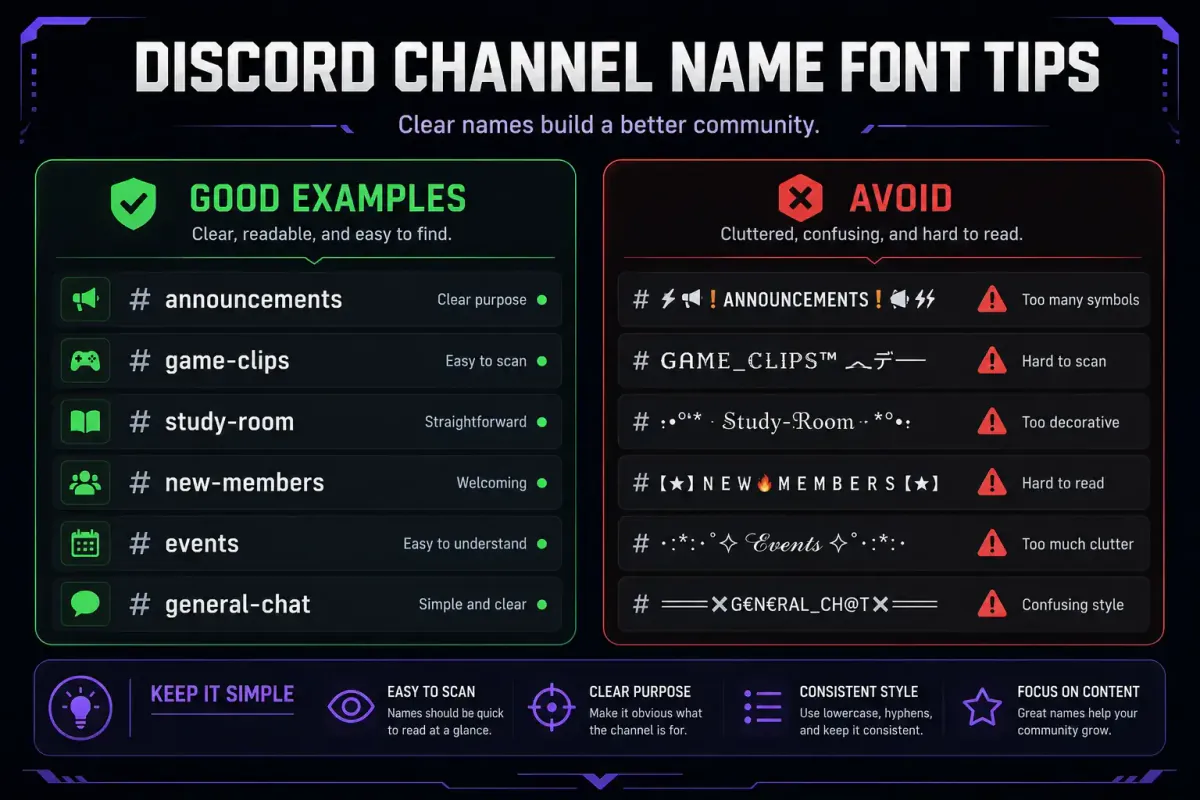
For channel names, use simple styles and symbols. Good examples include:
✦ rules🎮 game-chat𝗮𝗻𝗻𝗼𝘂𝗻𝗰𝗲𝗺𝗲𝗻𝘁𝘀ꜱᴛʀᴇᴀᴍ-ᴀʟᴇʀᴛꜱ
Avoid heavy script text for important channels like rules, tickets, support, or moderation logs. Members should find those channels quickly.
Bios and Profiles
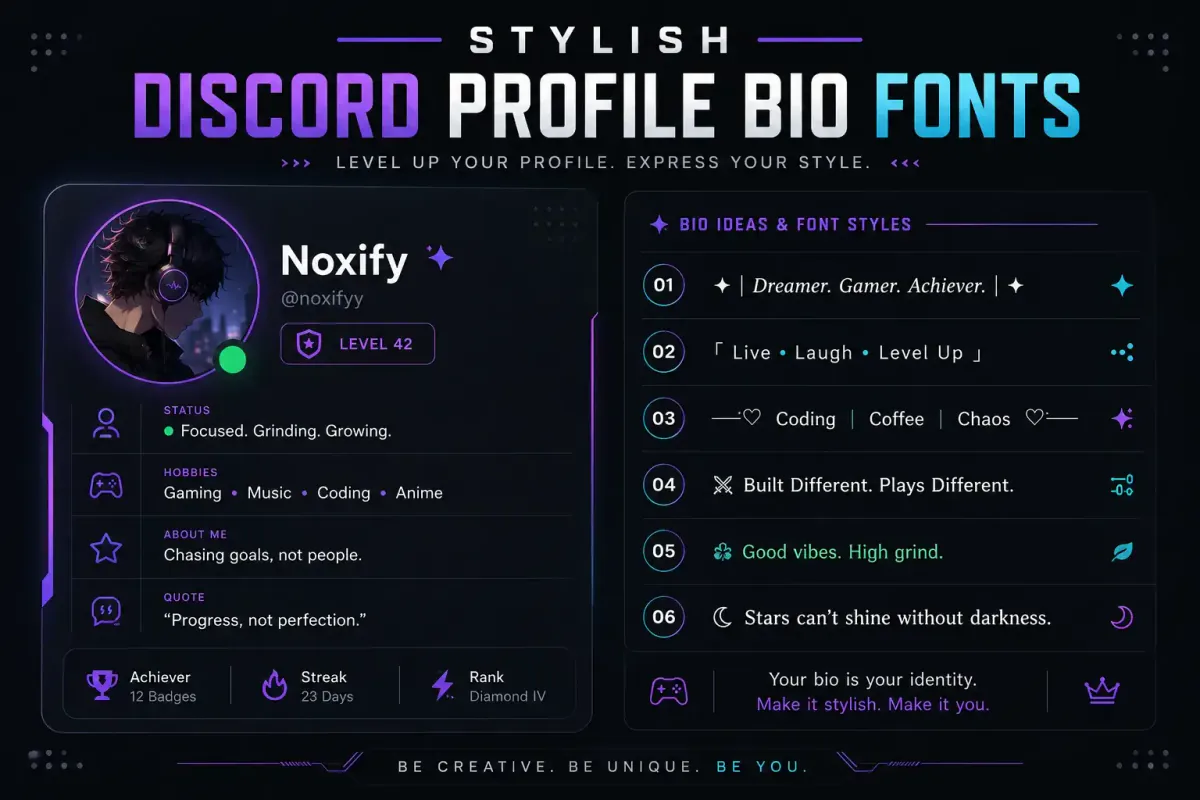
Bios are a good place for Discord stylish text because they are personal and short. Try mixing one styled line with normal readable text.
Example:
𝖌𝖆𝖒𝖊𝖗 • editor • night owl
A clean profile is usually better than a crowded one. Use one or two styles, not six.
Messages and Announcements
Cool text for discord font styles can make announcements stand out. Still, normal text should handle the main message.
Example:
𝗘𝗩𝗘𝗡𝗧 𝗧𝗢𝗡𝗜𝗚𝗛𝗧
Then write the details in plain text. This keeps your announcement readable and stylish.
Generated Unicode Text vs Discord Markdown Formatting
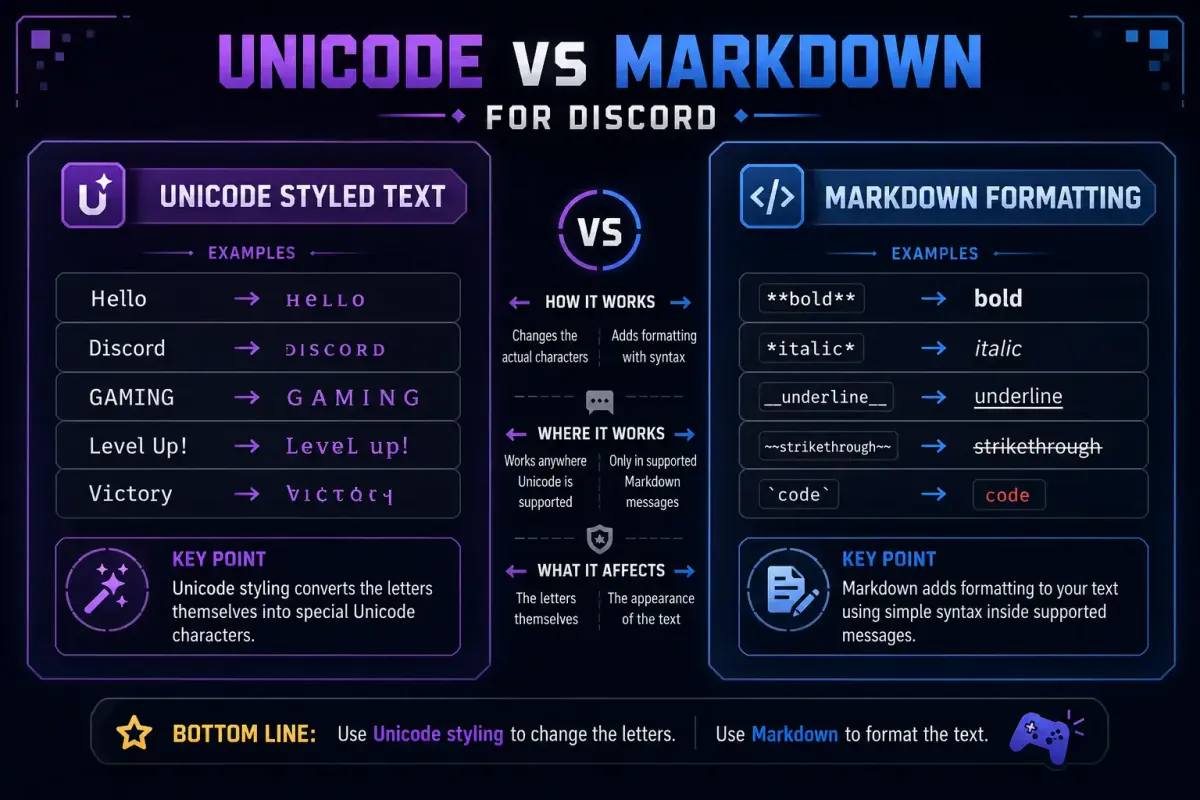
Copy-paste Unicode tools and Discord Markdown formatting are different tools.
A Unicode generator changes the characters themselves. When you copy 𝗛𝗲𝗹𝗹𝗼, you are copying special Unicode letters that look bold. Unicode exists to represent text characters across languages, symbols, and writing systems. Learn more from the Unicode Consortium and its technical introduction to Unicode.
Discord Markdown formatting changes how plain text appears in messages. Discord's Markdown guide explains that you can add characters around text to make it bold, italic, underlined, quoted, or shown as code.
See Discord's Markdown Text 101 support page.
Simple Difference
- Unicode font generator: copy-paste styled characters, useful for names, bios, channels, and messages.
- Discord Markdown formatting: adds formatting to messages using symbols like
**bold**,_italic_, and~~strikethrough~~.
Example
Unicode styled text:
𝗪𝗲𝗹𝗰𝗼𝗺𝗲 𝗧𝗼 𝗧𝗵𝗲 𝗦𝗲𝗿𝘃𝗲𝗿
Markdown formatted text:
**Welcome To The Server**
The first can work in more profile and naming areas. The second mainly works in Discord messages where Markdown is supported.
Practical Style Ideas for Different Discord Servers
Different communities need different font styles.
Gaming Server
Use bold text, sharp symbols, and short labels.
Examples:
𝗥𝗔𝗜𝗗 𝗡𝗜𝗚𝗛𝗧⚔ boss-fights🎮 squad-chat
Streamer Server
Use clean announcement text and clear channel names.
Examples:
LIVE NOW𝗰𝗹𝗶𝗽𝘀✦ supporter-chat
Study Server
Use soft, readable text. Avoid loud symbols.
Examples:
ꜱᴛᴜᴅʏ ʀᴏᴏᴍnotes-hubfocus-chat
Anime or Roleplay Server
Use script text for decorative areas, but keep rules plain.
Examples:
𝓦𝓮𝓵𝓬𝓸𝓶𝓮✧ character-lore𝕽𝖔𝖑𝖊𝖕𝖑𝖆𝖞 𝕳𝖚𝖇
More Font Styles for Discord
These copy-and-paste styles come in many forms. Here are related collections you can combine or compare:
- Gothic font generator — dark blackletter styles for fantasy and horror servers.
- Gaming username font generator — styles tested for Free Fire, PUBG, COD Mobile, and Mobile Legends.
- Zalgo text generator (cursed fonts) — corrupted and glitch text for memes and ironic roles.
- How to make your username look cool — general advice for styling any social or gaming name.
- Underline text generator — copy-paste underlined Unicode text for bios and channel labels.
- Strikethrough text generator — cross out text for "closed," "sold," or joke edits in messages.
FAQ
What discord fonts should I use?
The safest discord fonts are bold Unicode, fullwidth, and small caps. They use widely supported characters and display correctly on almost every device. For decorative accents, script and gothic text work in bios and nicknames but are harder to read in long phrases.
How do I get discord fonts copy and paste for free?
Use the discord fonts generator on FontifyText. Type your text, choose a style from the preview cards, copy the result, and paste it into Discord. No sign-up, download, or bot required.
What fonts for discord work in server names?
Bold Unicode, fullwidth, small caps, and light symbol styles are usually good choices for server names. Keep the name short so it remains readable in the user's server list. Avoid glitch text and heavy symbols for server names.
Why does my discord font show boxes or get rejected?
Empty boxes mean the device is missing a glyph for that character. Rejection means the field does not allow that character. Switch to bold Unicode or fullwidth letters, which are supported in every Discord field.
Are discord font generators safe to use?
Yes. Tools like FontifyText return plain text characters. They do not require installation, app permissions, or account access. The result is safe to paste into any text field. For how FontifyText compares against other options, see the 10 best free font generators online.
Conclusion
A discord fonts copy and paste generator is a simple way to style your bio, nickname, channel name, or message without installing anything. Stronger results come from choosing readable Unicode styles, testing on both desktop and mobile, and keeping a plain text backup.
Start creating your own Discord stylish text with the discord fonts tool, then copy and paste your favorite style into your server.